
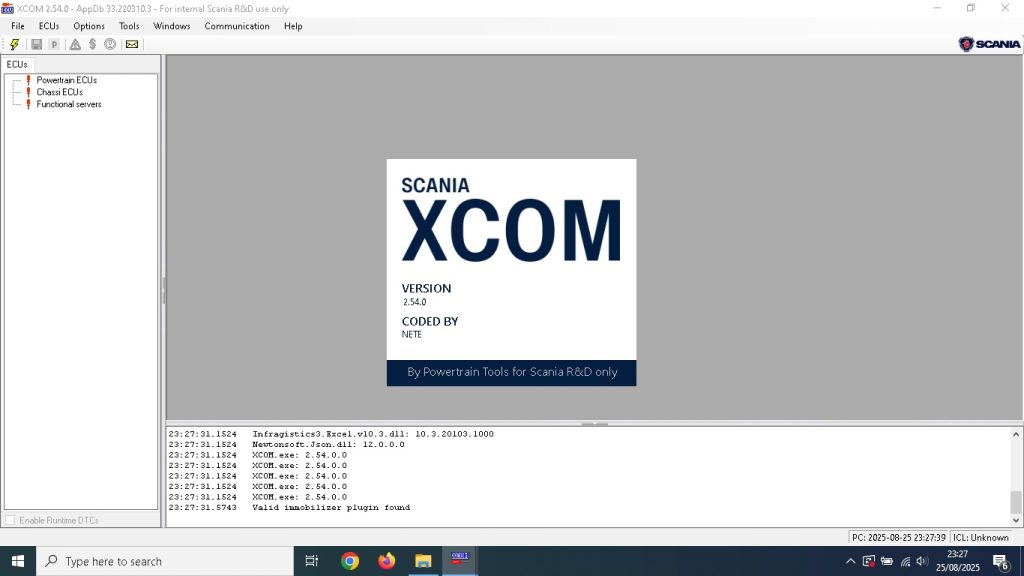
Scania XCOM 2.54 vs Scania SDP3 — Which Diagnostic Tool Do You Need?
Both Scania XCOM 2.54 and Scania SDP3 are official Scania diagnostic tools, but they serve fundamentally different purposes. Choosing the right one depends on whether you need comprehensive diagnostics (SDP3) or deep parameter programming (XCOM). This guide breaks down the differences so you can make the right choice.
What Each Tool Does
Scania XCOM 2.54 is a parameter programming tool. Its primary function is modifying ECU settings — enabling/disabling systems like AdBlue and EGR, changing VINs, recovering bricked ECUs, and adjusting engine power. It’s the tool workshops use for custom calibration and modification work.
Scania SDP3 (Service Data Program 3) is a comprehensive diagnostic and service tool. It handles fault code reading/clearing, ECU flashing with official firmware, service interval resets, actuator testing, and guided troubleshooting. It’s the tool dealerships use for standard service and repair.
Feature-by-Feature Comparison
| Feature | XCOM 2.54 | SDP3 v2.65 |
|---|---|---|
| Fault Code Reading | Basic DTC read | ✅ Full guided diagnostics |
| Fault Code Clearing | ✅ | ✅ |
| ECU Parameter Modification | ✅ Full access | ❌ Limited |
| AdBlue ON/OFF | ✅ | ❌ |
| EGR ON/OFF | ✅ | ❌ |
| VIN/Chassis ID Change | ✅ (COO6/COO7) | ✅ (authorized only) |
| ECU Recovery | ✅ | ✅ (official firmware reflash) |
| ECU Firmware Update | ❌ Diagnostics only | ✅ Full OEM firmware |
| Actuator Testing | ❌ | ✅ Full guided tests |
| Service Interval Reset | ❌ | ✅ |
| Live Data / Parameter Monitoring | ❌ | ✅ Full streaming |
| Wiring Diagrams Reference | ❌ | ✅ Integrated diagrams |
| Guided Troubleshooting | ❌ | ✅ Step-by-step |
| Truck Models Supported | All (P, G, R, S, C, K, N) | All (P, G, R, S, C, K, N) |
| Engine Platforms | All Euro III–VI | All Euro III–VI |
| Language Support | English | 20+ languages |
| Price | $49 | $49 |
When to Use XCOM 2.54
Choose XCOM 2.54 when you need to:
- Modify AdBlue, EGR, or other emissions system parameters
- Increase engine power or adjust torque limiters
- Change VIN or chassis ID after ECU replacement
- Perform ECU recovery after a failed flash
- Unlock immobilizer on replacement ECUs
- Access deep EMS, RET, AWD, or EEC parameters
When to Use SDP3
Choose SDP3 when you need to:
- Perform standard diagnostics and fault code analysis
- Flash ECUs with official Scania firmware updates
- Run guided actuator tests and service procedures
- Reset service intervals and maintenance counters
- Access wiring diagrams and repair instructions
- Perform guided troubleshooting on complex faults
Can You Use Both?
Absolutely — and many professional workshops do. XCOM 2.54 and SDP3 complement each other perfectly:
- Use SDP3 for initial diagnostics, fault code reading, and firmware updates
- Switch to XCOM for parameter modifications (AdBlue, EGR, power, VIN)
- Use SDP3 again for post-modification verification and service reset
Both tools support VCI3 and VCI2 adapters, so no additional hardware is needed.
XCOM 2.54 vs SDP3 — Quick Decision Guide
| Your Task | Buy |
|---|---|
| Delete AdBlue/EGR on Scania truck |
Both tools are available at Mecaprograms with instant download.
Get Scania XCOM 2.54 — Instant Download
➜ Buy Scania XCOM 2.54 — $49 Instant Download