
إذا كنت’ve ever stared at a Caterpillar رموز الأعطال like 596-3 or 1401-5 و wondered where إلى even begin, Cat Electronic Technician (Cat ET) is the OEM برنامج التشخيص that decodes exactly what those numbers mean — و more importantly, tells you where إلى probe مع a multimeter. This walkthrough is based على كامل Cat ET 2021A training session using the software’s built-in Trainer mode, which lets you practice diagnostics على simulated CAT 980H Medium لودر بعجلات بدون needing a live المعدات or a paid license.
Whether you’re a fleet الفنيين handling CAT excavators و wheel loaders, or a shop owner investing in heavy equipment diagnostic capability, understanding Cat ET’s interface — من ECM identification إلى reading active و logged رموز الأعطال — is the foundation of every Caterpillar تشخيص. Let’s walk عبر it step by step.
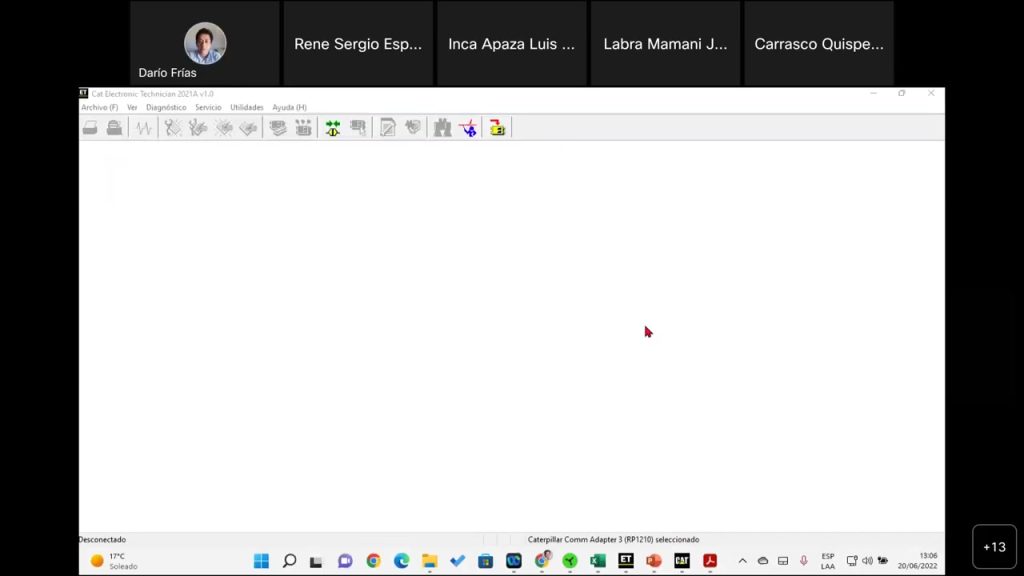
What Is Cat ET و What Do You Need إلى Run It?
Cat Electronic Technician is Caterpillar’s factory برنامج التشخيص — the only tool that gives you full access إلى every ECM على CAT المعدات, including المعلمات monitoring, active و logged رموز الأعطال, ECM flash البرمجة, و المكونات activation tests. Third-party OBD2 scanners simply cannot read Caterpillar’s proprietary CAN bus protocol at this depth.
To run Cat ET against a real المعدات, you need five things:
- A Windows PC or laptop (Windows 7 or newer — Windows 10/11 fully supported)
- Cat ET software installed
- A communication adapter (Caterpillar Comm Adapter 2, Comm Adapter 3, or compatible RP1210 interface)
- A Caterpillar المعدات مع a service connector (10-pin round DT or 9-pin Deutsch)
- A valid Cat ET software license لـ live connection
The Trainer mode removes requirements 3–5. It runs entirely offline, simulates a full المعدات environment, و is ideal لـ training new الفنيين or learning the interface قبل going field-side.
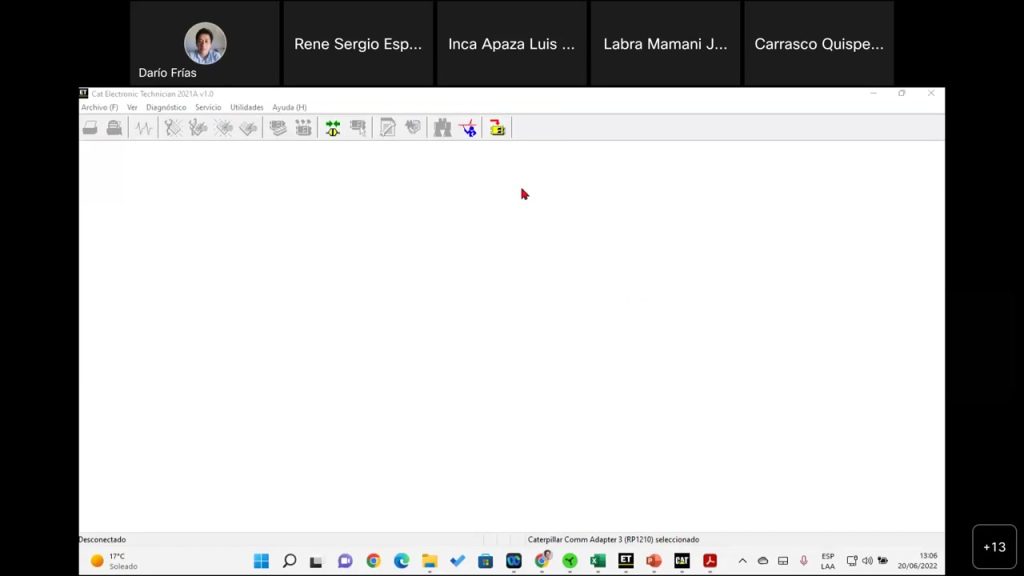
الخطوة 1 — Launching Cat ET و Navigating the Startup Prompts
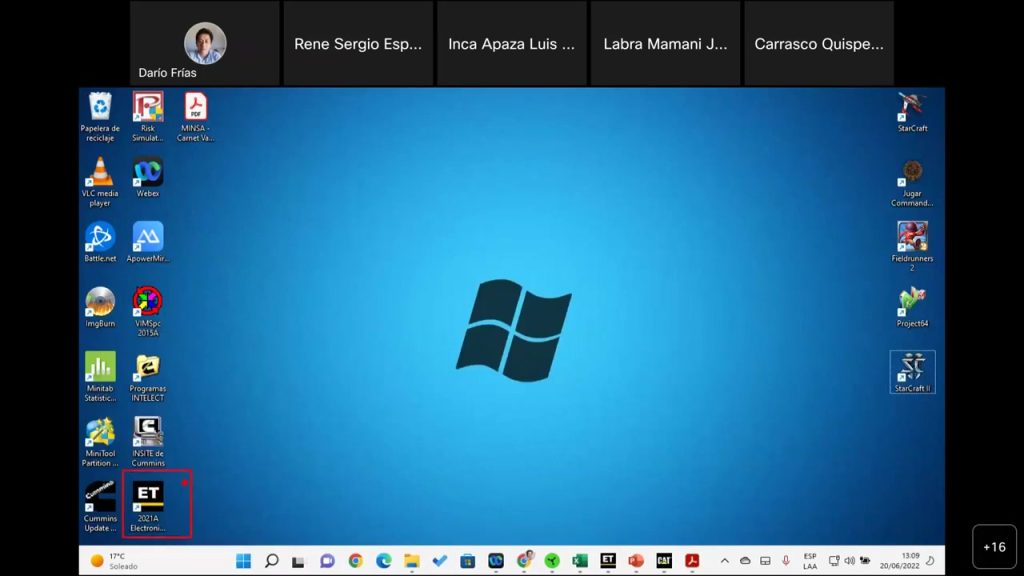
After التركيب, Cat ET places a desktop shortcut labeled ET 2021 A Electronic Technician. Double-click إلى launch.
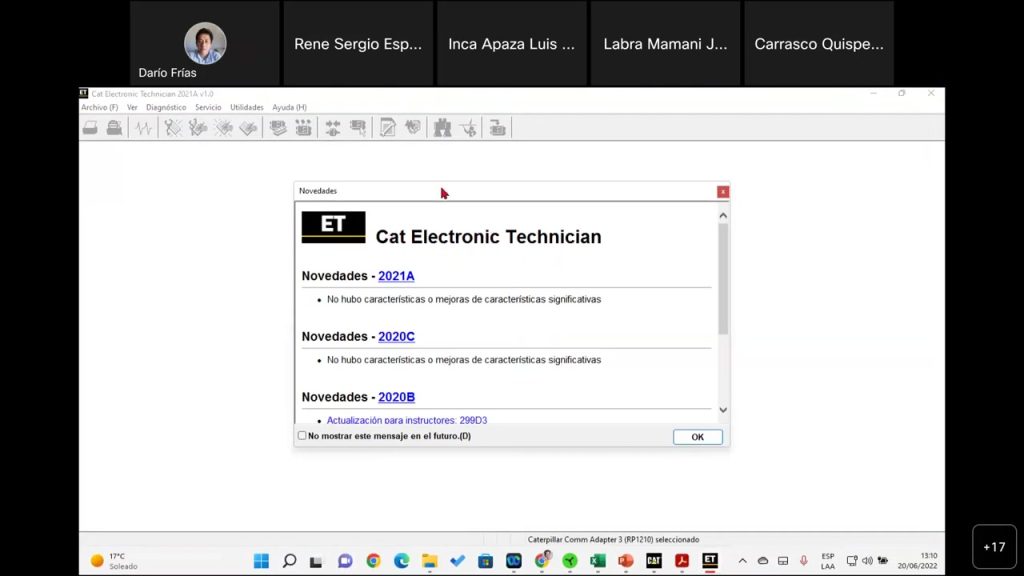
On first launch (or بعد an update), Cat ET displays a “Novedades” (What’s New) pop-up summarizing version changes. Click عبر إلى dismiss it.
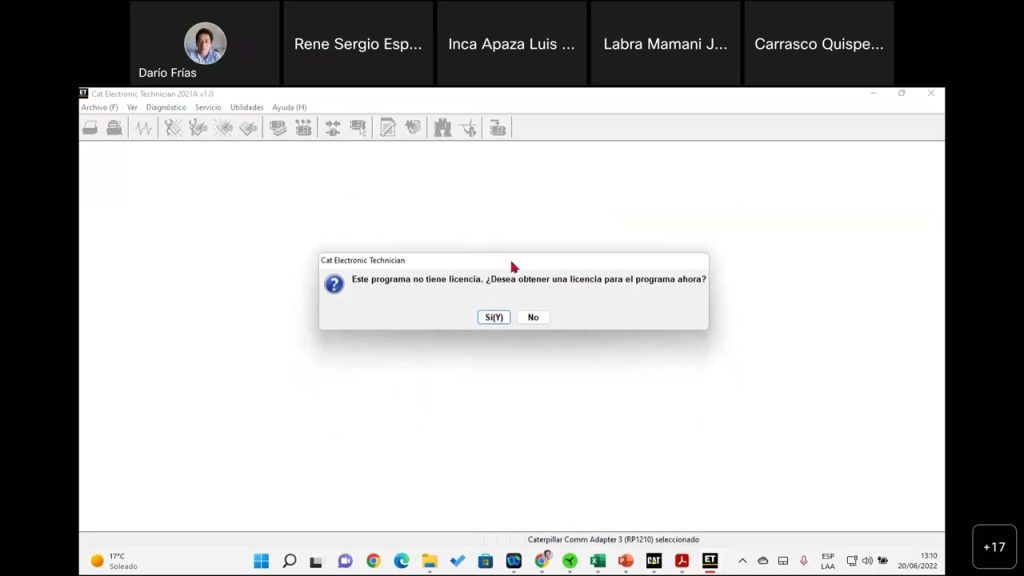
Next, you’ll see the license warning: “Este programa no tiene licencia…” (This program لا have a license). إذا كنت’re using Trainer mode لـ training purposes, simply click عبر — Trainer mode bypasses the license requirement entirely. For live المعدات connections, a Cat ET license tied إلى a valid SIS Web subscription مطلوب.
الخطوة 2 — Connecting إلى a Real Machine vs. Activating Trainer Mode
The Cat ET toolbar has two critical icons you need إلى understand:
| Icon | Function | When إلى Use |
|---|---|---|
| Connection (F8) — plug icon | Connects إلى a real Caterpillar المعدات via Comm Adapter | Live field diagnostics on actual equipment |
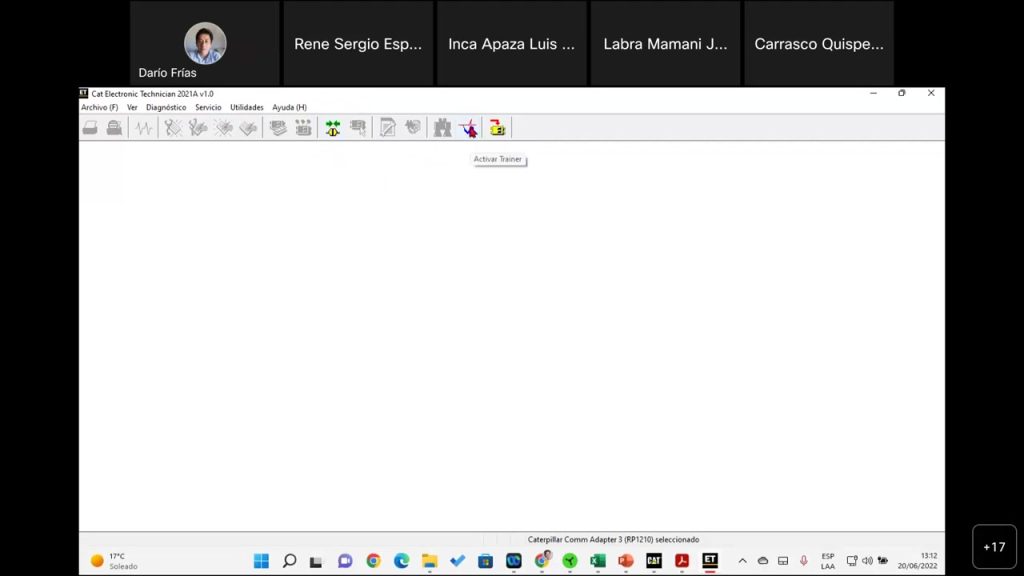
| Activate Trainer — teacher figure مع pointer | Opens simulated المعدات selection list | Training, practice, software familiarization |
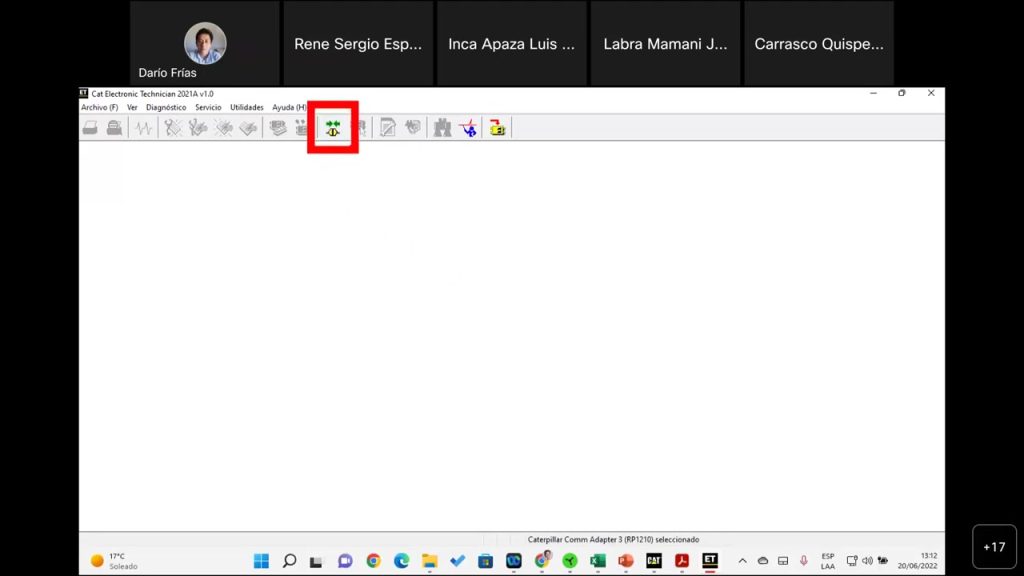
For this training session, click the Activate Trainer icon. The trainer window opens immediately, presenting the full list of available CAT equipment simulations.
الخطوة 3 — Selecting a Machine in Trainer Mode
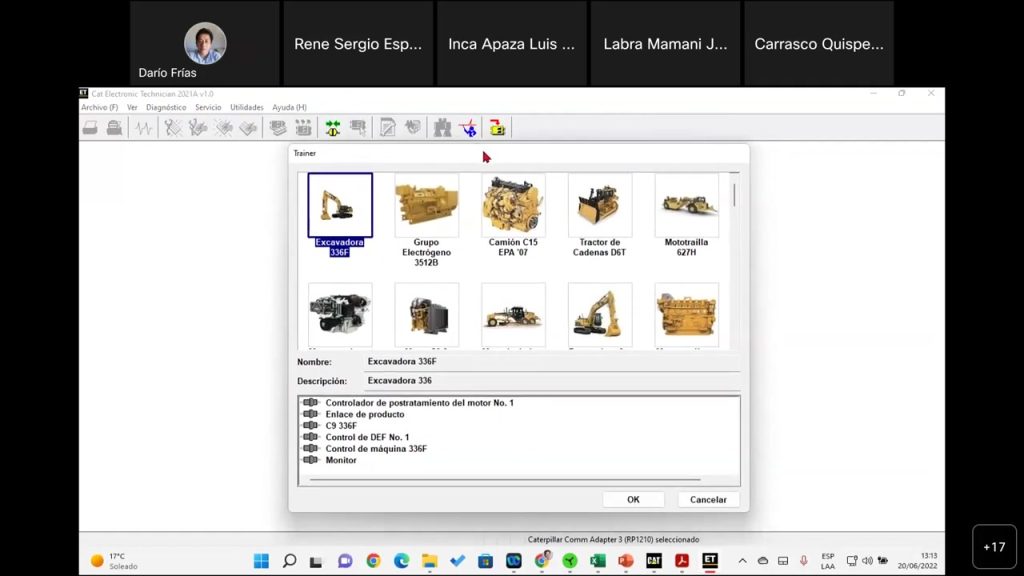
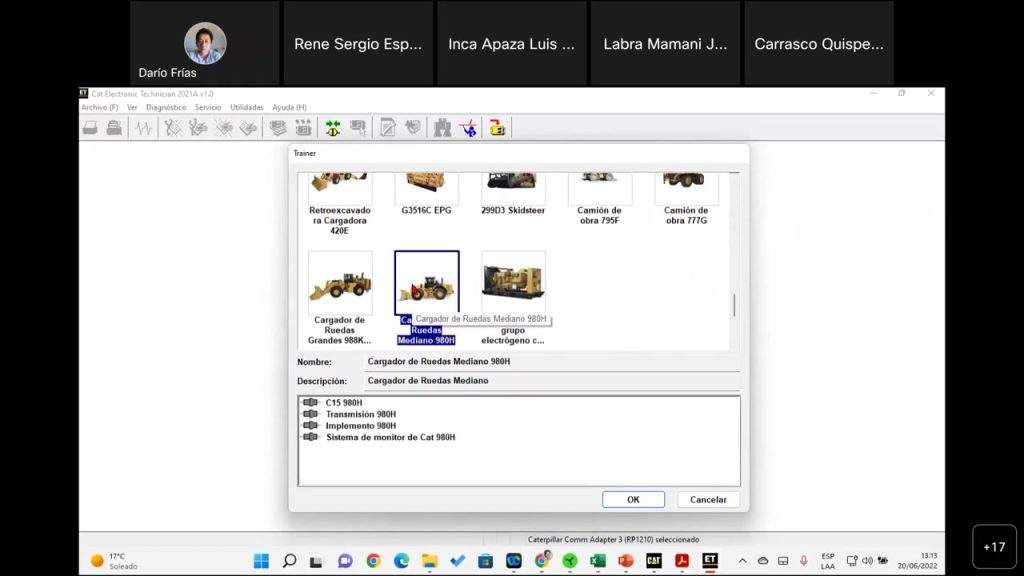
The Trainer window lists 16 Caterpillar المعدات simulations covering the major equipment categories you’ll encounter in the field:
| Machine (Trainer) | Equipment Type | Use Case |
|---|---|---|
| Excavadora 336F | Hydraulic حفارة | Earthmoving / construction |
| Cargador de Ruedas Mediano 980H | Medium لودر بعجلات | Quarry / aggregate / port operations |
| Tractor de Cadenas D8T | جرافة مجنزرة | Landfill / heavy pushing |
| Camión de obra 795F / 777G | Off-highway Haul Trucks | Mining operations |
| Grupo Electrógeno 3512B / Motor Marino C32 | Generator / Marine Engine | Power generation / marine |
| Motoniveladora 140M / 821H | ممسحة طرق | Road grading / الصيانة |
| Retroexcavadora Cargadora 420E | لودر حفار | Utility / small construction |
| 259D3 Skidsteer | Compact Track Loader | Landscaping / compact jobsites |
For this demonstration, select Cargador de Ruedas Mediano 980H. The selection panel shows a brief description confirming the المعدات type, و Cat ET immediately identifies its ECMs.
الخطوة 4 — ECM Selection و the Resumen de ECM Screen
After selecting the 980H, Cat ET presents the “Seleccione uno de los siguientes ECM” (Select one of ما يلي ECMs) window. The 980H has 4 ECMs, each controlling a specific المعدات الأنظمة:
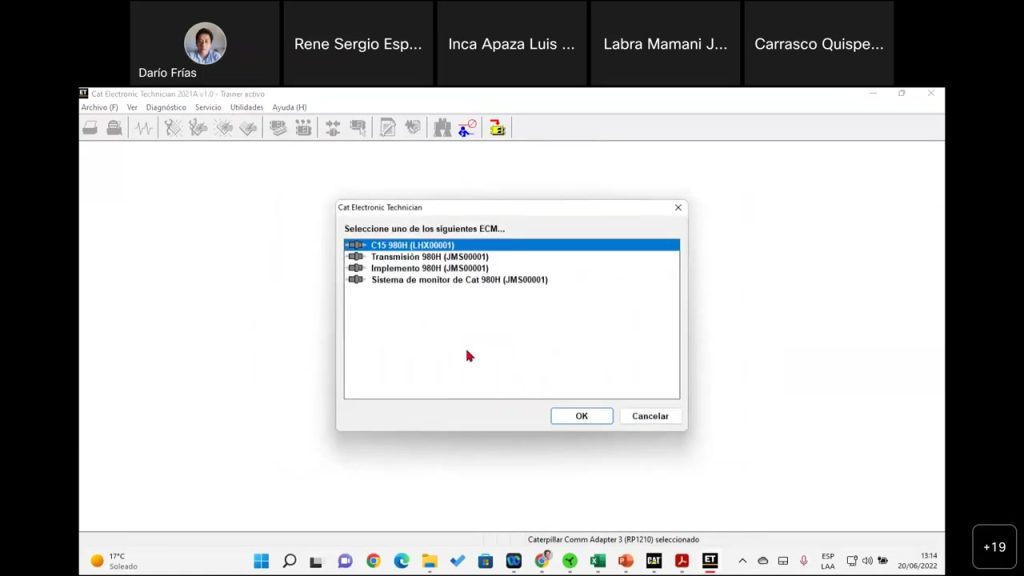
| ECM Name | System Controlled | MID Code |
|---|---|---|
| C15 980H (Motor ECM) | Engine — fuel, sensors, emissions | 032 |
| Transmisión 980H | Transmission — solenoids, speed sensors | 076 |
| Implemento 980H | Hydraulic implement circuits | Varies by model |
| Sistema de monitor de Cat 980H | Operator display / monitor الأنظمة | Varies by model |
Selecting an ECM opens the Resumen de ECM (ECM ملخص) screen, which displays the المحركات الرقم التسلسلي (e.g., HXX00001), ECM part number, software group part number, software publication date, و a flag indicating whether active diagnostic codes are present. This summary is critical لـ verifying you’re connected إلى the correct ECM و لـ documenting المعدات التهيئة قبل any flash or المعايرة work.
الخطوة 5 — Reading Active Diagnostic Codes
التنقل إلى Diagnose → Diagnostic Codes → Active Diagnostic Codes. For the 980H simulation, Cat ET displays 6 active codes across all 4 ECMs. Using the “Incluir todos los ECM” (Include all ECMs) checkbox gives you a consolidated view:
| ECM | Code (CID-FMI) | Description | Severity |
|---|---|---|---|
| Motor C15 980H | 596-3 | Implement control — Abnormal update rate | Communication fault (CAN bus) |
| Transmisión 980H | 1401-5 | Transmission Solenoid #1 — Current below normal | Electrical open circuit / wiring |
| Transmisión 980H | 1405-5 | Transmission Solenoid #5 — Current below normal | Electrical open circuit / wiring |
| Implemento 980H | 350-4 | Lift linkage position sensor — Voltage below normal | Sensor supply / ground fault |
| Implemento 980H | 1818-0 | Implement oil filter differential pressure switch — High | Filter service required / switch fault |
| Monitor 980H | 921-3 | Display power supply — Voltage above normal | Electrical supply overvoltage |
Key principle: Active codes indicate faults that are currently present in the المعدات. Once you الإصلاح the root cause — whether that’s a broken wire, failed sensor, or corroded connector — the code disappears من the active list automatically. Never clear active codes بدون first repairing the fault; they’ll return within seconds if the underlying problem isn’t fixed.
الخطوة 6 — Reading Logged Diagnostic Codes
التنقل إلى Diagnose → Diagnostic Codes → Logged Diagnostic Codes. These are the fault history — past events that may no longer be active. Cat ET shows you exactly how many times each fault occurred, و at what المعدات hours it first و last appeared:
| ECM | Code | Description | Times | First (hrs) | Last (hrs) |
|---|---|---|---|---|---|
| Motor C15 980H | 94-3 | Fuel delivery حساس الضغط — Voltage above normal | 1 | 678 | 678 |
| Transmisión 980H | 673-5 | Transmission output speed sensor #2 — Erratic/intermittent data | 4 | 555 | 621 |
| Implemento 980H | — | No logged codes | — | — | — |
| Monitor 980H | 69-5 | Display power supply — Voltage above normal | 22 | 62 | 69 |
The transmission output speed sensor fault (673-5) appearing 4 times بين 555–621 hours is a classic intermittent fault pattern. This tells you the sensor or its ضفيرة الأسلاك was marginal أثناء that period — likely a connector مع corrosion or a wiring chafe point that makes/breaks contact under vibration. The display power supply fault (69-5) logged 22 times بين 62–69 hours is unusual — 22 events in 7 المعدات hours suggests a severely unstable power supply circuit إلى the monitor, possibly a loose battery connection or failing voltage regulator.
Understanding Caterpillar Fault Code Structure: MID, CID, FMI
Every Caterpillar diagnostic code follows a three-part structure. This is the most important concept لـ anyone new إلى Cat ET:
| Component | Full Name | What It Tells You | مثال |
|---|---|---|---|
| MID | Module Identifier | Which ECM detected the fault | 032 = Engine ECM, 076 = Transmission ECM |
| CID | Component Identifier | Which sensor, actuator, or circuit has the fault | 596 = Implement control, 94 = Fuel حساس الضغط |
| FMI | Failure Mode Identifier | What type of electrical fault it is | FMI 3 = Voltage high, FMI 4 = Voltage low, FMI 5 = Current low |
The most common FMI values you’ll encounter on Caterpillar equipment:
| FMI | Meaning | Common Root Cause |
|---|---|---|
| FMI 0 | Data valid but above normal range (high) | Short إلى voltage, over-pressurization |
| FMI 3 | Voltage above normal | Short إلى battery voltage in signal wire |
| FMI 4 | Voltage below normal | Short إلى ground in signal wire, failed sensor |
| FMI 5 | Current below normal (open circuit) | Broken wire, failed solenoid coil, open connector |
| FMI 6 | Current above normal (short circuit) | Wiring shorted إلى ground, failed solenoid |
| FMI 9 | Abnormal update rate | CAN bus communication failure بين ECMs |
| FMI 12 | Bad intelligent device / المكونات | Failed ECM or module internal fault |
Critical rule: CAT رموز الأعطال describe electrical circuit problems — they لا directly indicate mechanical failures. A CID 1401-5 (Transmission Solenoid #1 current low) tells you the circuit carrying current إلى that solenoid has an open somewhere — a broken wire, corroded connector, or failed solenoid coil winding. It does NOT tell you the transmission is mechanically damaged. Always use Cat ET رموز الأعطال as a starting point لـ electrical circuit testing, not as a final verdict.
The Diagnostic Workflow: From Code إلى Root Cause
Once Cat ET identifies an active رموز الأعطال, the correct diagnostic sequence is:
- Record the full code — ملاحظة MID, CID, و FMI. ملاحظة whether it’s active or logged, و how many times it has occurred.
- Open Cat SIS (Service Information System) — Look up the specific استكشاف الأخطاء وإصلاحها procedure لـ that CID-FMI combination. Cat SIS يوفر the exact مخطط كهربائي, connector locations, و test sequence لـ every code.
- Locate the circuit in the wiring diagram — Identify the sensor/actuator, its power supply wire, signal wire, ground return, و the connector pinouts at both the المكونات و the ECM.
- Test مع a multimeter — Measure voltage at the sensor supply pin (should match spec — typically 5V or 12V), signal pin voltage or resistance (compare against Cat spec), و continuity عبر the harness إلى the ECM connector.
- Repair و verify — Fix the fault (replace sensor, الإصلاح wiring, clean connector). The active code should clear من Cat ET’s active list once the fault is resolved. If it returns, the الإصلاح was incomplete or there is a second fault source.
CAT ET Trainer Mode — Full Equipment التوافق
The Cat ET 2021A Trainer mode يوفر simulation data لـ ما يلي Caterpillar equipment families — all of which are also supported لـ live diagnostics عند connected via a Comm Adapter:
| Equipment | Model | Application |
|---|---|---|
| Medium لودر بعجلات | 980H | Aggregate, quarry, port |
| Large لودر بعجلات | 988K XE | Heavy mining loading |
| Hydraulic حفارة | 336F, 324D | Earthmoving, demolition |
| جرافة مجنزرة | D8T | Landfill, heavy pushing |
| ممسحة طرق | 140M, 821H | Road construction |
| Off-Highway Truck | 795F, 777G | Surface mining |
| لودر حفار | 420E | Utility construction |
| Compact Track Loader | 259D3 | Landscaping, tight spaces |
| Generator Set | 3512B | Stationary power generation |
| Marine Engine | C32 | Commercial marine |
| محرك ديزل | C9.3, C15 EPA 07 | Industrial/on-highway |
| Gas Engine | G3508, G3516C EPG | Gas-fired power generation |
ECM Flash Programming — What Cat ET Can Do Beyond Fault Codes
The training session also introduces ECM flash البرمجة — the process of downloading و installing a new “personality module” (software package) في a Caterpillar ECM. This is identified by a hammer icon in the Cat ET toolbar.
Flash البرمجة is used لـ several purposes:
- Engine performance updates — Caterpillar releases periodic software updates that fix known bugs, improve fuel economy, or adjust power ratings
- Emissions compliance — Updating ECM software إلى meet current EPA/EU tier requirements
- Configuration changes — Modifying the المعدات’s performance rating (e.g., adjusting a C15 من one horsepower rating إلى another via a software personality change)
- Failed ECM replacement — Programming a blank replacement ECM مع the correct software و التهيئة المعلمات لـ a specific المعدات الرقم التسلسلي
Flash البرمجة يتطلب a live Cat ET license, a stable communication adapter connection, و the correct software files sourced عبر Cat’s ET licensing الأنظمة. It ليس performed in Trainer mode, but understanding the capability is essential لـ advanced Cat ET users.
الأسئلة الشائعة
Can I use Cat ET بدون a license?
Yes — لـ Trainer mode only. The built-in Trainer يتيح you إلى simulate diagnostics on 16 CAT المعدات models بدون a license, making it ideal لـ training و learning the software interface. For live connection إلى a real Caterpillar المعدات, a valid Cat ET license مطلوب. The license is subscription-based و tied إلى a Cat SIS Web account.
What communication adapter does Cat ET يتطلب?
Cat ET officially يدعم the Caterpillar Comm Adapter 2 و Comm Adapter 3, both of which use the RP1210 communication standard. The Comm Adapter 3 is the current recommended interface و يدعم both older و newer CAT المعدات communication protocols. Third-party RP1210-compliant adapters may also work but are not officially supported by Caterpillar.
What does FMI 5 mean على Caterpillar رموز الأعطال?
FMI 5 means “Current below normal” — this indicates an open circuit condition in the المكونات’s electrical circuit. For a transmission solenoid (e.g., code 1401-5), it means the ECM is detecting less current than expected flowing عبر the solenoid coil. Root causes يتضمن a broken wire in the harness, a failed solenoid coil (open winding), a corroded or loose connector pin, or an internal ECM driver fault. Start testing at the solenoid connector قبل probing deeper في the harness.
What’s the difference بين active و logged codes in Cat ET?
Active codes are faults that exist right now — the circuit is currently faulty و the ECM is detecting the problem in real time. Logged codes are historical records of past faults, stored مع occurrence count و المعدات hours. Active codes يجب أن يكون repaired قبل they’ll disappear. Logged codes remain in memory even بعد الإصلاح و are useful لـ تشخيص intermittent problems — a fault that appeared 15 times over a short period is a much more urgent wiring concern than one that appeared once three years ago.
Does Cat ET work on Windows 10 و Windows 11?
Yes. Cat ET 2019C و newer versions (including 2021A) are fully compatible مع Windows 10 و Windows 11 (64-bit). The installer يتطلب administrator privileges. The recommended setup لـ الفنيين who want إلى avoid driver conflicts مع other برنامج التشخيص is إلى run Cat ET in a dedicated Windows virtual المعدات — this eliminates any risk of RP1210 driver conflicts مع other OEM tools installed on the same الأنظمة.
Can Cat ET تشخيص Caterpillar marine المحركات و generators?
Yes. Cat ET يدعم the full range of Caterpillar power الأنظمة, including marine المحركات (C32, C18, C12), generator sets (3512B, 3516C), و natural gas المحركات (G3508, G3516C). The same diagnostic principles apply — ECM identification, active/logged رموز الأعطال, المعلمات monitoring, و flash البرمجة. The Trainer mode يتضمن simulations لـ both 3512B generator sets و C32 marine المحركات.
Verdict: Why Cat ET Is the Only Tool لـ Caterpillar Equipment
Generic OBD2 scanners و even احترافي aftermarket tools like JPRO or Cojali Jaltest can read some Caterpillar data — but they cannot replace Cat ET لـ full ECM access. Only Cat ET gives you كامل visibility في all المعدات ECMs simultaneously, the ability إلى view all active و logged codes across every module in a single screen, the correct MID/CID/FMI structure that maps directly إلى Cat SIS استكشاف الأخطاء وإصلاحها procedures, و factory-level flash البرمجة capability لـ ECM updates و replacements.
The Trainer mode makes Cat ET uniquely powerful لـ training — your الفنيين can learn the كامل diagnostic workflow on all 16 المعدات types قبل ever touching a real المعدات. For any shop or fleet operation maintaining Caterpillar equipment, Cat ET 2019C is the essential investment. Our version comes pre-configured و ready إلى run on Windows 10/11, مع full ECM connection capability via any RP1210-compatible Comm Adapter.
—