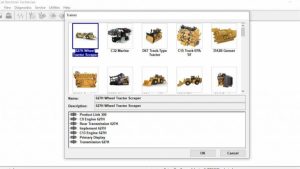
CAT ET 2019C System المتطلبات
CAT ET 2019C hardware requirements depend on your use case. Fault code reading و المعلمات monitoring run on minimal hardware. ECM flash البرمجة يتطلب the CA3 adapter, a stable internet connection لـ the Cat factory server handshake, و a fully charged laptop — an interrupted flash session can يتطلب dealer recovery.
Operating System التوافق
| OS |
Status |
Notes |
| Windows 11 (64-bit) |
✅ Fully supported |
Recommended لـ new installs |
| Windows 10 (64-bit) |
✅ Fully supported |
Most common in fleet shops |
| Windows 10 (32-bit) |
❌ Not supported |
CAT ET 2019C is 64-bit only |
| Windows 7 / 8 |
❌ Not supported |
— |
| macOS / Linux |
❌ Not natively supported |
Use VMware + Windows — see VMware guide |
Hardware المتطلبات
| Component |
Minimum |
Recommended |
Notes |
| CPU |
Intel Core i5, 2.0 GHz |
Intel Core i7, 2.5 GHz+ |
AMD Ryzen 5 also compatible |
| RAM |
8 GB |
16 GB |
Large equipment ECM sessions benefit من 16 GB |
| Storage |
40 GB free |
100 GB SSD |
SIS (Service Information System) data files are large |
| Display |
1366×768 |
1920×1080 |
Higher res improves المعلمات dashboard layout |
| USB |
USB 2.0 |
USB 3.0 |
CA3 adapter uses USB 3.0 لـ faster communication |
| Internet |
Activation only |
Broadband |
Required لـ ECM flash server handshake |
| Battery (laptop) |
3-hour runtime |
5+ hours |
Never program an ECM على low-battery laptop |
المحولات المتوافقة — Full Breakdown
Tier 1 — Full Functionality (ECM Programming + All Diagnostics)
| Adapter |
INSITE Functions |
| CAT Communication Adapter 3 (CA3) |
✅ All — ECM البرمجة, المعلمات changes, event log download, bi-directional tests, full CAT proprietary protocol |
Tier 2 — Diagnostics Only (No ECM Programming)
| Adapter |
Protocols |
CAT ET Functions |
| CAT Communication Adapter II (CA2) |
J1939, CAN, CAT proprietary (limited) |
Fault codes, live المعلمات, limited bi-directional on older equipment. No ECM flash. |
| NexIQ USB-Link 2 |
J1939, J1708, CAN |
Fault codes و J1939 المعلمات on J1939-equipped CAT المحركات. No ECM البرمجة. |
| NexIQ USB-Link 3 |
J1939, J1708, CAN |
Same as USB-Link 2. |
| Dearborn Group DPA 5 |
J1939, J1708 |
Fault codes و المعلمات only. |
Not Compatible
- Generic ELM327 adapters (passenger car OBD-II only)
- Autel, Launch, Snap-on proprietary adapters
- Cummins INLINE 7 / INLINE 6 (Cummins-specific)
Connector Locations on CAT-Powered Equipment
| Equipment / Truck |
Connector Type |
Location |
| Kenworth T800 / W900 (C15/C18) |
9-pin Deutsch |
Under dash, driver side |
| Peterbilt 379 / 389 (C15) |
9-pin Deutsch |
Under dash, driver side |
| CAT الحفارات (320, 330, 349) |
CAT 9-pin service connector |
Left side console panel in cab |
| CAT Dozers (D6, D8, D9) |
CAT 9-pin service connector |
Right side cab panel, near operator seat |
| CAT اللوادر ذات العجلات (950–990) |
CAT 9-pin service connector |
Inside cab, dash panel left side |
| CAT Off-Highway Trucks (777, 785, 793) |
CAT 9-pin service connector |
Access panel on left cab ladder area |
Get CAT ET 2019C
➜ Buy CAT ET 2019C — Instant Download