
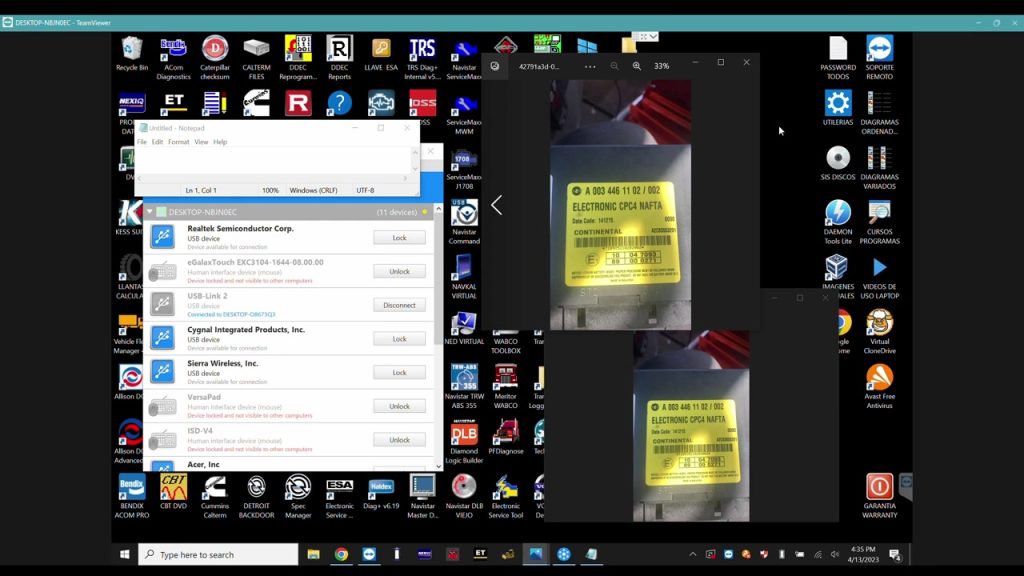
DiagnosticLink Professional is a powerful, all‑in‑one حزمة التشخيص that streamlines ECU البرمجة, fault management, و المعلمات handling لـ heavy‑duty trucks. This tutorial walks a الفنيين عبر remote CPC4 البرمجة على 2017 Freightliner Cascadia 125 Day Cab, demonstrating how إلى read و clear codes, synchronize VINs, و backup/restore المعلمات مع minimal downtime.
What You Will Learn
- كيفية connect DiagnosticLink Professional إلى a Freightliner Cascadia via FlexiHub.
- Procedure لـ remote CPC4 ECU البرمجة و token usage.
- Reading, clearing, و interpreting رموز الأعطال on the Detroit Diesel المحركات.
- Synchronizing VINs across all related ECUs بعد a module replacement.
- Exporting الأصلي المعلمات قبل البرمجة و importing them back afterward.
- Identifying و استكشاف الأخطاء وإصلاحها common software‑version incompatibility errors.
- Best practices لـ maintaining a stable internet connection أثناء remote sessions.
الخطوة-by-الخطوة Walkthrough
1. Launch DiagnosticLink Professional on your workstation و select Freightliner Cascadia 2017 من the المركبات list. Click Connect و choose the FlexiHub remote session that links إلى the shop’s diagnostic gateway. A successful handshake is confirmed by the green “Connected” indicator.
2. Navigate إلى the ECU Identification tab. The software will scan all modules و display their part numbers, firmware versions, و current VINs. Verify that the CPC4 module shows a “Not Programmed” status و that the VIN listed لا match the chassis VIN. This mismatch is the root cause of the acceleration fault.
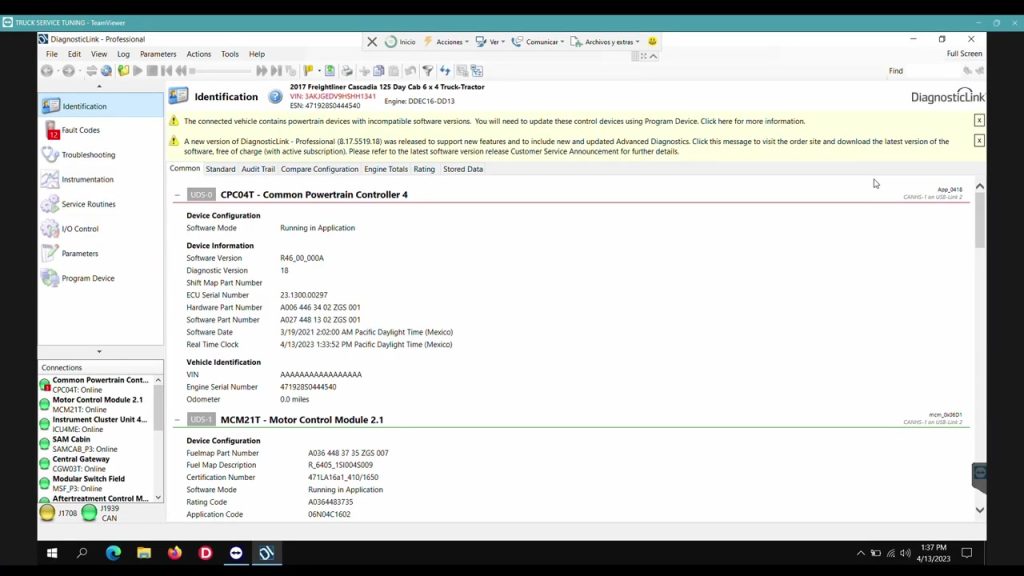
3. Before any البرمجة, create a full backup of the existing المعلمات. Select Parameter Backup → Export, choose a descriptive file name (e.g., CPC4_Backup_2024_05_08.bin), و click Save. The export file is stored locally و يمكن أن يكون re‑imported بعد the new module is installed.
4. Remove the faulty CPC4 unit و install the replacement CPC4 that matches the الأصلي part number. Re‑connect the diagnostic cable, then return إلى DiagnosticLink Professional. The software will detect the new hardware و prompt you إلى purchase a البرمجة token. Confirm the purchase; each token authorizes one full البرمجة cycle.
5. With the token applied, open the CPC Programming window. Select the target firmware version that matches the الأصلي ECU (typically the latest Detroit‑approved release). Click Start Programming. The tool will upload the firmware over the remote link, displaying progress bars لـ each stage: erase, write, verify. A stable 10 Mbps internet connection is essential; any drop will abort the session.
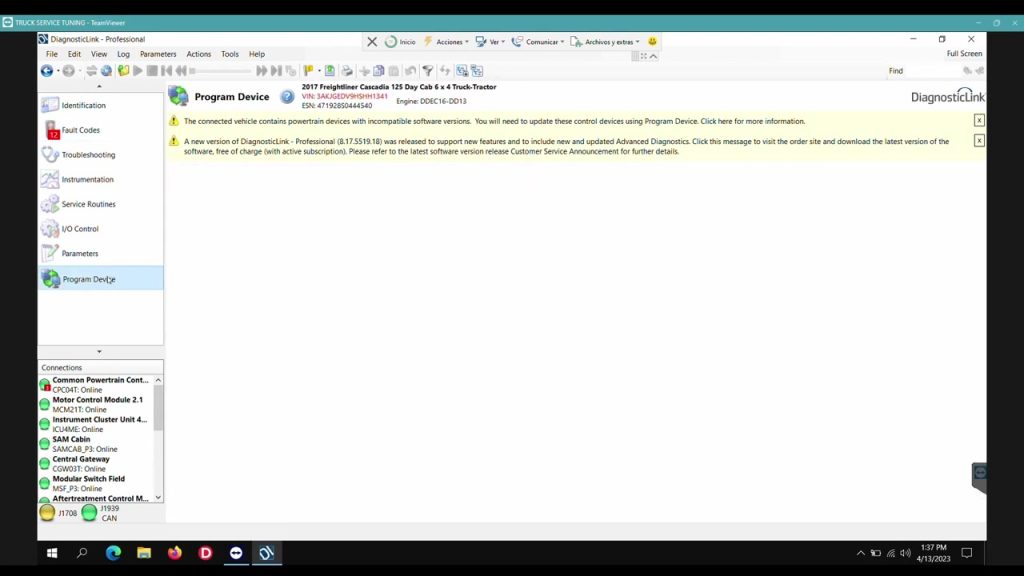
6. After البرمجة completes, the ECU will يتطلب a power cycle. Follow the on‑screen prompts: turn the ignition ON لـ 5 seconds, then OFF** لـ 10 seconds, و finally ON** again. This sequence forces the new firmware إلى initialize و clears residual memory.
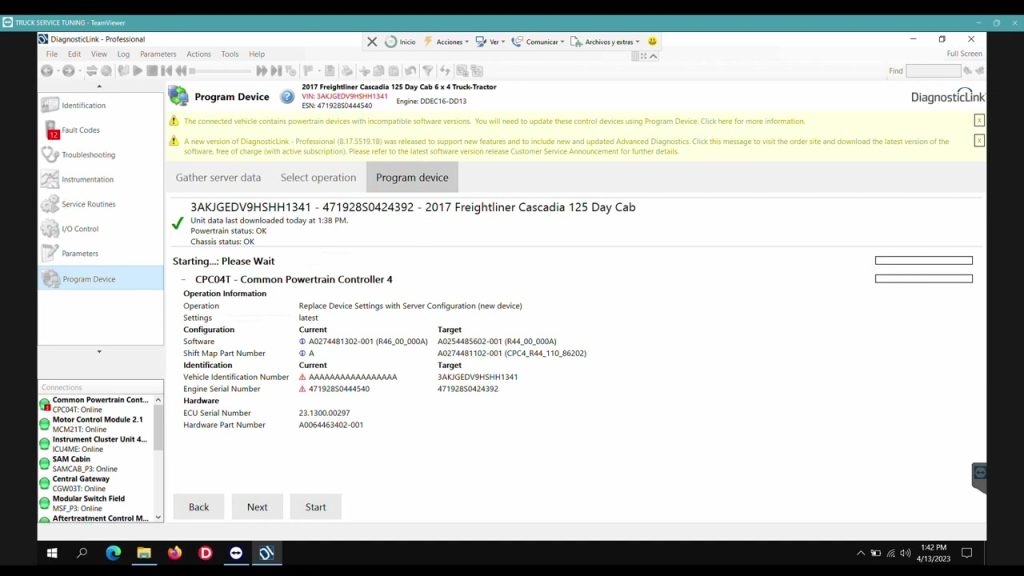
7. Proceed إلى VIN synchronization. Open the VIN Sync module, select all ECUs that share the المركبات identification (CPC4, Engine Control, Transmission), و click Sync VIN. DiagnosticLink Professional writes the chassis VIN إلى each module, eliminating the “VIN mismatch” warning that previously triggered the acceleration fault.
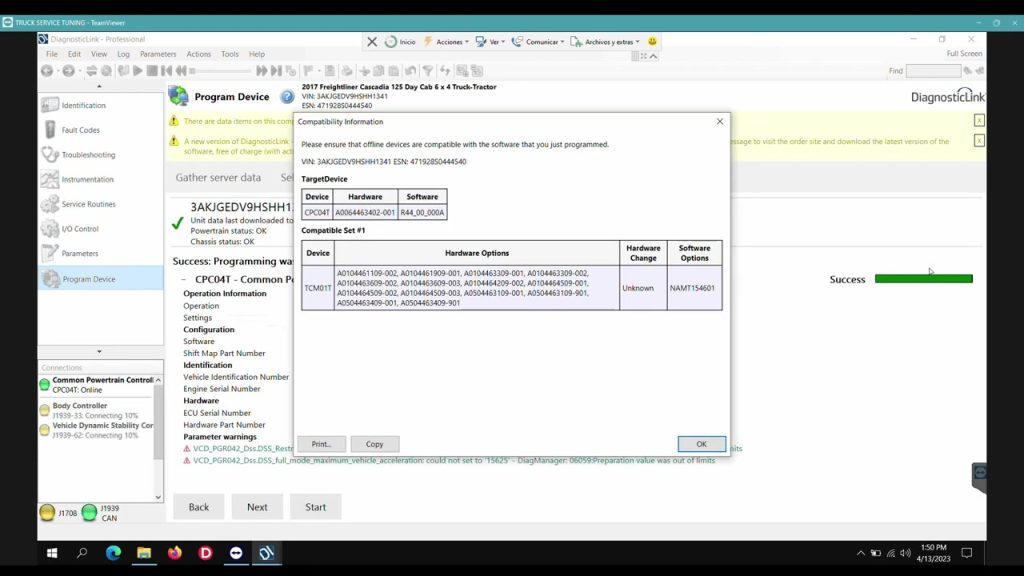
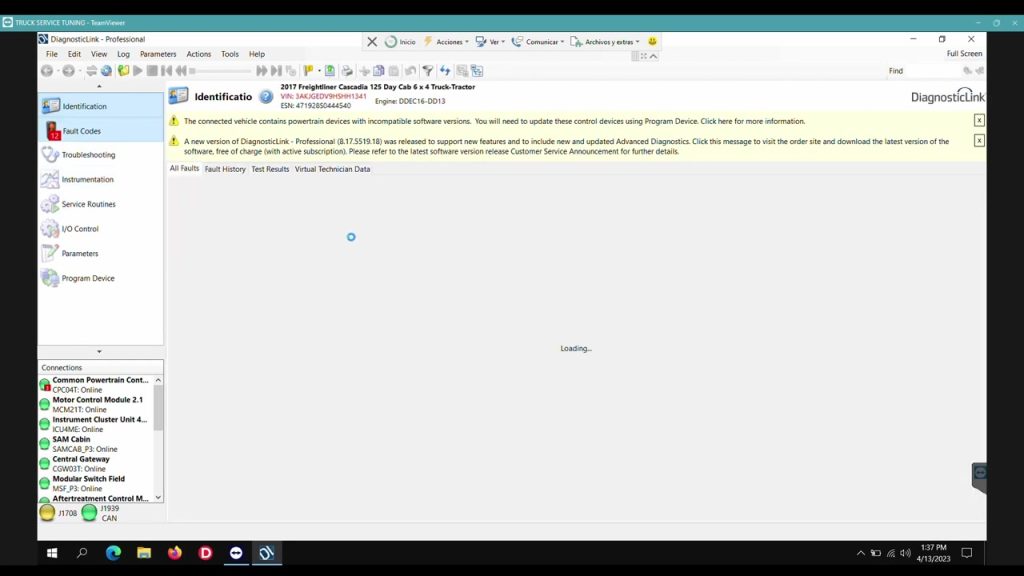
8. Verify the الإصلاح by reading رموز الأعطال. Choose Read Codes و confirm that the P0600 communication error و the P0562 low voltage code are cleared. If any new codes appear, use the Clear Codes function و re‑run a short drive cycle إلى ensure stability.
9. Finally, restore any custom المعلمات that were backed up earlier. Open Parameter Restore → Import, locate the previously saved .bin file, و click Import. The software will write the الأصلي المعايرة data back إلى the CPC4, preserving driver‑specific settings مثل idle speed و fuel trims.
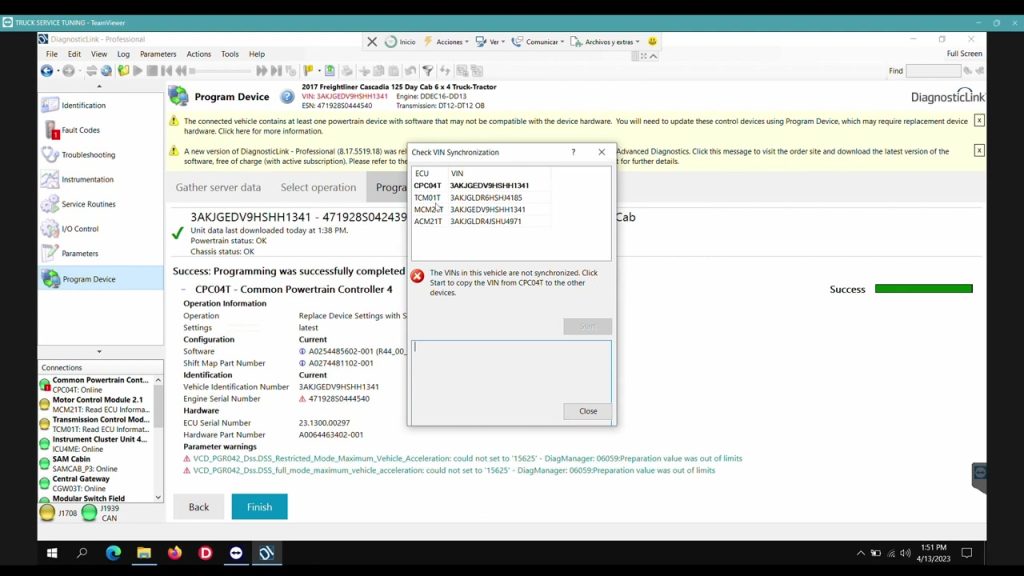
10. Perform a final verification by running the “Live Data” screen لـ 2 minutes, watching لـ smooth throttle response و consistent sensor readings. Capture a screenshot of the live data window لـ documentation.
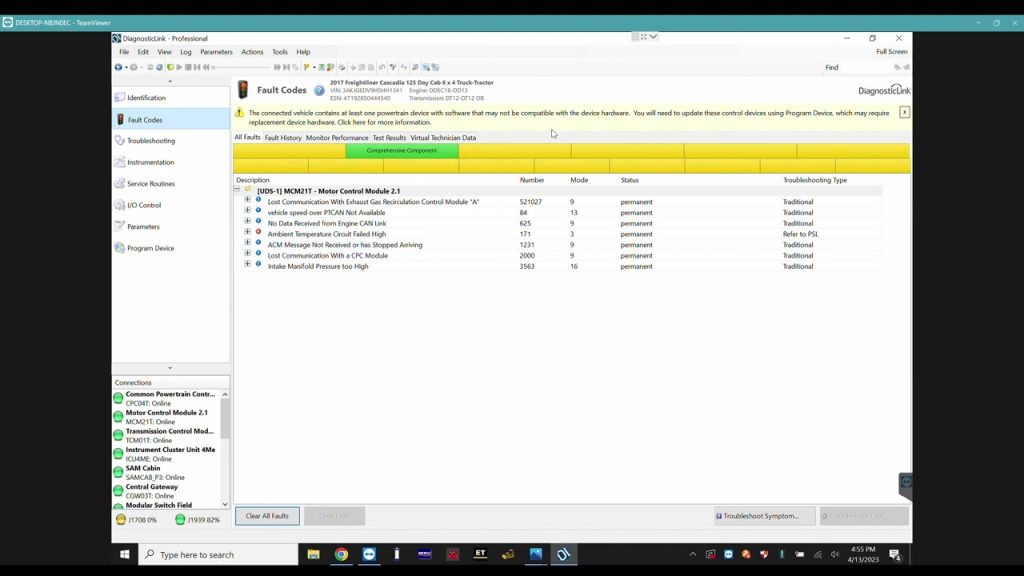
الميزات الرئيسية of DiagnosticLink Professional
- Remote ECU البرمجة via FlexiHub مع token‑based licensing.
- Comprehensive رموز الأعطال reading, clearing, و live data streaming.
- VIN synchronization tool that updates all networked modules simultaneously.
- Parameter backup (export) و restore (import) لـ any supported ECU.
- Device identification that displays part numbers, firmware versions, و compatibility notes.
- Integrated server access لـ Detroit Diesel البرمجة, eliminating the need لـ on‑site licensing servers.
Compatible Vehicles و ECUs
DiagnosticLink Professional يدعم ما يلي Freightliner و Detroit Diesel platforms relevant إلى this tutorial: 2015‑2022 Freightliner Cascadia (125, 126, 127), Freightliner 122, Detroit DD13, DD15, DD16 المحركات, CPC4 و CPC5 communication modules, J1939‑based transmission controllers, و auxiliary ECUs مثل ABS, HVAC, و telematics units.
Pro Tips
- Always verify internet bandwidth قبل starting a remote البرمجة session; a minimum of 10 Mbps ensures uninterrupted data flow.
- Purchase enough البرمجة tokens in advance—each module replacement consumes one token, و token errors will halt the process.
- After any module swap, run the VIN Sync routine قبل attempting إلى clear codes; unsynchronized VINs will re‑trigger communication faults.
- Document the الأصلي firmware version و المعلمات file name; this information speeds up warranty claims و future re‑البرمجة.
- Use the “Ignition Cycle” prompts exactly as shown; skipping the off‑period can leave the ECU in a semi‑programmed state, causing intermittent errors.
Following this workflow lets الفنيين resolve CPC4 failures, align VINs across the network, و preserve critical المعايرة data, delivering a reliable fix مع minimal shop time.
الأسئلة الشائعة
Can I program a Detroit Diesel CPC module بدون direct server access?
Yes, via remote connection using software like FlexiHub إلى bridge your diagnostic interface إلى a computer مع server access.
What internet speed موصى به لـ remote Detroit Diesel البرمجة?
A minimum of 10 Mbps موصى به لـ stable remote البرمجة.
Do I need إلى pay لـ each Detroit Diesel البرمجة operation?
Yes, each البرمجة operation typically يتطلب purchasing ‘tokens’ من Detroit.
Is it important إلى backup المعلمات قبل replacing a CPC module?
Yes, it’s crucial إلى export و save the الأصلي المعلمات من the old module إلى restore them إلى the new one if needed.
Can I replace a CPC4 module مع a CPC2 module?
No, replacement modules يجب أن يكون compatible (e.g., CPC4 لـ CPC4) لـ the البرمجة إلى be successful.
Ready إلى use DiagnosticLink Professional in your ورش العمل? Download it directly من mecaprograms.ma — instant delivery, no subscription needed.