
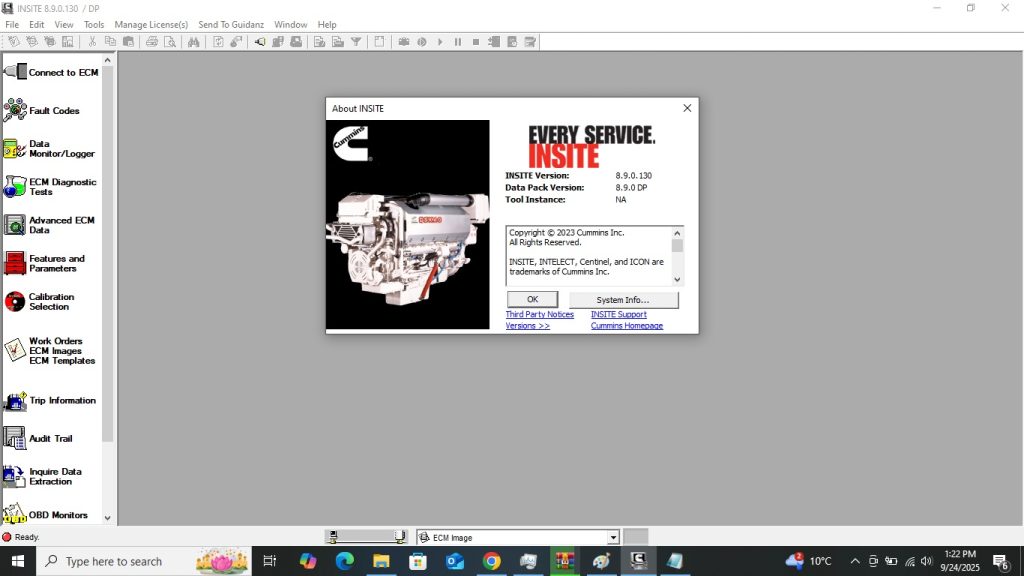
Welcome إلى Cummins INSITE 8.9 — Your First Session
Cummins INSITE 8.9 gives you direct access إلى Cummins المحركات ECMs — more data و control than any third-party scanner can يوفر على Cummins المحركات. If this is your first time using INSITE, هذا الدليل will take you من first launch إلى reading your first رموز الأعطال in under 15 minutes.
Pre-Flight Checklist
- ✅ INSITE 8.9 installed و activated on Windows 10 or 11 (64-bit)
- ✅ Cummins INLINE 7 (or INLINE 6, or NexIQ USB-Link 2) connected via USB
- ✅ INLINE adapter drivers installed قبل launching INSITE
- ✅ Truck ignition will be turned إلى ON أثناء session
- ✅ Truck has a Cummins المحركات (ISX15, X15, ISB6.7, ISL9, or similar)
الخطوة 1 — Find the Diagnostic Port
On most Class 8 trucks مع Cummins المحركات, the 9-pin Deutsch connector is under the dash on the driver side:
- Freightliner Cascadia: left of steering column above parking brake controls
- Kenworth T680: under dash, driver side, near the fuse panel area
- Ram 2500/3500 (Cummins ISB6.7): use the OBD-II (16-pin) port under the dash, above the brake pedal
الخطوة 2 — Connect the Adapter
- Plug the INLINE 7’s 9-pin end في the truck’s Deutsch diagnostic connector — push until it clicks
- Plug the USB end في your laptop
- Turn the truck ignition إلى ON (key-on, المحركات-off is sufficient)
الخطوة 3 — Launch INSITE و Start a Session
- Launch Cummins INSITE 8.9 — right-click → Run as Administrator on first use
- On the home screen, click New Session
- INSITE automatically detects the connected adapter و reads the ECM
- Within 10–15 seconds, the ECM information screen appears: المحركات type, VIN, ESN (المحركات الرقم التسلسلي), installed المعايرة part number
الخطوة 4 — Read Fault Codes
- Left panel → Fault Codes → Read All
- INSITE displays: Active faults (المحركات actively detecting the condition), Inactive/historical faults (occurred previously)
- Click any fault إلى see: SPN, FMI, description, fault count, و — most importantly — Fault Snapshot (المحركات conditions at the moment the fault occurred)
The fault snapshot is the most valuable feature لـ intermittent faults. It shows exact المحركات speed, load, temperatures, و sensor values at the time of the fault — allowing تشخيص بدون needing إلى replicate the fault.
الخطوة 5 — Live Parameters
- Left panel → Parameters → select المعلمات group (Engine, Aftertreatment, Fuel System, etc.)
- Key المعلمات إلى monitor على Cummins ISX15/X15:
- Coolant Temperature (normal: 180–210°F operating)
- Oil Pressure (normal: 25–60 PSI at operating temp)
- Fuel Rail Pressure (normal: 20,000–30,000 PSI at load)
- DEF Quality (normal: 32–33% urea concentration)
- DPF Soot Load (attention needed above 50%)
الخطوة 6 — Clear Fault Codes
- Fault Codes → select inactive faults → click Clear
- Active faults cannot be permanently cleared until the root cause is resolved
- Some faults (like SCR inducement SPN 4334) have a specific reset procedure in INSITE — navigate إلى the fault description لـ guided steps
الخطوة 7 — Injector Trim Codes (After Injector Replacement)
This is the most important INSITE-specific procedure لـ beginners إلى learn:
- After replacing any Cummins fuel injector, locate the 4-character trim code printed on the injector label
- INSITE → left panel → Injector Trim Codes
- Enter the trim code لـ the replaced cylinder — this tells the ECM the new injector’s exact flow characteristics
- Save → restart the المحركات → verify smooth operation
Skipping trim code entry is the #1 beginner mistake مع Cummins المحركات repairs. The المحركات will run rough or throw injector رموز الأعطال even مع a brand-new injector if trim codes are not programmed.
Beginner Mistakes إلى Avoid
- ❌ استخدام generic ELM327 adapter — INSITE يتطلب RP1210-compliant adapters or the Cummins INLINE
- ❌ Skipping injector trim code entry بعد injector replacement
- ❌ Interrupting an ECM المعايرة download — this can brick the ECM
- ❌ Running INSITE بدون Administrator privileges
- ❌ Clearing active faults بدون تشخيص the root cause