
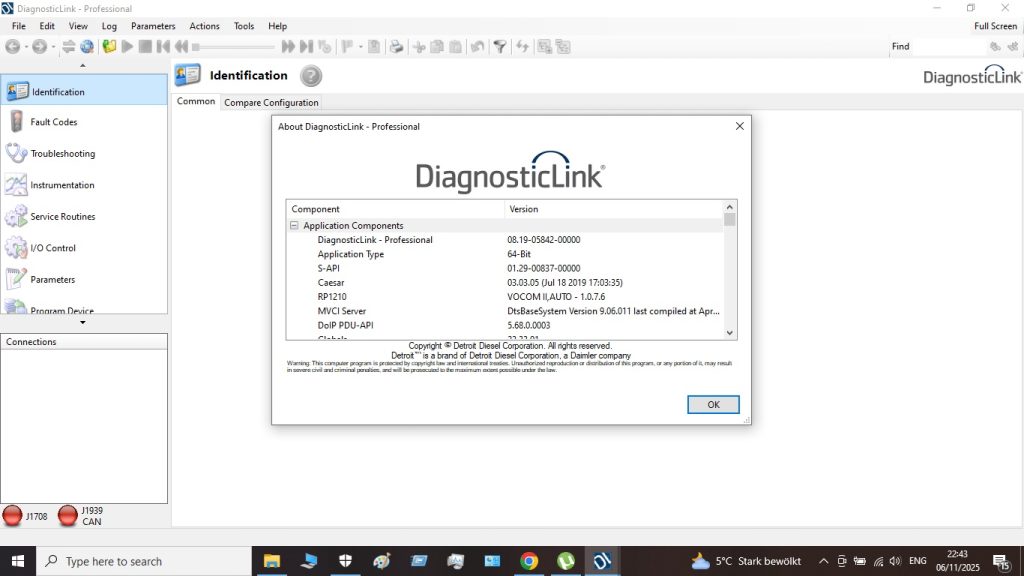
Getting Started مع Detroit DDDL 8.19
إذا كنت’ve just purchased Detroit DDDL 8.19 و this is your first time using OEM برنامج التشخيص, هذا الدليل walks you عبر everything من hardware setup إلى running your first DPF regen — in plain language, the way experienced diesel mechanics explain it إلى new الفنيين on forums like TruckersReport و TruckNet.
What You Need Before You Start
- DDDL 8.19 installed on Windows 10 Pro 64-bit laptop
- RP1210-compliant adapter (Nexiq USB Link 2 or 3 recommended)
- Adapter drivers installed و verified (check Device Manager — no yellow marks)
- Truck مع Detroit Diesel المحركات (DD13/DD15/DD16, Series 60, or MBE)
- Truck parked safely, parking brake set, key OFF initially
الخطوة 1 — Connect the Adapter
Locate the J1939 OBD port on the truck. On Freightliner Cascadia, it’s under the dashboard on the driver side near the A-pillar. On Western Star 5700, it’s left of the steering column. Plug in your Nexiq USB Link. The adapter LED should light up — typically solid green لـ power, flashing green عند communicating.
Connect the USB end إلى your laptop. ينبغي عليك see the Nexiq appear in Device Manager.
الخطوة 2 — Configure RP1210 Adapter in DDDL
- Open DDDL 8.19 (run as Administrator)
- Click Tools → RP1210 Selection
- From the dropdown, select your adapter: “Nexiq USB-Link 2” or “Nexiq USB-Link 3”
- Select protocol: J1939 (لـ GHG14/GHG17/GHG21 المحركات) or J1708 (لـ Series 60)
- Click OK
الخطوة 3 — Connect إلى Vehicle
- Turn truck key إلى ON position (ignition on, المحركات off)
- In DDDL, click Connect (or the plug icon in the toolbar)
- DDDL will scan لـ ECUs. You’ll see a progress bar — typically 5–10 seconds
- Available ECUs appear in the left panel: Engine (MCM), ACM (Aftertreatment Control Module), CPC (Common Powertrain Controller), GHG module
- Click on the MCM (Engine) إلى start diagnostics
الخطوة 4 — Read Fault Codes
Once connected إلى the MCM:
- Click the Fault Codes tab at the top
- You’ll see two columns: Active و Inactive
- Active faults = currently happening. Inactive = occurred in the past but not triggering now
- Click any fault إلى see: SPN, FMI, description, occurrence count, last occurrence timestamp, freeze frame data
- Write down all active faults قبل doing anything else
الخطوة 5 — View Live Data
The Live Data tab shows real-time sensor values. Key المعلمات إلى monitor على DD15:
- Fuel rail pressure (target: ~26,000 psi at idle)
- EGR valve position (%)
- DPF inlet temperature (°C/°F)
- DEF tank level (%)
- NOx sensor upstream/downstream values
- Boost pressure (kPa)
- Coolant temperature
الخطوة 6 — Run a DPF Forced Regen
If your DPF soot load is high (typically above 80%) و passive regen hasn’t cleared it, you can force a stationary regen via DDDL:
- Verify preconditions: coolant temp above 140°F, no active inhibit switch, no active SPN 3251 pressure faults
- Navigate إلى Procedures → Aftertreatment → Stationary Regen
- DDDL will check preconditions automatically و flag any that aren’t met
- When all preconditions are green, click Start Regen
- Regen takes 20–45 minutes. Monitor DPF inlet temp (should climb إلى 550–650°C) و soot load dropping in live data
- Stay at the truck أثناء regen — DDDL will alert if any fault interrupts the procedure
الخطوة 7 — Clear Fault Codes (After Repair)
Only clear رموز الأعطال بعد the underlying issue is repaired — not قبل. Clearing codes on an unrepaired fault wastes time و can mask dangerous conditions.
- In Fault Codes tab, verify the active fault is resolved (المكونات tested, الإصلاح confirmed)
- Click Clear Faults button
- DDDL will clear both active و inactive logs
- Reconnect و verify no new faults appear
Beginner Mistakes إلى Avoid (من Forum Experience)
- Don’t clear codes بدون fixing the fault — Active faults come back within minutes و you’ve lost the freeze frame data that helps تشخيص
- Don’t run regen مع active SPN 3251 — High DPF backpressure faults يجب أن يكون investigated قبل regen
- Don’t disconnect adapter mid-session — Always click Disconnect in DDDL first, then unplug
- Don’t ignore the ACM module — The Aftertreatment Control Module has its own رموز الأعطال separate من the MCM. Check both.
- Don’t program ECM المعلمات بدون a snapshot (if using VM) — See our VMware guide لـ snapshot strategy
الخلاصة
DDDL 8.19 is powerful but logical once you understand the J1939 architecture. For detailed رموز الأعطال explanations, see our رموز الأخطاء guide. For quick answers, check the FAQ.