
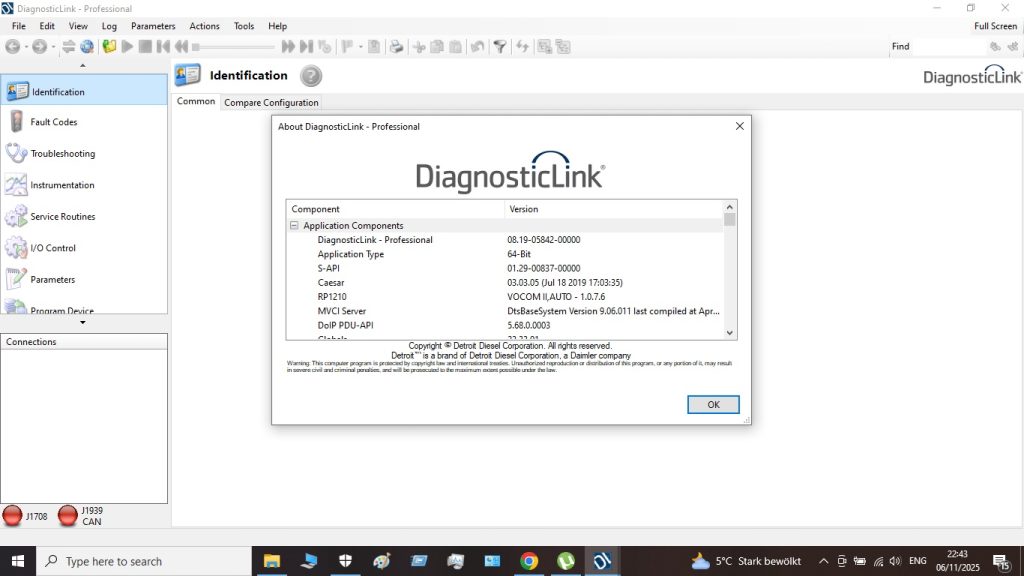
DDDL 8.19 Minimum و Recommended System المتطلبات
Detroit DDDL 8.19 runs on Windows و يتطلب a proper RP1210-compliant hardware adapter. Below are the requirements as documented و confirmed عبر real-world forum reports من diesel الفنيين.
PC المتطلبات
| Component | Minimum | Recommended |
|---|---|---|
| OS | Windows 10 Pro 64-bit | Windows 10 Pro 64-bit (22H2) |
| CPU | Intel Core i3 / AMD Ryzen 3 | Intel Core i5 8th gen or newer |
| RAM | 4 GB | 8 GB |
| Storage | 30 GB free | 60 GB SSD |
| USB | USB 2.0 port | USB 3.0 (مع 2.0 compatibility mode) |
| Display | 1024×768 | 1920×1080 |
| Net | Required لـ activation | — |
Windows التوافق Notes
- Windows 10 Pro — Best compatibility. Use 64-bit only. The 32-bit version ليس supported من DDDL 8.x onward.
- Windows 11 — DDDL 8.19 installs on Windows 11 but adapter driver compatibility varies. Nexiq USB Link 3 works on Win11; USB Link 2 may يتطلب legacy driver mode. Forum reports are mixed — stick إلى Win10 لـ production use.
- Windows 7/8 — Not supported in DDDL 8.19. Use 8.17 لـ Windows 7 legacy setups.
- Windows Server / Home Edition — Not supported. Pro or Enterprise only.
RP1210 Adapter Comparison
| Adapter | DDDL 8.19 | J1939 | J1708 | Notes |
|---|---|---|---|---|
| Nexiq USB Link 2 | ✅ | ✅ | ✅ | Most common in shops; use driver v6.x+ |
| Nexiq USB Link 3 | ✅ | ✅ | ✅ | Current gen; best لـ GHG17/GHG21 |
| DG Technologies DPA5 | ✅ | ✅ | ✅ | Solid alternative; popular in fleets |
| DG Technologies DPA5+ | ✅ | ✅ | ✅ | Wireless capable but DDDL يتطلب USB mode |
| Detroit DOAS Adapter | ✅ | ✅ | — | Required لـ some OEM ECM البرمجة |
| Actia Multi-Diag | ⚠️ | ✅ | ✅ | Community reports: unstable مع DDDL 8.19 |
| Generic OBD-II Bluetooth | ❌ | ❌ | ❌ | Not supported — RP1210 required |
J1939 vs J1708 — What’s the Difference لـ DDDL?
Detroit المحركات manufactured بعد 2007 (EPA07 و newer) communicate exclusively over J1939 (CAN bus). Older المحركات like the Series 60 use J1708/J1587 (older serial protocol). DDDL 8.19 يدعم both, but your adapter must also يدعم both if you service a mixed fleet. The Nexiq USB Link 2/3 و DPA5 both يدعم J1939 + J1708 simultaneously.
OBD Port Location by Vehicle
- Freightliner Cascadia — Under dashboard, driver side, near the A-pillar
- Freightliner M2 — Under dashboard center console
- Western Star 4900/5700 — Under dashboard, left of steering column
- Thomas Buses (DD-powered) — Varies by model year; consult chassis manual
Virtual Machine المتطلبات
If running DDDL 8.19 in VMware Workstation or VirtualBox:
- Host must have USB 2.0 passthrough capability (USB 3.0 host port مع USB 2.0 device passthrough)
- VM must have exclusive USB device ownership قبل DDDL launches (لـ license binding)
- Minimum 4 GB RAM allocated إلى VM; 6 GB recommended
- Disable USB power management in host Windows إلى prevent adapter disconnects أثناء ECM communication
See our full DDDL 8.19 VMware guide لـ detailed setup instructions.
Antivirus و Firewall Configuration
DDDL’s licensing DLL is routinely flagged by antivirus software as a false positive. Required exclusions:
- Add
C:DDDL(or your install directory) إلى antivirus exclusions - Exclude DDDL من Windows Defender real-time protection أثناء التركيب
- Allow DDDL outbound connections on port 80/443 لـ license validation
الخلاصة
Windows 10 Pro 64-bit + Nexiq USB Link 2/3 is the most battle-tested DDDL 8.19 التهيئة based on forum consensus across TruckersReport, TruckNet, و independent shop communities. For setup help, see our DDDL beginner’s guide or check the FAQ.