
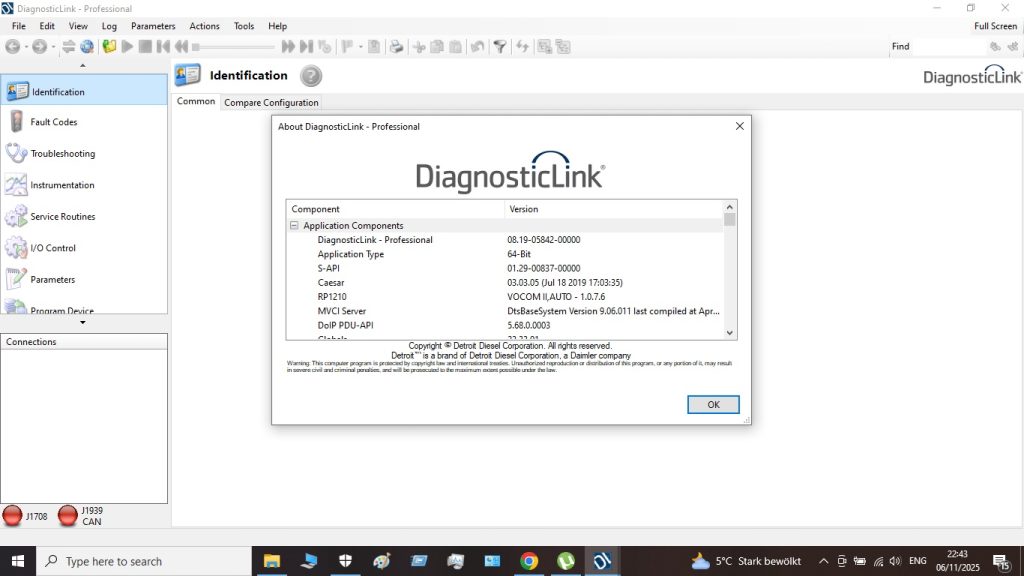
Why Run DDDL 8.19 in a Virtual Machine?
Running Detroit DDDL 8.19 in a VMware virtual المعدات keeps your diagnostic environment isolated من your main Windows التركيب. This prevents software conflicts, makes it easy إلى take snapshots قبل ECM البرمجة sessions, و lets you run multiple أدوات التشخيص (DDDL + JPRO, لـ example) in separate VMs on one laptop. Forum users on TruckersReport regularly recommend this setup لـ busy independent shops.
The main challenge: DDDL licenses are hardware-bound إلى the RP1210 adapter’s hardware ID. Getting USB passthrough right is critical — if the VM can’t see the adapter أثناء licensing, activation will fail.
Recommended VM Configuration
- VMware Workstation Pro 17 (best USB passthrough يدعم) or VMware Workstation Player
- Guest OS: Windows 10 Pro 64-bit (22H2)
- RAM: 4–6 GB allocated إلى VM
- Storage: 60 GB virtual disk (SSD recommended لـ host drive)
- USB Controller: USB 3.1 (in VM settings) — enables passthrough of USB 2.0 devices
الخطوة-by-الخطوة: USB Passthrough لـ Nexiq USB Link
- Plug in your Nexiq USB Link 2 or 3 adapter إلى the laptop.
- In VMware Workstation: go إلى VM → Settings → USB Controller. Set إلى USB 3.1. Enable “Show all USB input devices”.
- Start the VM. Once Windows is booted, go إلى VMware menu bar: VM → Removable Devices → Nexiq USB-Link → Connect (Disconnect من Host).
- Wait لـ Windows guest إلى detect the device و install drivers (or install Nexiq drivers manually inside the VM).
- Verify in guest Device Manager: Nexiq USB Link should appear under “Ports (COM & LPT)” or “USB Serial Device” — no yellow exclamation mark.
تركيب DDDL 8.19 in the VM
- Copy the DDDL 8.19 installer في the VM (via shared folder or ISO mount).
- Disable Windows Defender real-time protection inside the VM.
- Run installer as Administrator. Install إلى
C:DDDL. - When prompted لـ license activation — make sure the Nexiq adapter is connected إلى the VM at this point. The license binds إلى the adapter’s hardware ID. If the adapter is connected إلى the host, activation will bind إلى the wrong device.
- Complete activation. Take a VMware snapshot immediately بعد successful activation.
Snapshot Strategy
This is the biggest advantage of the VM setup:
- Snapshot 1 — “Clean install”: Take بعد successful DDDL activation, قبل first truck connection.
- Snapshot 2 — “Pre-البرمجة”: Take قبل any ECM البرمجة session. If something goes wrong, roll back instantly.
Forum users have saved themselves من failed ECM writes by rolling back إلى a pre-البرمجة snapshot و retrying — a workflow impossible بدون VM.
Common VM Errors و Fixes
- “No RP1210 devices found” inside VM — The adapter is still connected إلى the host. Go إلى VMware → VM → Removable Devices → connect إلى VM first.
- “License validation failed” بعد snapshot restore — The license bound إلى the adapter’s hardware ID. As long as the same physical adapter is connected, it will validate. إذا كنت restored إلى a pre-activation snapshot, re-run activation مع adapter connected إلى VM.
- Adapter disconnects mid-session — Windows host USB power management is suspending the port. Fix: Control Panel → Power Options → Advanced → USB Settings → USB selective suspend → Disabled.
- VM USB passthrough not appearing in menu — Ensure VMware Tools is installed in the guest. Reinstall VMware Tools if passthrough menu is missing.
- DDDL freezes أثناء ECM communication in VM — Increase VM RAM إلى 6 GB. Ensure no other USB devices are competing لـ bandwidth on the same USB hub.
VirtualBox Alternative
VirtualBox works but USB passthrough is less reliable than VMware. إذا كنت use VirtualBox:
- Install the VirtualBox Extension Pack (required لـ USB 2.0/3.0 passthrough)
- Add a USB filter لـ the Nexiq adapter in VM settings → USB → Add USB Device Filter
- Connect adapter قبل starting the VM — VirtualBox captures it on boot more reliably than hot-plug
Forum consensus: VMware Workstation is worth the price لـ stable DDDL operation. VirtualBox is fine لـ occasional use but يمكن أن يكون frustrating مع Detroit’s license validation.
الخلاصة
VMware + DDDL 8.19 is a powerful, recoverable setup لـ serious Detroit Diesel shops. The snapshot workflow alone justifies the VM approach لـ ECM البرمجة. See our الأنظمة requirements guide لـ hardware specs, or check the FAQ لـ quick answers إلى common questions.