
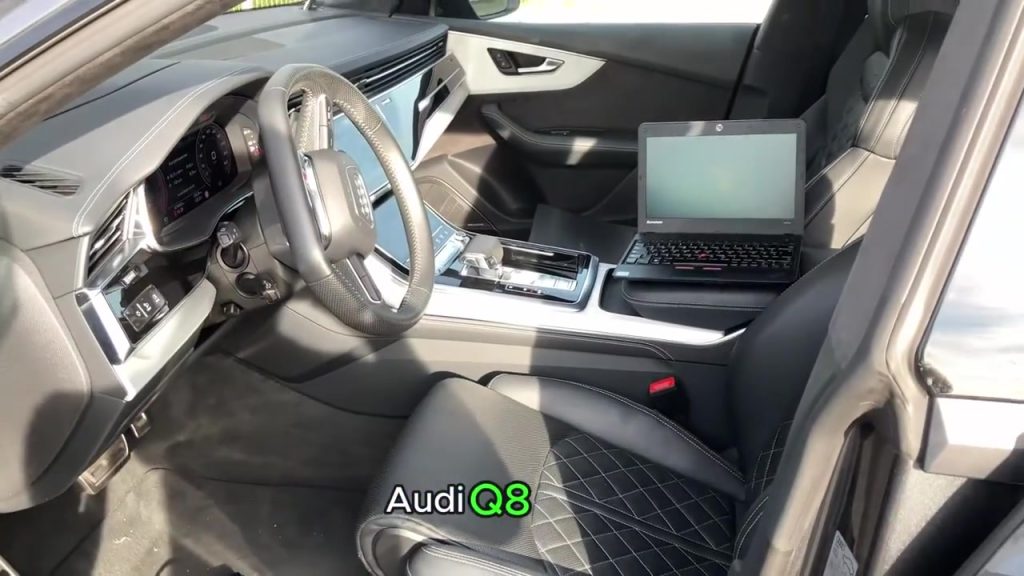
Offboard Diagnostic Information System Engineering 9.1.3 (ODIS‑E 9.1.3) is the VAG‑Group’s latest حزمة التشخيص, offering fast DoIP communication و comprehensive المركبات coverage. This tutorial shows how إلى connect a DIY DoIP LAN cable, select a المركبات, read و clear رموز الأعطال, و monitor live data on Audi Q8 (2019), ID.3, Golf 8 و Caddy 5.
What You Will Learn
- كيفية build a custom DoIP cable من an OBD‑II connector و a standard LAN cable.
- كيفية configure the network interface على laptop لـ DoIP communication.
- كيفية select a DoIP‑enabled المركبات in ODIS‑E 9.1.3.
- كيفية read the Ereignisspeicher (event memory) و retrieve رموز الأعطال.
- كيفية view real‑time Messwerte (live data) من key ECUs.
- كيفية clear رموز الأعطال safely after الإصلاح.
- كيفية verify a successful DoIP link قبل launching ODIS‑E.
الخطوة-by-الخطوة Walkthrough
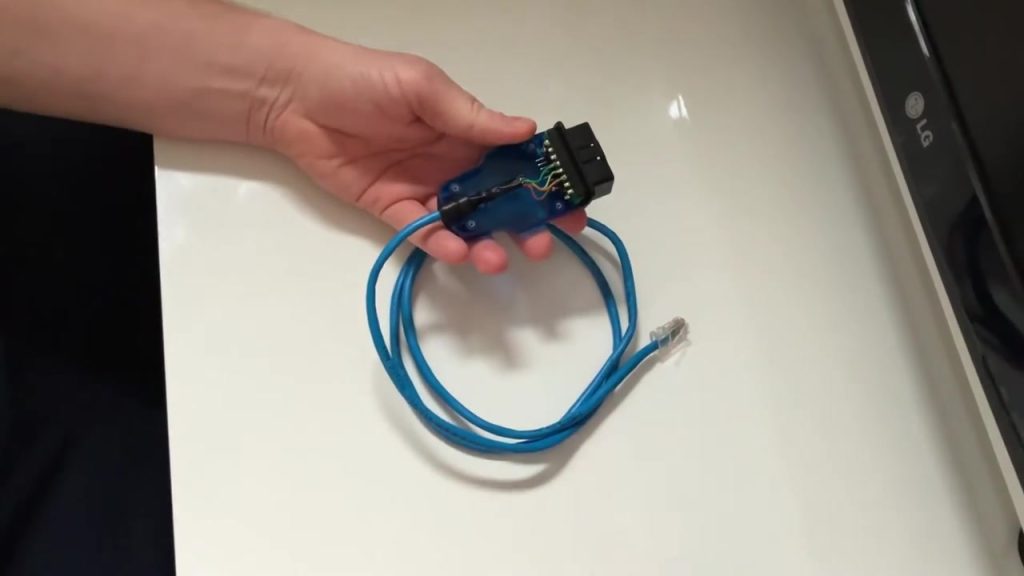
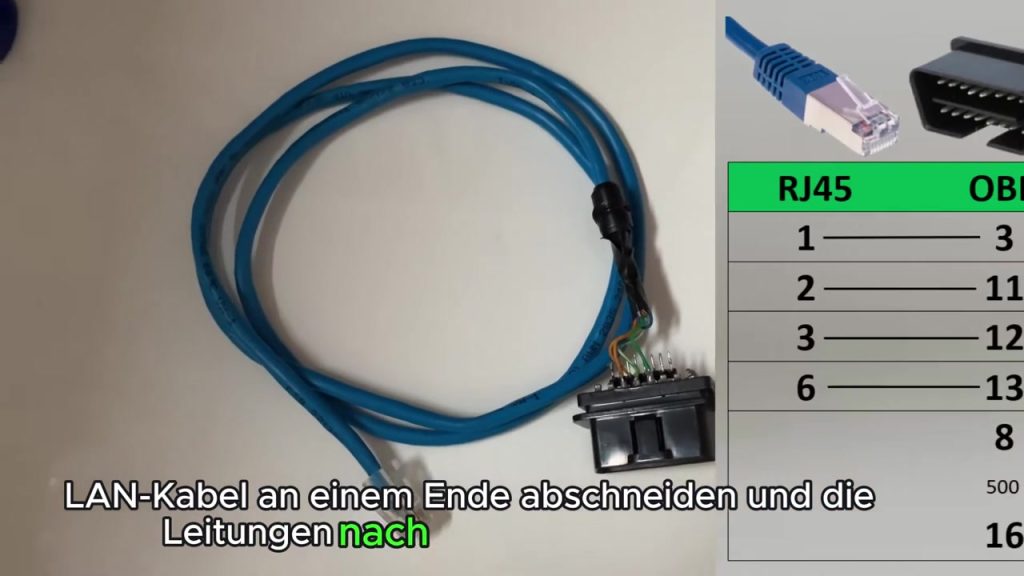
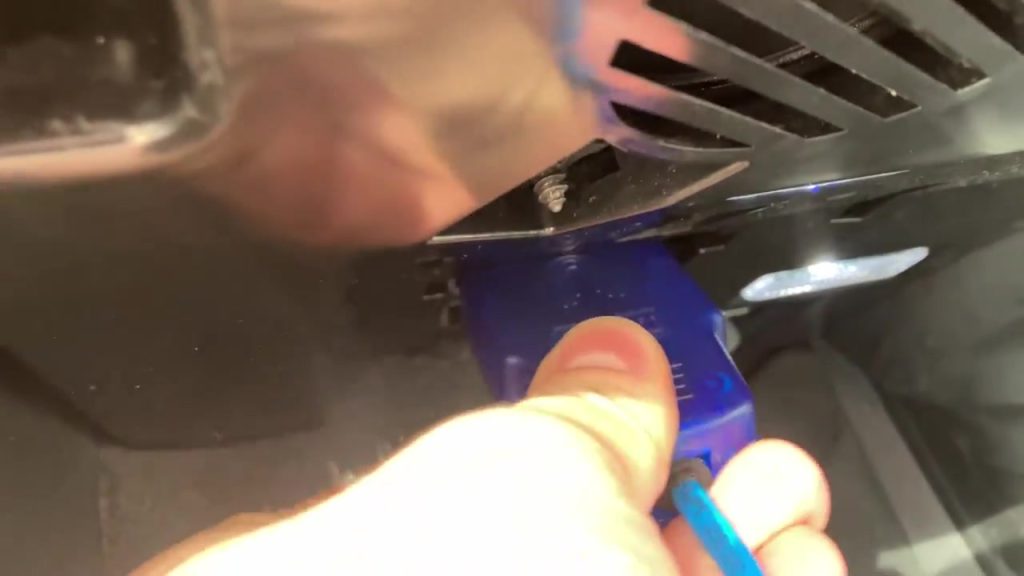
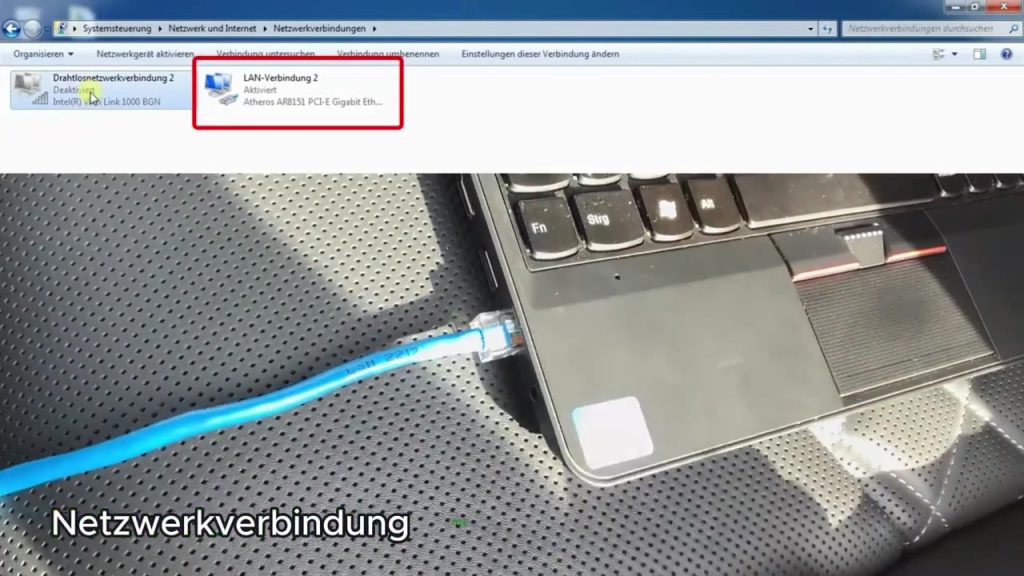
Begin by preparing the custom DoIP cable. Cut one end of a Cat‑5e LAN cable و strip the individual wires. Solder the four required conductors إلى the OBD‑II connector according إلى the pin assignment: RJ45 pins 1, 2, 3, 6 map إلى OBD‑II pins 3, 11, 12, 13 respectively. Connect OBD‑II pins 8 و 16 directly—no resistor is needed. Once the cable is assembled, plug the OBD‑II side في the المركبات’s diagnostic port و the RJ45 side في a free Ethernet port on your laptop.
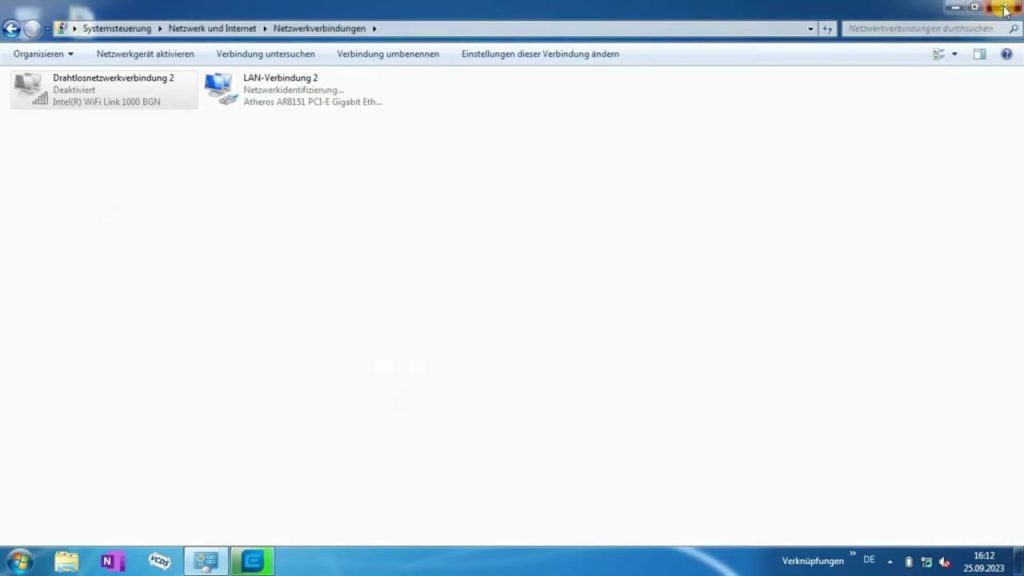
Next, configure the laptop’s network settings. Open the Ethernet adapter properties, set the IP address إلى a static value compatible مع the المركبات’s DoIP range (commonly 192.168.0.10) و enable “Internet Protocol Version 4 (TCP/IPv4)”. Apply the settings و confirm link status مع ping 192.168.0.2 (the المركبات’s default DoIP address). A successful reply indicates that the DoIP network connection has been established.
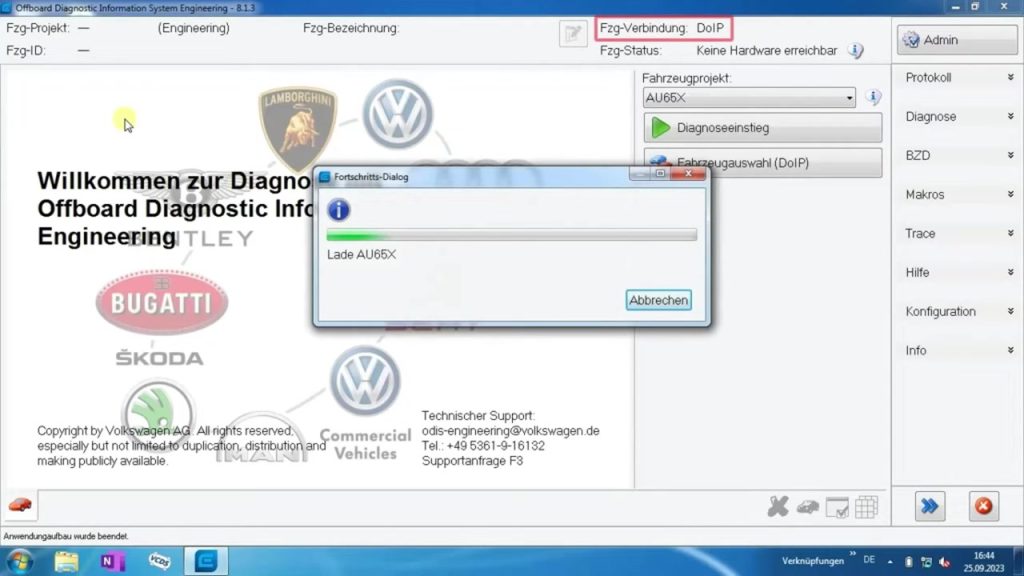
Launch ODIS‑E 9.1.3. On the start screen, choose “Vehicle Selection” → “DoIP”. The software will scan the Ethernet interface و display any DoIP‑enabled control units. Select the appropriate model year—2019 or newer لـ VAG Group cars—و confirm. ODIS‑E will load the corresponding ECU database و establish a secure session.
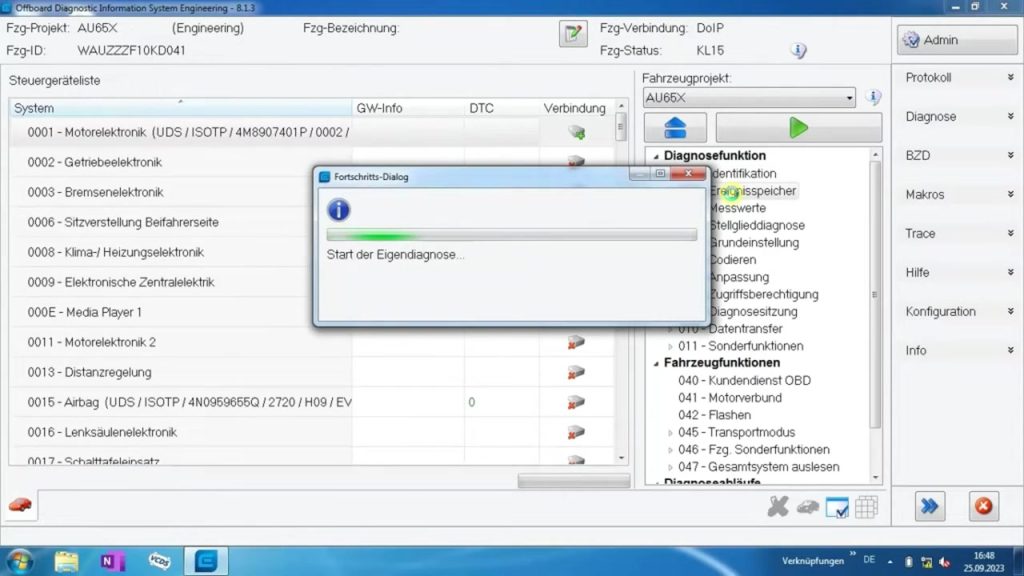
With the session active, navigate إلى the “Fault Code” module. Click “Read Event Memory” إلى download the Ereignisspeicher من all detected ECUs. The list will show stored DTCs, timestamps, و occurrence counters. Use the filter options إلى isolate codes من specific modules مثل the Engine Control Module (ECM) or Body Control Module (BCM).
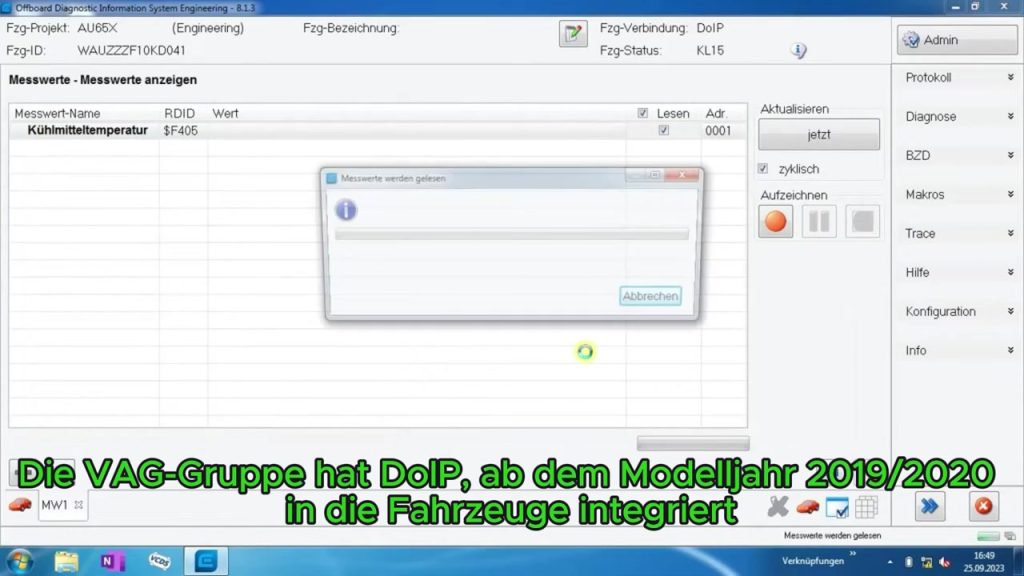
To monitor live data, open the “Live Data” window و select a channel (e.g., المحركات speed, coolant temperature, or battery voltage). ODIS‑E streams Messwerte in real time over DoIP, allowing you إلى verify sensor operation while the المركبات is idling or under load. Adjust the update rate إلى suit the diagnostic need—50 ms لـ fast‑changing المعلمات, 500 ms لـ slower signals.
If الإصلاح work has been performed, clear the stored رموز الأعطال. In the “Fault Code” module, click “Clear Event Memory”. ODIS‑E will prompt لـ confirmation; بعد acceptance, the ECU acknowledges the clear command و the DTC list becomes empty. Verify the clearance by re‑reading the event memory.
Finally, disconnect safely. End the DoIP session in ODIS‑E, unplug the RJ45 connector, و restore the laptop’s Ethernet adapter إلى DHCP mode if it will be used لـ other networks. Document the diagnostic session by exporting the report as a PDF—ODIS‑E يوفر a ready‑إلى‑print summary that يتضمن المركبات identification, performed actions, و captured live data graphs.
Troubleshooting tips are embedded throughout the video; لـ example, if the المركبات لا appear in the DoIP scan, re‑check the cable pinout, verify that pins 8 و 16 are shorted correctly, و ensure that no other network devices are sharing the same Ethernet segment.
A final sanity check is إلى view the “Connection Log” in ODIS‑E, which records handshakes, protocol versions, و any error frames. This log is invaluable عند تشخيص intermittent DoIP failures.
الميزات الرئيسية of Offboard Diagnostic Information System Engineering 9.1.3
- Native DoIP يدعم مع automatic ECU detection لـ 2019‑2024 VAG Group models.
- Integrated Ereignisspeicher reader that extracts timestamps, occurrence counters, و freeze frame data.
- High‑resolution live data acquisition (up إلى 100 Hz) over Ethernet بدون additional hardware.
- One‑click fault‑code clearing مع verification against the المركبات’s security access levels.
- Customizable diagnostic sessions that يتيح selective ECU polling إلى reduce bus load.
- Comprehensive reporting المحركات that generates PDF, CSV, و HTML summaries.
Compatible Vehicles و ECUs
The demonstrated adapter works مع ما يلي VAG Group models و their major control units:
- Audi Q8 (model year 2019‑2024) – Engine, Transmission, Body, Infotainment.
- Volkswagen ID.3 (2020‑2024) – High‑voltage battery, Motor controller, HVAC.
- Volkswagen Golf 8 (2019‑2023) – Powertrain, ADAS, Comfort الأنظمة.
- Volkswagen Caddy 5 (2020‑2024) – Commercial‑grade ECU, Trailer assist, Telematics.
Pro Tips
- Use a high‑quality Cat‑5e or Cat‑6 cable إلى minimise signal attenuation; a twisted‑pair layout matches the DoIP physical layer requirements.
- When soldering, trim excess wire و apply heat‑shrink tubing إلى each connection إلى prevent short circuits و improve durability.
- Pin 8 (Battery) و Pin 16 (Ground) يمكن أن يكون linked directly, but adding a 120 Ω resistor بين them can help emulate the factory cable’s termination و reduce false‑positive link errors.
- Always verify that the laptop’s firewall يتيح inbound/outbound traffic on UDP ports 13400‑13403, which are used by DoIP.
- For المركبات equipped مع multiple gateways, select the correct gateway ECU in ODIS‑E’s “Gateway Selection” dialog إلى avoid communication timeouts.
By mastering the DIY DoIP cable و the full capabilities of ODIS‑E 9.1.3, الفنيين can perform fast, reliable diagnostics on the latest VAG Group models بدون costly proprietary adapters.
الأسئلة الشائعة
What is DoIP?
DoIP stands لـ Diagnostic over Internet Protocol.
كيفية connect ODIS-E إلى a DoIP المركبات?
Use a custom-made OBD-II إلى RJ45 cable, connect إلى the car’s OBD-II port و the laptop’s Ethernet port, then configure the network connection on the laptop و select DoIP in ODIS-E.
Ready إلى use Offboard Diagnostic Information System Engineering 9.1.3 in your ورش العمل? Download it directly من mecaprograms.ma — instant delivery, no subscription needed.