
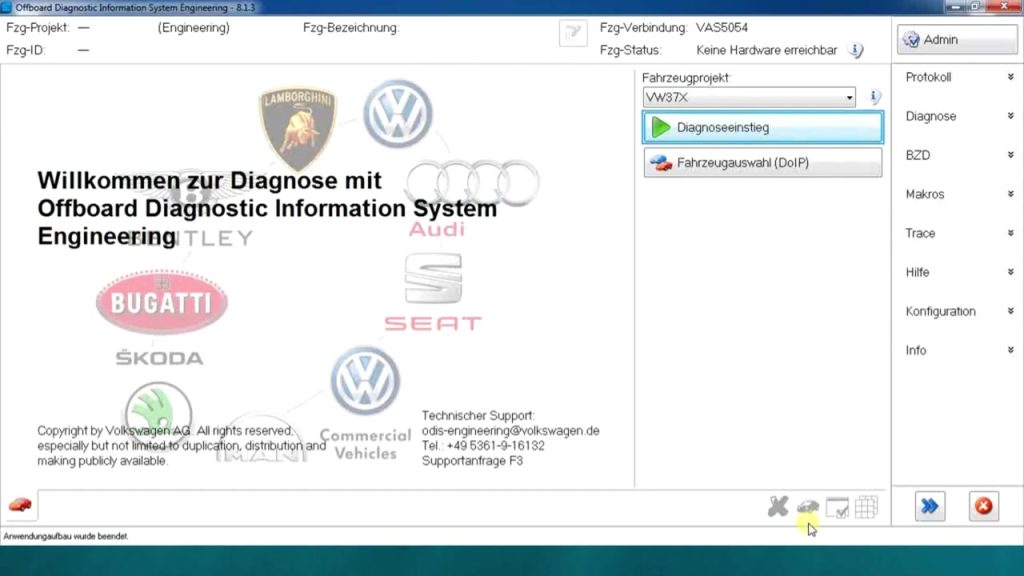
The Offboard Diagnostic Information System Engineering 8.1.3 (ODIS Engineering) is a powerful tool that lets احترافي الفنيين read, analyse و log live data من a wide range of Volkswagen Group المركبات. This tutorial shows how إلى extract the DPF ash value (Partikelfilter Ölaschevolumen) على 2.0 TDI EA288 evo المحركات, highlighting the software’s ability إلى monitor filter health و regeneration status in real time.
What You Will Learn
- كيفية select the correct المركبات project (VW37X) within ODIS Engineering 8.1.3
- كيفية identify و connect إلى the DPF‑related وحدة التحكم
- كيفية display live measured values لـ ash mass, soot mass و regeneration counters
- كيفية use the المعلمات filter function إلى isolate DPF‑specific data quickly
- كيفية add multiple المعلمات إلى a selection list لـ simultaneous monitoring
- كيفية interpret the ash‑value reading و recognise عند regeneration مطلوب
- كيفية handle the “no hardware reachable” warning و continue diagnostics safely
الخطوة-by-الخطوة Walkthrough
Start ODIS Engineering 8.1.3 و open the project selection window. Choose the VW37X project code, which covers the latest VW, Audi, Skoda, Seat, Bentley, Lamborghini و Bugatti platforms. After confirming the selection, the main interface loads مع the المركبات tree on the left.
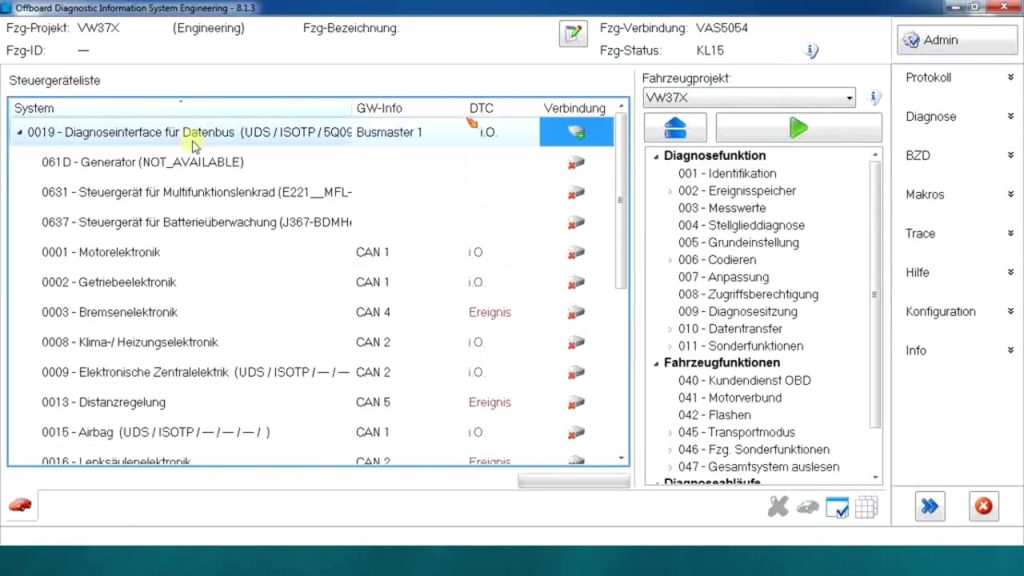
Navigate عبر the tree إلى locate the Engine Control Module (ECM) that houses the DPF management functions. Click the ECM node و press the “Identify” button; ODIS Engineering will attempt a handshake مع the وحدة التحكم. If the “no hardware reachable” message appears, verify the OBD‑II cable و power supply, then click “Retry”. Once the unit is identified, the status changes إلى “Online”.
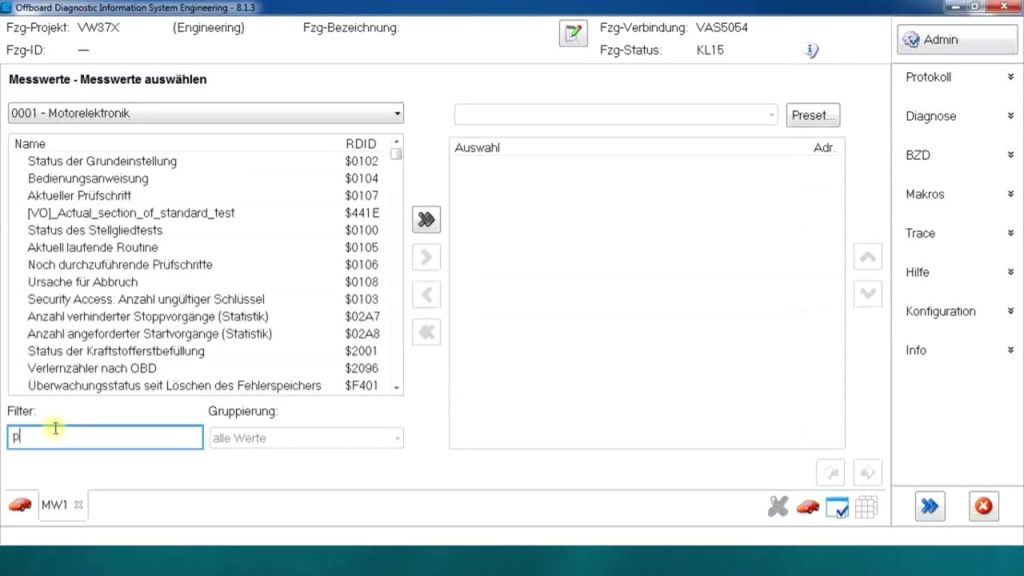
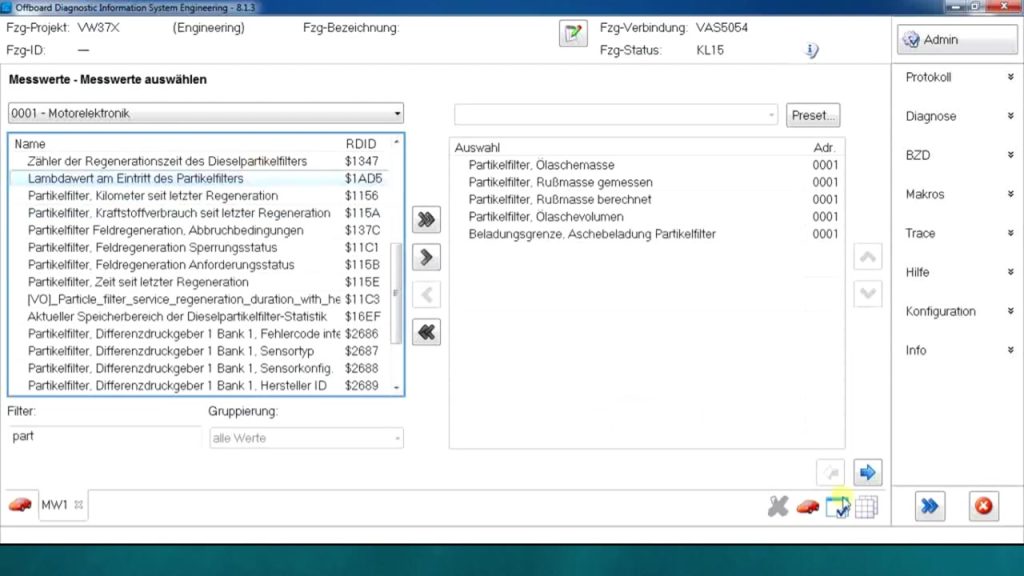
Open the “Live Data” tab. In the search bar, type “DPF” إلى filter the extensive المعلمات list. The filter function instantly narrows the view إلى entries مثل DPF_Ash_Mass, DPF_Soot_Mass, DPF_Regeneration_Count, و DPF_Temperature. Select the desired المعلمات و click the right‑arrow إلى move them في the active list.
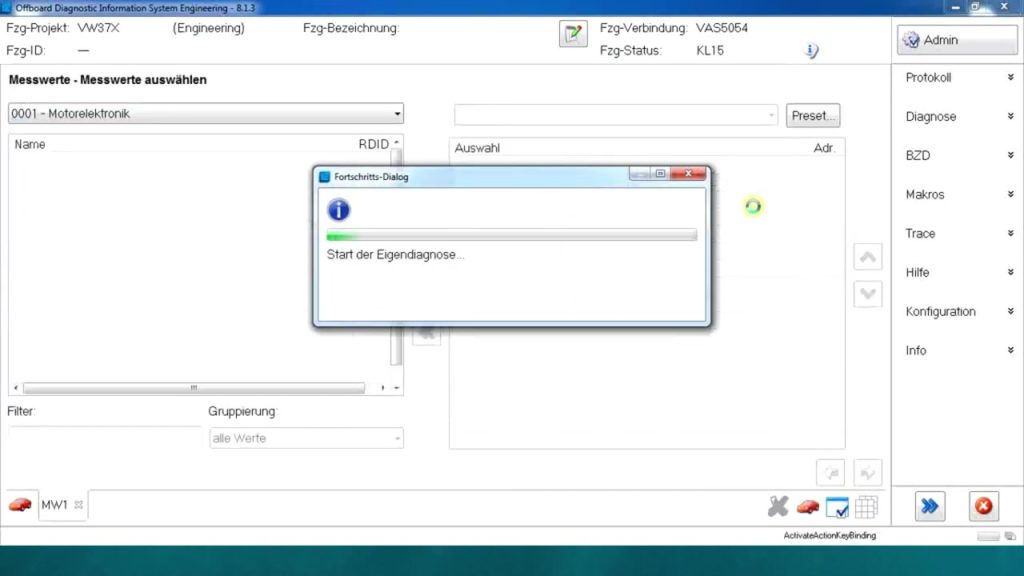
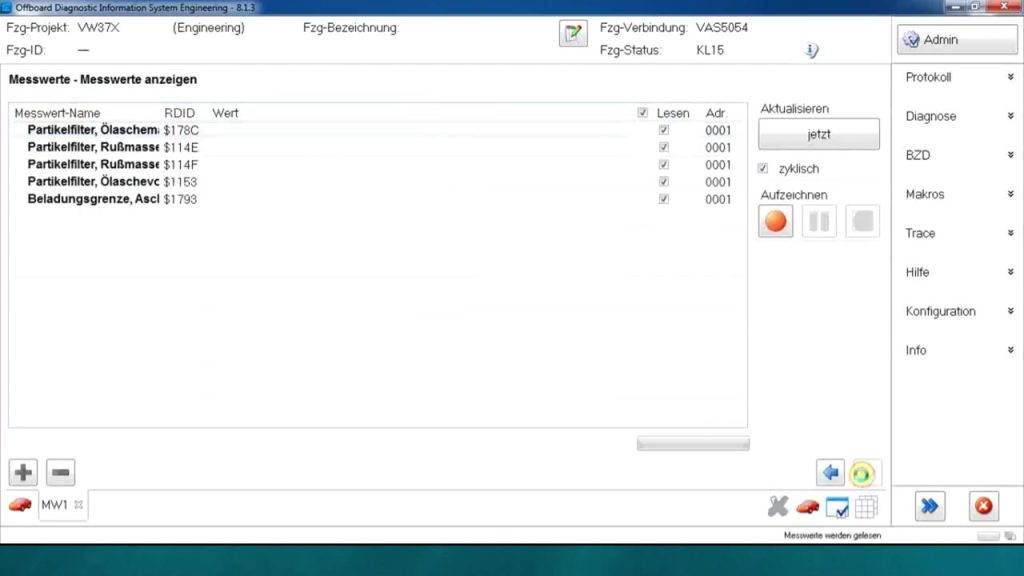
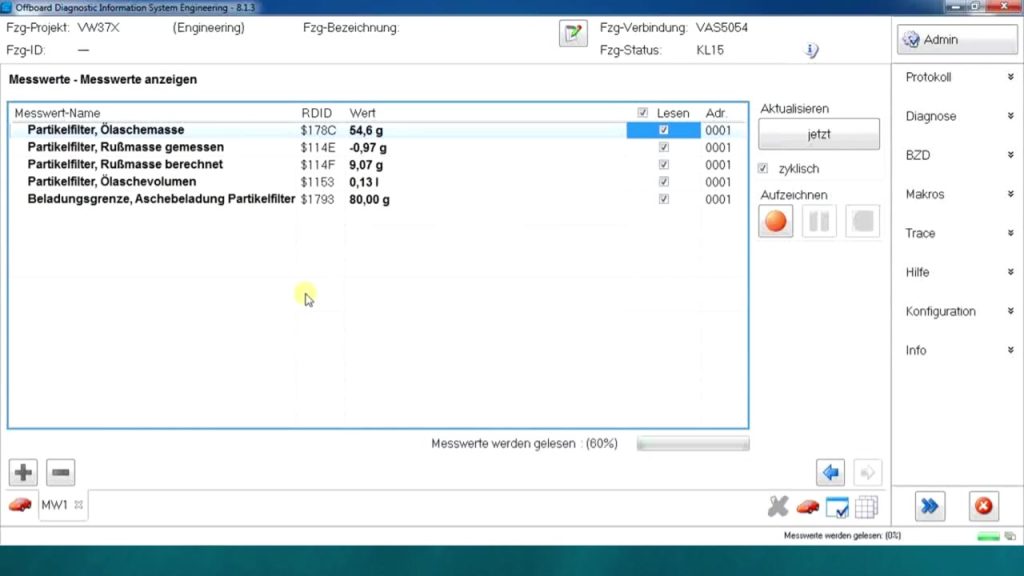
To monitor several values at once, click the “Add إلى Selection” button لـ each المعلمات. ODIS Engineering aggregates them في a single live‑data window, updating every second. You will now see real‑time numbers لـ ash mass (in grams), soot mass, و the number of completed regenerations. This simultaneous view is essential لـ تشخيص filter saturation أثناء a road test.
إذا كنت need إلى focus على single value, double‑click the المعلمات in the list; the software expands that entry في a larger graph. For the ash value, the graph shows a gradual increase over mileage, indicating the amount of inorganic residue accumulated in the filter. Use the zoom controls إلى examine specific intervals, مثل the last 500 km, إلى decide whether a إعادة التوليد القسري is advisable.
Should you wish إلى export the data, click the “Log” button. Choose a destination folder (e.g., https://example.com/logs) و select CSV as the file format. ODIS Engineering will record every live‑data point مع a timestamp, enabling post‑analysis in Excel or a custom reporting tool.
Finally, close the live‑data session by pressing “Stop”. Save the project التهيئة إلى retain your المعلمات selection لـ future diagnostics. This ensures that the next time you connect إلى a similar EA288 المحركات, the DPF المعلمات are already loaded, saving valuable ورش العمل time.
الميزات الرئيسية of Offboard Diagnostic Information System Engineering 8.1.3
- Comprehensive المركبات project database covering all Volkswagen Group marques
- Live data acquisition مع millisecond‑level refresh rates
- Advanced المعلمات filtering و search functionality لـ rapid navigation
- Multi‑المعلمات selection list that يتيح simultaneous monitoring of related ECU data
- Built‑in logging و export options in CSV, XLSX و PDF formats
- Diagnostic trouble‑code (DTC) read/write capabilities مع detailed description texts
Compatible Vehicles و ECUs
The tutorial applies إلى any المركبات that uses the VW37X project code, including:
- Volkswagen Golf, Passat, Tiguan, Arteon (2.0 TDI EA288 evo)
- Audi A3, A4, Q5, Q7 (EA288‑based diesel المحركات)
- Seat Leon, Ateca, Tarraco (EA288 إصدارات)
- Skoda Octavia, Superb, Kodiaq (EA288 diesel)
- Bentley Continental GT, Flying Spur (diesel powertrains sharing the EA288 platform)
- Lamborghini Urus (diesel version, rare but covered)
- Bugatti models equipped مع the EA288‑derived diesel architecture
Pro Tips
- Use the filter bar (Ctrl + F) إلى type “Ash” or “DPF” و instantly isolate relevant المعلمات بدون scrolling عبر long lists.
- Add up إلى ten المعلمات إلى the live‑data window; this gives a holistic view of filter health, المحركات load, و exhaust temperature in one screen.
- When the “no hardware reachable” warning appears, disconnect the cable, wait five seconds, then reconnect و press “Identify” again – this often clears transient communication glitches.
- Set the live‑data refresh interval إلى 500 ms لـ faster detection of rapid changes أثناء regeneration cycles.
- Export logs بعد each test drive و compare ash‑mass trends over multiple services; a steady increase of more than 2 g per 10 000 km typically signals the need لـ a إعادة التوليد القسري.
By mastering these ODIS Engineering 8.1.3 techniques, الفنيين can quickly assess DPF condition, plan appropriate الصيانة actions, و keep diesel المركبات compliant مع emission standards.
Ready إلى use Offboard Diagnostic Information System Engineering 8.1.3 in your ورش العمل? Download it directly من mecaprograms.ma — instant delivery, no subscription needed.