
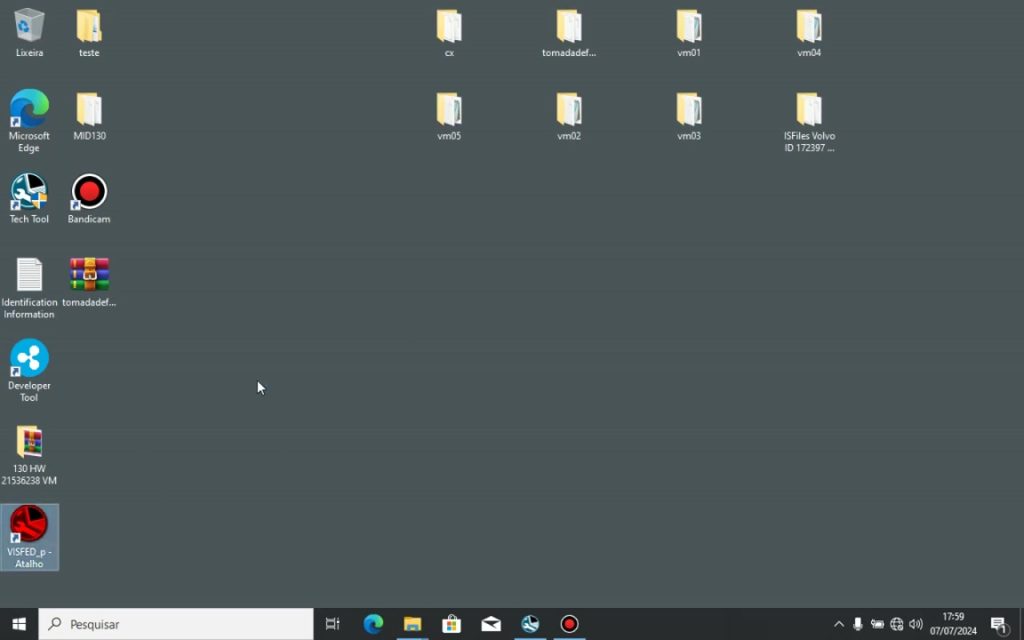
Volvo IS File ED – EDITOR combined مع Tech Tool 2.8.130 gives ورش العمل الفنيين a reliable way إلى edit, decrypt و re‑encrypt MID 130 transmission ECU files. This tutorial shows how إلى manipulate MOD و TMP files so you can update client data, correct software types و avoid common البرمجة errors.
What You Will Learn in This Tutorial
- كيفية load MOD و TMP files في the Volvo IS File ED – EDITOR.
- Decrypting a TMP file using the correct Client ID و Dealer ID.
- Re‑encrypting the file بعد editing chassis, series, date و user information.
- Configuring Tech Tool 2.8.130 إلى recognize the edited XML/ISFiles paths.
- Placing edited files in the exact Tech Tool directories إلى prevent “file not found” errors.
- Identifying و fixing decryption failures caused by files being in use.
- Understanding why incomplete “ECU Reload” software blocks البرمجة و how إلى select the proper “Free of charge/Replace Unit” package.
الخطوة-by-الخطوة Walkthrough
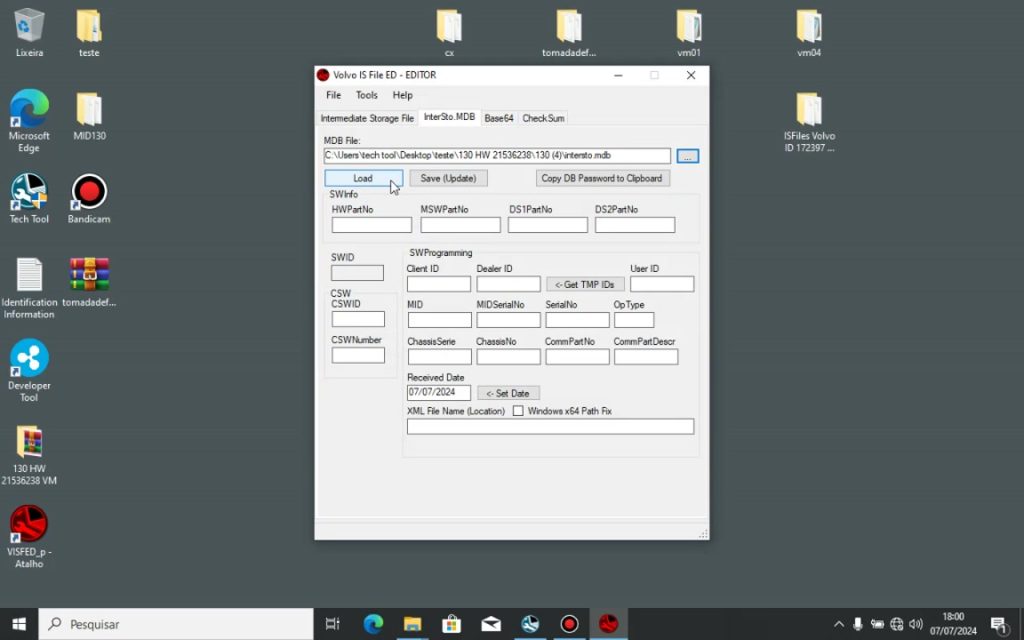
The video opens مع the الفنيين launching Volvo IS File ED – EDITOR (version 2.7) و selecting File → Open إلى load a MOD file that contains the الأصلي المعايرة data. After confirming the correct المركبات series, the file is saved as a TMP file لـ editing.
– This view shows the MOD file loaded و the “Save as TMP” button highlighted.
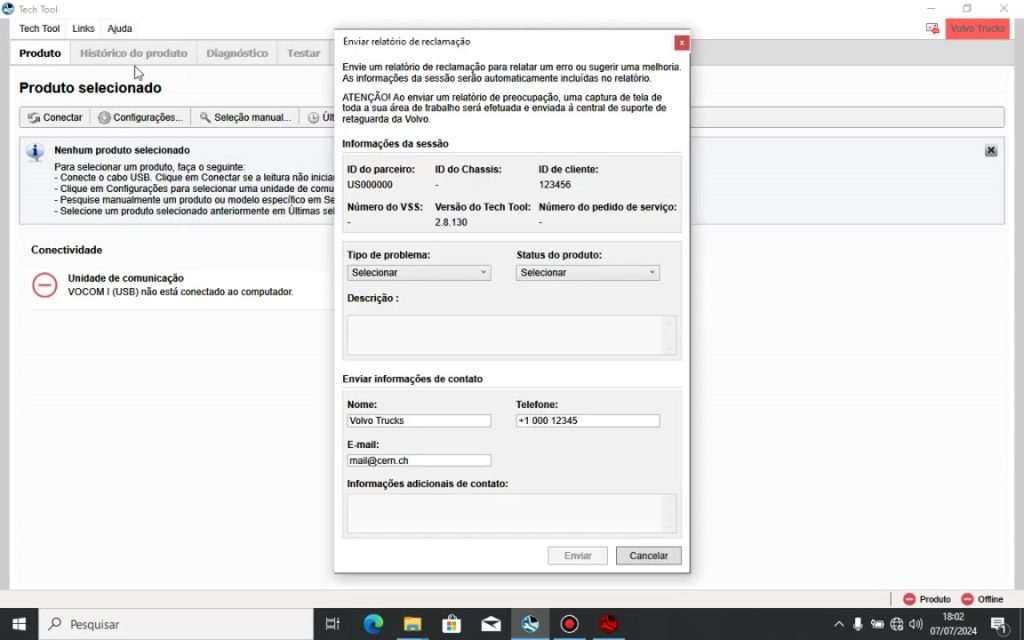
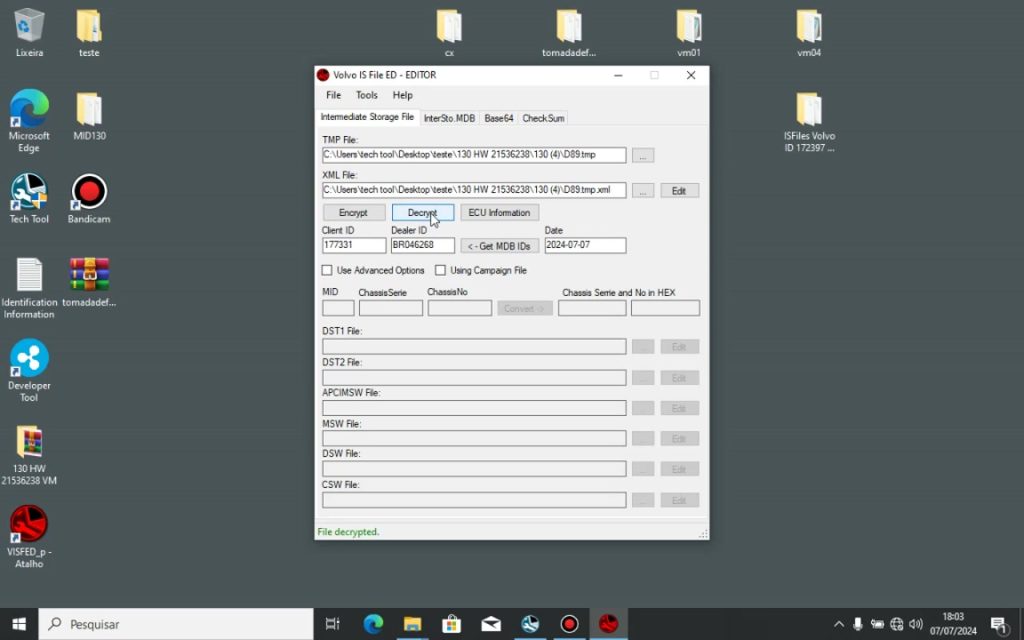
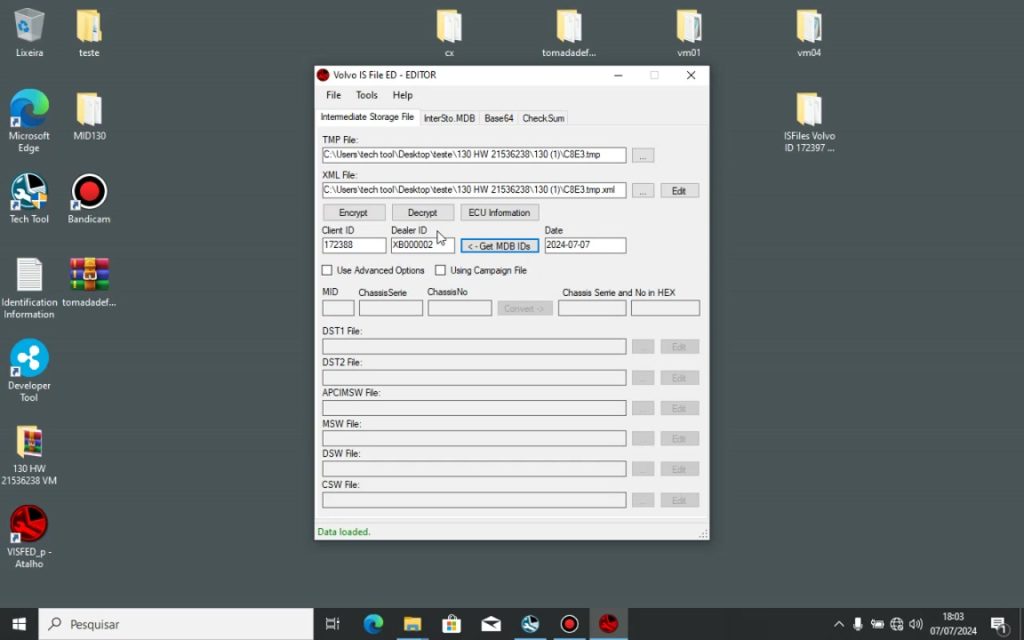
Next, the presenter demonstrates the decryption process. By entering the Client ID, Dealer ID و User ID (extracted من Tech Tool’s Help → Send complaint report dialog), the TMP file is unlocked. If the file is already opened by another instance of Tech Tool, an error pops up; the video advises closing all Tech Tool sessions قبل proceeding.
– Decryption window مع the three ID fields populated.
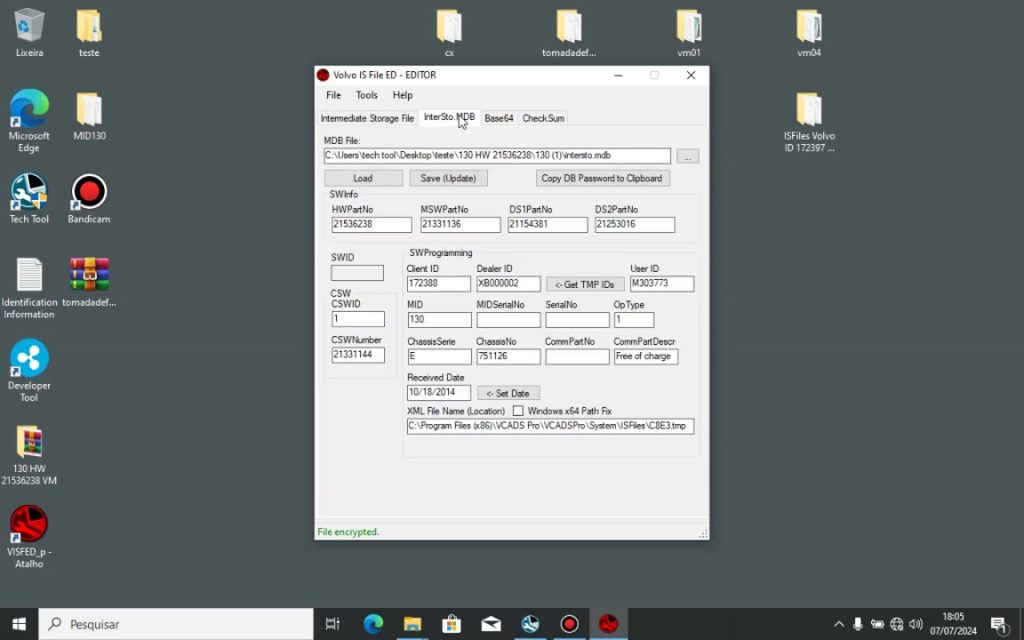
With the file decrypted, the editor displays a table of المعلمات. The الفنيين updates the chassis/series, changes the date إلى the current service day, و modifies the User ID إلى match the الفنيين performing the work. These edits are crucial لـ a clean البرمجة session later.
– Edited fields highlighted in the المعلمات grid.
After editing, the file is re‑encrypted by clicking the Encrypt button. The video stresses that the encryption must use the same IDs that were used لـ decryption; otherwise the ECU will reject the file أثناء flashing.
– Encryption confirmation dialog.
The next segment switches إلى Tech Tool 2.8.130. The presenter opens Options → Database و updates the path لـ the XML files إلى point إلى the newly created ISFiles folder inside C:\ProgramData\Tech Tool\VCADSPro. If the folder لا exist, the video shows how إلى create it manually.
– Options window مع the corrected XML path.
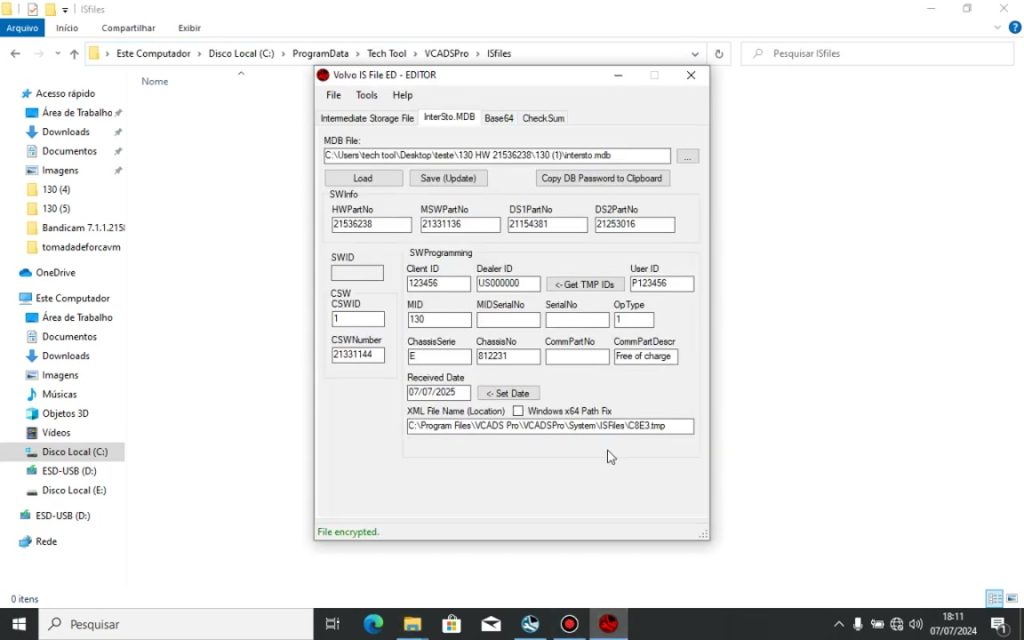
Now the edited TMP file is copied في the VCADSPro\ISFiles directory, و the corresponding intersto.mdb database is backed up قبل being replaced مع the updated version supplied by Volvo. This step guarantees that Tech Tool can locate the new المعايرة data أثناء the البرمجة routine.
– File explorer view of the ISFiles folder مع the new TMP file.
Finally, the tutorial runs a quick “Read ECU” test من Tech Tool. The software reads the MID 130 transmission ECU و displays the updated client information, confirming that the edit was successful. The video also shows the error that appears عند an incomplete “ECU Reload” software package is selected, prompting the الفنيين إلى switch إلى the full “Free of charge” version.
– Successful readout screen مع updated client data.
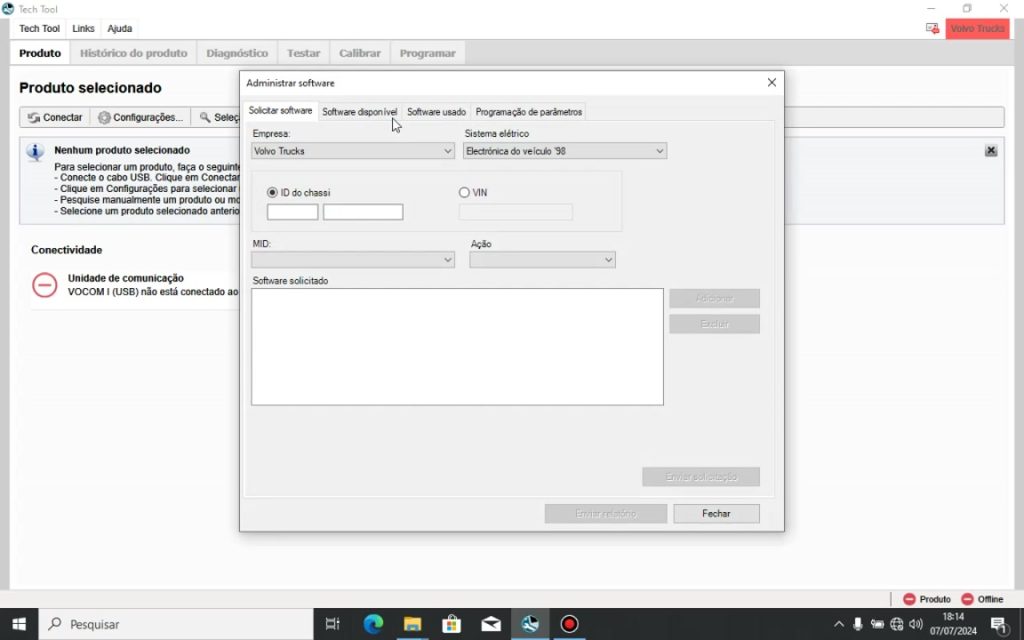
– Error message caused by an incomplete software type.
الميزات الرئيسية of Volvo IS File ED – EDITOR, Tech Tool 2.8.130
- Direct loading of MOD و TMP files لـ quick inspection و modification.
- Built‑in decryption المحركات that uses Client ID, Dealer ID و User ID.
- Re‑encryption capability that preserves file integrity لـ ECU البرمجة.
- Integrated XML path التهيئة that syncs edited files مع Tech Tool’s database.
- Backup و replace function لـ the
intersto.mdbdatabase, ensuring safe roll‑back. - التوافق مع Tech Tool 2.8.130’s VCADSPro folder structure, eliminating path‑related errors.
Compatible Vehicles و ECUs
The procedures demonstrated apply إلى Volvo trucks و heavy‑duty المركبات that use the MID 130 transmission ECU. This يتضمن most 2015‑2023 Volvo FH, FM و FL models equipped مع the 12‑speed automated gearbox. The same workflow يمكن أن يكون adapted لـ other Volvo platforms that share the MID 130 architecture, provided the correct MOD/TMP files are available.
Pro Tips من the Video
- Retrieve the exact Client ID, Dealer ID و User ID من Tech Tool by selecting Help → Send complaint report – this guarantees successful decryption.
- Always verify that the
ISFilesوDatabasefolders exist inC:\ProgramData\Tech Tool\VCADSPro; create them if they are missing قبل copying edited files. - Back up the الأصلي
intersto.mdbfile قبل replacement; a simple copy‑paste إلى a safe location can save hours of re‑التهيئة. - Prefer “Free of charge” or “Replace Unit” software types لـ البرمجة; “ECU Reload” often lacks the full المعايرة set و will trigger errors.
- If decryption fails, close all instances of Tech Tool, ensure the TMP file ليس opened elsewhere, و retry – the file lock is the most common cause of failure.
Closing paragraph
By mastering the workflow shown in this tutorial, الفنيين can confidently edit Volvo transmission ECU files, avoid common path و software‑type pitfalls, و keep trucks on the road مع minimal downtime. Mastery of Volvo IS File ED – EDITOR و Tech Tool 2.8.130 together يوفر a powerful, cost‑effective solution لـ any Volvo service center.
الأسئلة الشائعة
كيفية decrypt a TMP file in Volvo IS File ED?
Load the MOD و TMP files, then click ‘Get MDB IDs’ إلى populate Client ID و Dealer ID, و finally click ‘Decrypt’.
Where should the edited TMP file be placed لـ Tech Tool البرمجة?
The edited TMP file يجب أن يكون placed in ‘C:\ProgramData\Tech Tool\VCADSPro\ISFiles’, و the corresponding ‘intersto.mdb’ (MOD file) يجب أن يكون placed in ‘C:\ProgramData\Tech Tool\VCADSPro\Database’.
كيفية update the Tech Tool’s internal database مع the modified MOD file?
After editing the MOD file in Visfed, save it, then copy it إلى ‘C:\ProgramData\Tech Tool\VCADSPro\Database’, replacing the الأصلي ‘intersto.mdb’ (بعد backing it up).
What is the significance of ‘Free of charge’ vs ‘ECU Reload’ in the software description?
‘Free of charge’ (or ‘Replace Unit’) indicates a كامل software package suitable لـ full ECU replacement or reprogramming. ‘ECU Reload’ often signifies an incomplete software that only updates specific parts, potentially leading إلى البرمجة errors or incomplete functionality.
Looking لـ احترافي برنامج التشخيص لـ trucks و heavy equipment? Visit mecaprograms.ma لـ instant digital downloads.
Ready إلى use Volvo Tech Tool 2.8 in your ورش العمل? Download directly من mecaprograms.ma — instant delivery, all versions available.