
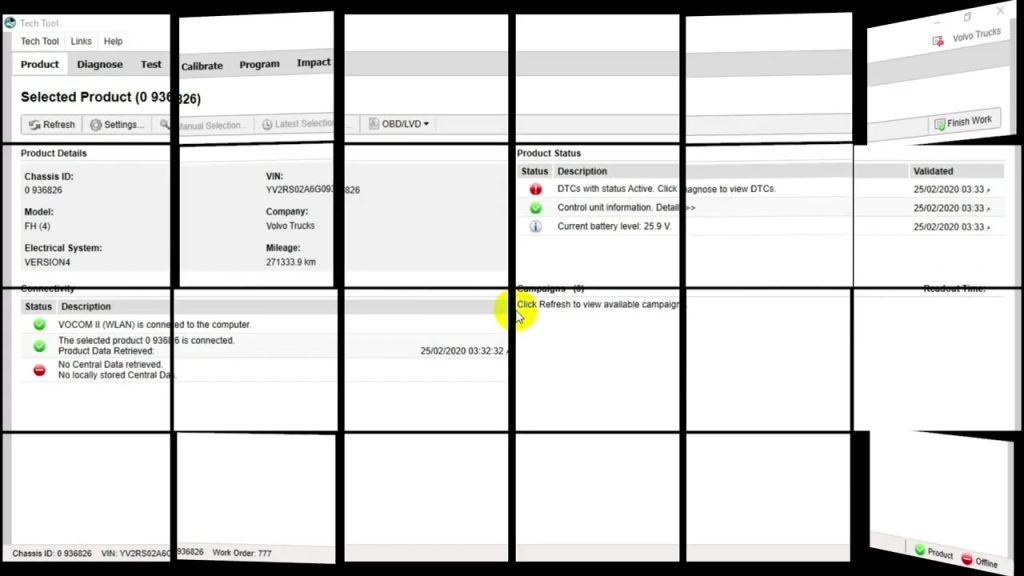
Tech Tool is a powerful منصة التشخيص that enables truck و car الفنيين إلى quickly assess critical المحركات المعلمات on Volvo FH4 و FM4 trucks. This tutorial demonstrates how إلى use Tech Tool إلى evaluate diesel circuit performance, turbo pressure, fuel consumption, و related sensor data, helping you pinpoint common issues efficiently.
What You Will Learn
- كيفية connect Tech Tool إلى a Volvo FH4/FM4 ECU و access live data streams.
- Methods لـ measuring و interpreting fuel consumption at idle و under load.
- Techniques لـ monitoring turbo inlet pressure و identifying pressure losses.
- Procedures إلى check المحركات fuel pressure و تشخيص pump or filter problems.
- كيفية read المحركات load, RPM, coolant temperature, و accelerator pedal position simultaneously.
- Steps إلى isolate causes of high fuel usage, low turbo pressure, و low fuel pressure.
- Best‑practice tips لـ accurate data collection و استكشاف الأخطاء وإصلاحها.
الخطوة-by-الخطوة Walkthrough
1. Launch Tech Tool على laptop equipped مع the appropriate OBD‑II/DLC cable. Select the Volvo FH4/FM4 ECU من the المركبات list و click Connect. The software will establish communication و display the main dashboard.
2. Navigate إلى the Live Data tab و enable ما يلي المعلمات: Fuel Consumption (L/h), Turbo Inlet Pressure (kPa), Engine Fuel Pressure (kPa), Engine Load (%), RPM, Coolant Temperature (°C), و Accelerator Pedal Position (%). This التهيئة يوفر a comprehensive view of المحركات health.
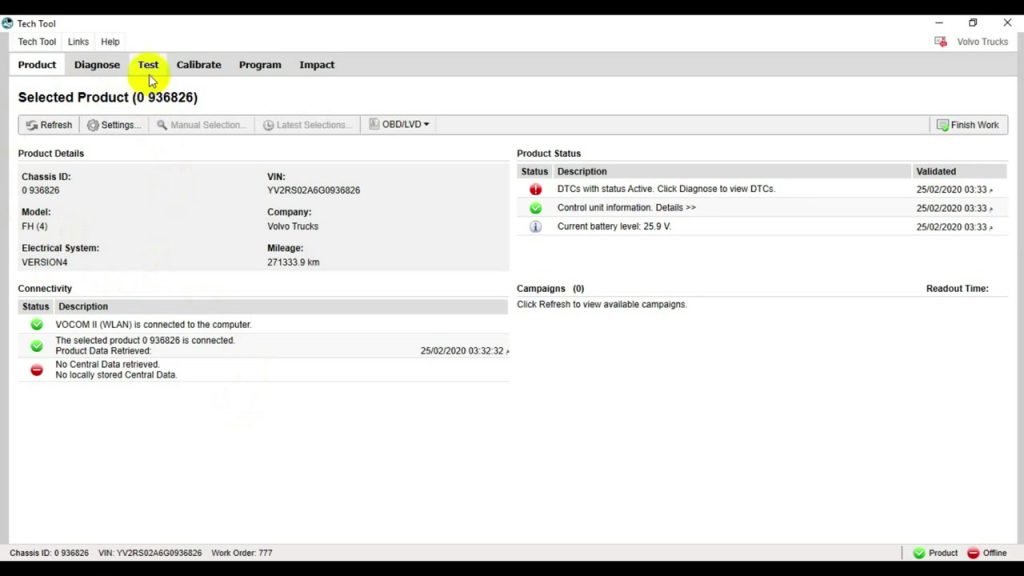
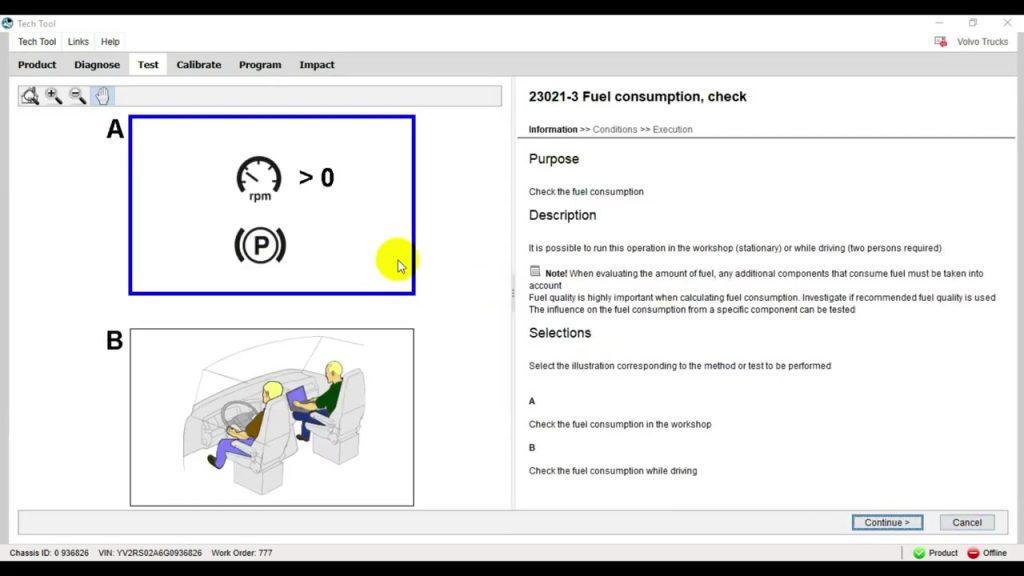
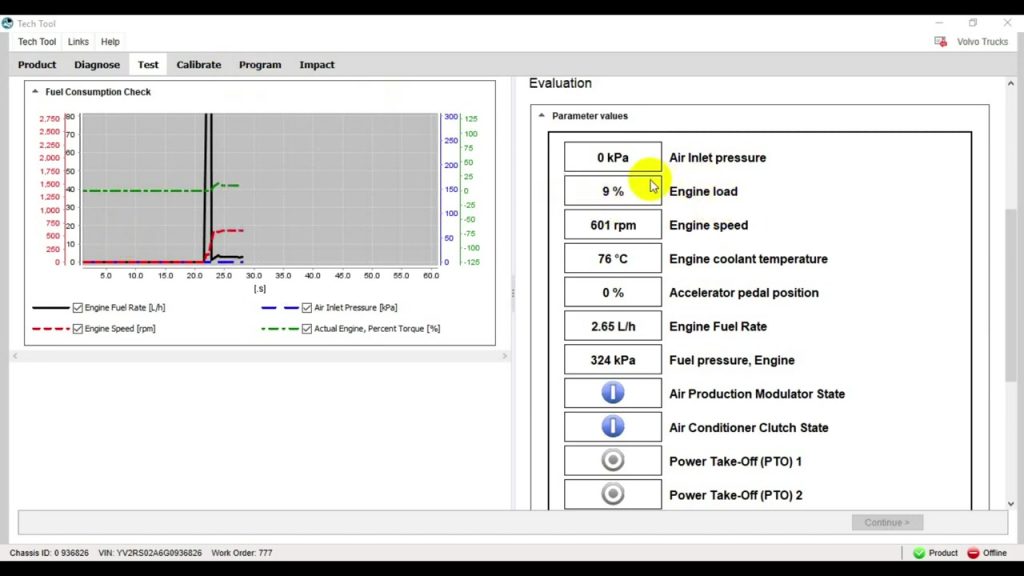
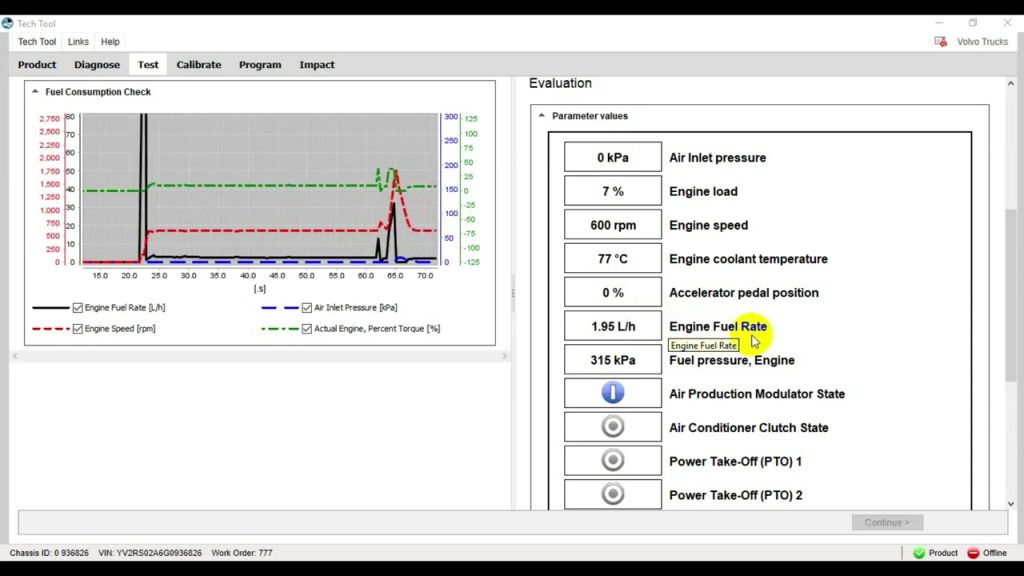
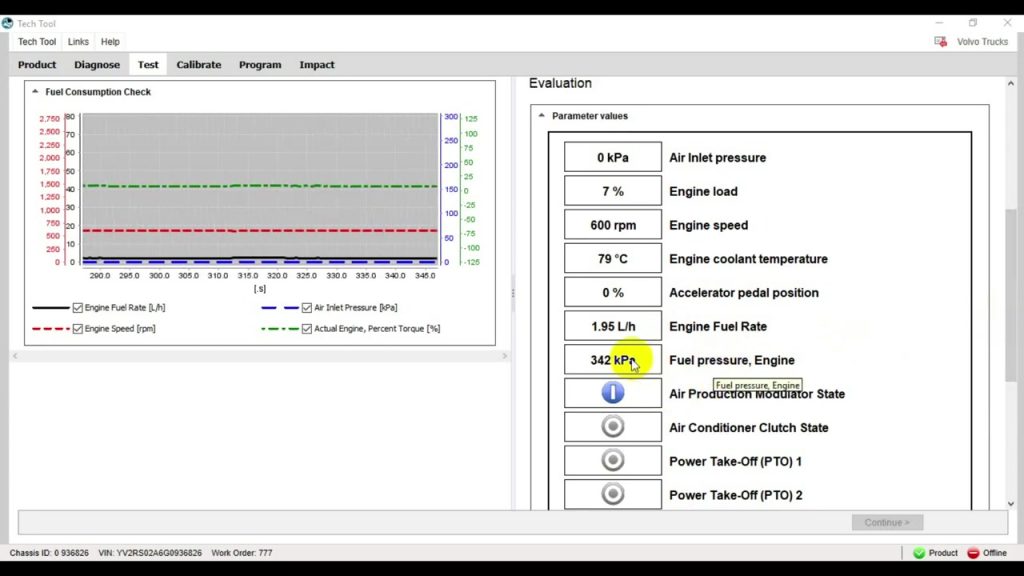
3. Warm the المحركات إلى normal operating temperature (coolant temperature should read بين 85 °C و 95 °C). Once the temperature stabilizes, observe the idle fuel consumption at 600 RPM. Record the value; a normal range is 1.8‑2.5 L/h. Values above 4‑5 L/h indicate excessive consumption.
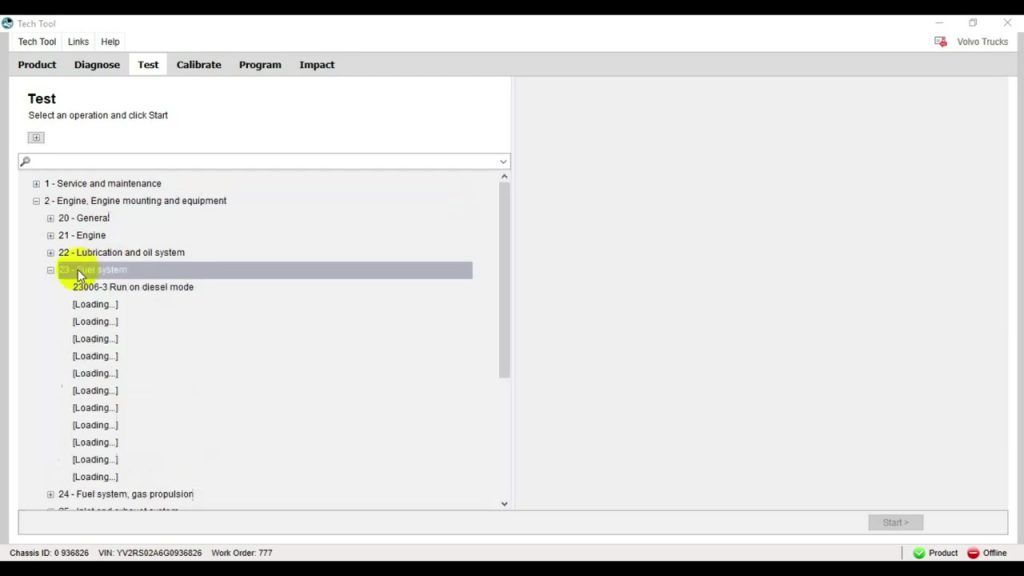
4. To test turbo performance, request a gentle acceleration إلى 1200 RPM while keeping the المركبات stationary. Watch the Turbo Inlet Pressure reading; it should rise above 10 kPa أثناء acceleration. If the pressure stays below this threshold, the turbo or related airflow المكونات may be compromised.
5. Check المحركات fuel pressure by selecting the Fuel Pressure gauge while the المحركات idles at 600 RPM. The pressure يجب أن يكون greater than 250 kPa. A reading lower than this suggests a clogged filter, weak pump, or air leak in the fuel line.
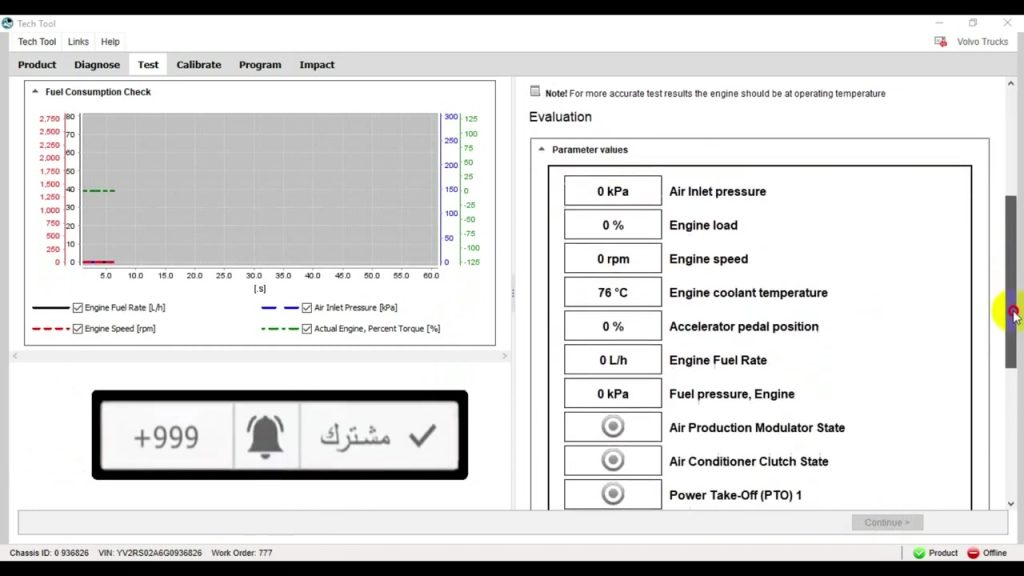
6. While the المحركات is still idling, note the Engine Load و RPM values. A high load at low RPM can point إلى injector wear or throttle restriction. Compare the Accelerator Pedal Position مع the load curve; mismatches often reveal sensor المعايرة issues.
7. If any المعلمات is out of spec, use Tech Tool’s Diagnostic Trouble Codes (DTC) viewer إلى pull stored codes. Cross‑reference the codes مع the live data إلى narrow down the root cause—e.g., a P2A00 code combined مع low fuel pressure reinforces a fuel pump problem.
8. After completing the analysis, generate a PDF report directly من Tech Tool. The report يتضمن time‑stamped graphs of all monitored المعلمات, making it easy إلى share findings مع service managers or the المركبات owner. Save the file إلى a network drive لـ future reference.
الميزات الرئيسية of Tech Tool
- Real‑time multi‑المعلمات monitoring مع customizable dashboards.
- Integrated DTC retrieval و live‑data correlation لـ faster fault isolation.
- High‑resolution fuel consumption و turbo pressure graphs لـ trend analysis.
- One‑click PDF report generation مع timestamped data plots.
- Support لـ Volvo proprietary communication protocols و ECU families.
- Built‑in sensor المعايرة utilities لـ accelerator pedal و temperature sensors.
Compatible Vehicles و ECUs
Tech Tool version 2024.3 يدعم ما يلي Volvo heavy‑duty platforms: Volvo FH4 (ECU: D7‑E, D7‑F), Volvo FM4 (ECU: D7‑E, D7‑F), و related chassis equipped مع the D7 المحركات family. The software also interfaces مع the latest Euro 6 emission control modules و can read data من auxiliary الأنظمة مثل the intercooler حساس الحرارة و turbo boost controller.
Pro Tips
- Always verify that the المحركات has reached operating temperature قبل measuring idle fuel consumption; cold المحركات consume significantly more fuel.
- When low turbo pressure is detected, inspect the intercooler لـ external blockage و check the throttle body لـ carbon buildup قبل removing the turbo.
- For low fuel pressure, replace the fuel filter first, then test the pump output; a failing pump often shows a gradual pressure drop rather than an immediate loss.
- Use the injector cleaning function in Tech Tool إلى run a short high‑pressure purge; this can restore performance in mildly clogged injectors بدون immediate part replacement.
- Document any air‑in‑line leaks by performing a pressure‑test on the fuel lines بعد disconnecting the pump, as small leaks can cause both low pressure و erratic consumption.
By mastering these Tech Tool procedures, الفنيين can quickly تشخيص diesel circuit و turbo issues on Volvo FH4 و FM4 trucks, reducing downtime و improving fleet efficiency.
الأسئلة الشائعة
كيفية check diesel consumption على Volvo FH4 truck?
Use Tech Tool, navigate إلى Test -> Engine -> Fuel الأنظمة -> Fuel consumption, check. Select stationary test, start المحركات, و monitor “Engine Fuel Rate” at 600 RPM.
What is a normal fuel consumption rate لـ a Volvo FH4 at idle?
Around 1.8-2.5 L/h at 600 RPM.
كيفية check turbo pressure على Volvo FH4?
In Tech Tool, monitor “Air Inlet pressure”. When accelerating the المحركات إلى full RPM, the pressure should not drop below 10 kPa.
What does low turbo pressure indicate?
It could indicate a clogged intercooler, clogged throttle, or a problem مع the turbo itself.
كيفية check fuel pressure على Volvo FH4?
In Tech Tool, monitor “Fuel pressure, Engine”. At 600 RPM, it يجب أن يكون above 250 kPa.
Ready إلى use Tech Tool in your ورش العمل? Download it directly من mecaprograms.ma — instant delivery, no subscription needed.