
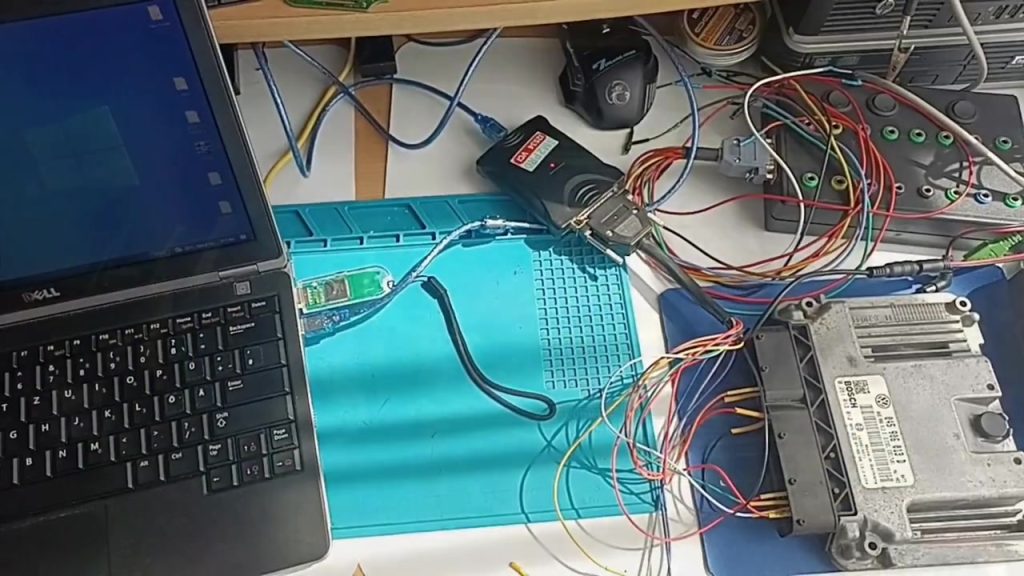
Flex Master vs Scanmatik 2 Pro Clone – Read‑Write EDC17U01 Performance Test
When it comes إلى Volkswagen و Peugeot diesel المحركات, the ability إلى read و write the EDC17U01 or EDC17C60 control units reliably can save you hours of ورش العمل time و thousands of euros in replacement costs. In this tutorial we put two popular البرمجة solutions head‑إلى‑head: the احترافي Flex Master (Flex version 6.29.1.0 مع FlexBox FLX1.9) و the budget‑friendly Scanmatik 2 Pro clone (PCMFlash 1.2.0 مع J2534 SM2 USB). By the end of the video you’ll see exactly how fast each tool can read EEPROM, dump the internal flash, write new maps, و correct checksums – و you’ll understand why the الأصلي programmer still dominates the market despite its price tag.
What You Will Learn
- كيفية connect both Flex Master و Scanmatik 2 Pro clone إلى a VW 1400 TDI (EDC17U01) و a Peugeot EDC17C60.
- الخطوة‑by‑step procedures لـ ECU identification, EEPROM readout, internal flash dump, flash write, و checksum correction.
- Performance benchmarks – seconds taken لـ a 1.5 MB flash dump مع each device.
- Key differences in reliability, required internet connection, و overall user experience.
- Practical tips لـ getting the most out of clone hardware while minimizing risk.
الخطوة‑By‑الخطوة Breakdown
الخطوة 1 – Prepare Your Hardware
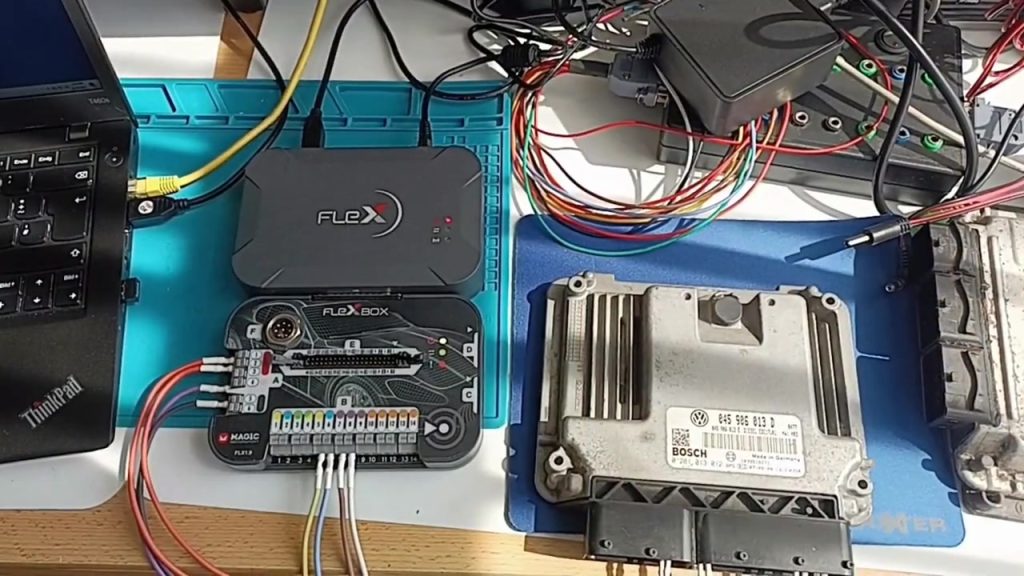
Connect the FlexBox FLX1.9 إلى the المركبات’s OBD‑II port using the supplied 16‑pin cable. For the Scanmatik clone, plug the SM2 USB adapter في the same port. Ensure both devices are powered و that your laptop recognizes them (Device Manager → COM ports).
الخطوة 2 – Launch the Software
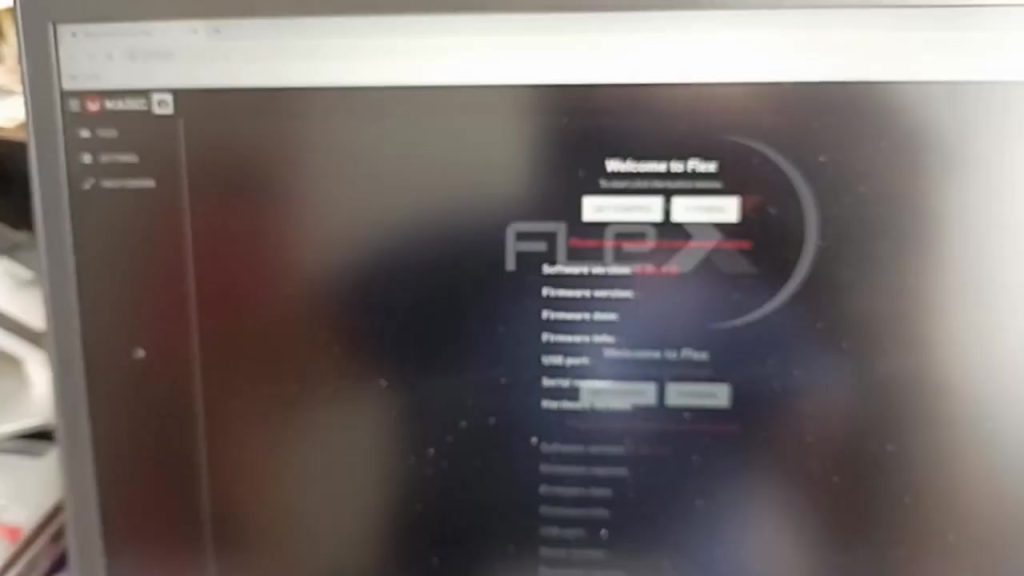
Open Flex 6.29.1.0 و select ECU Identification. The program will auto‑detect the EDC17U01 و display the part number, software version, و flash size. Repeat the same process in PCMFlash 1.2.0 – choose J2534 → Scanmatik من the driver list.
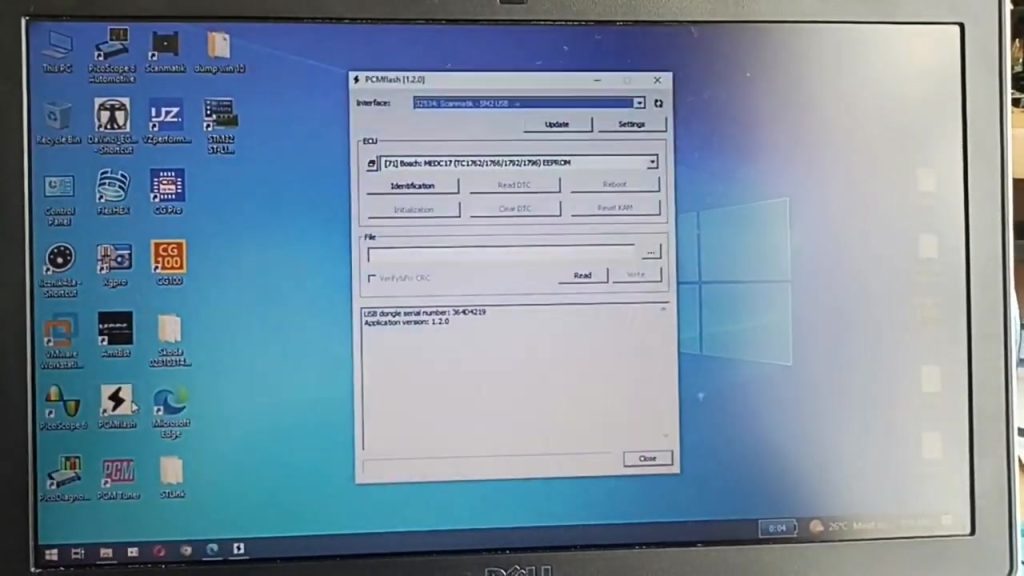
الخطوة 3 – Read EEPROM
In Flex, click Read EEPROM. The read completes in roughly 6 seconds. In PCMFlash, the same operation takes حول 12 seconds. Save both files مع clear naming (e.g., VW_EDC17U01_EEPROM_Flex.bin).
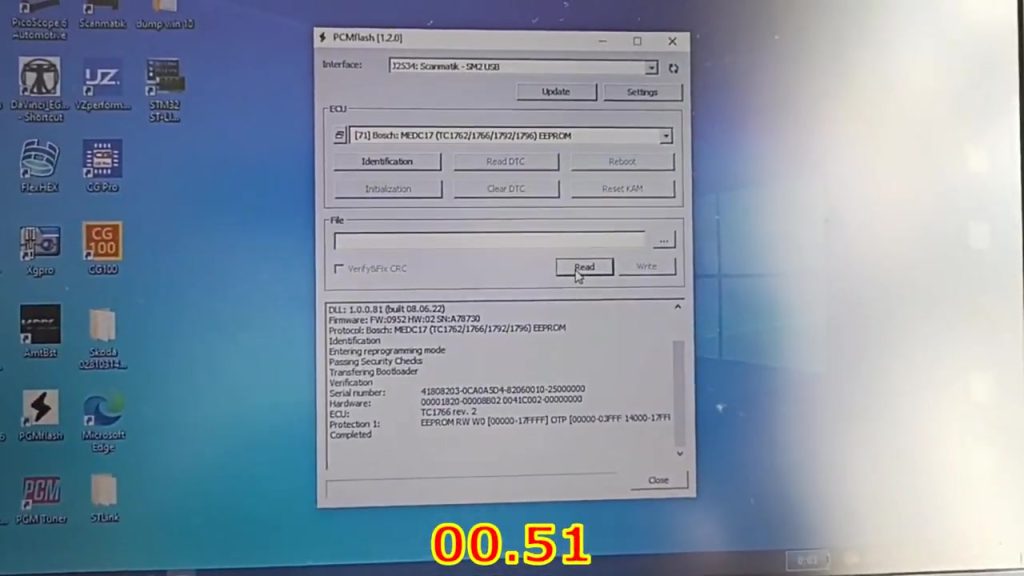
الخطوة 4 – Dump Internal Flash
This is the true performance test. The internal flash of the EDC17U01 is ~1.5 MB. Flex finishes the dump in 22 seconds**, while the Scanmatik clone needs **38 seconds**. The time difference becomes more noticeable عند working مع larger maps or multiple ECUs.
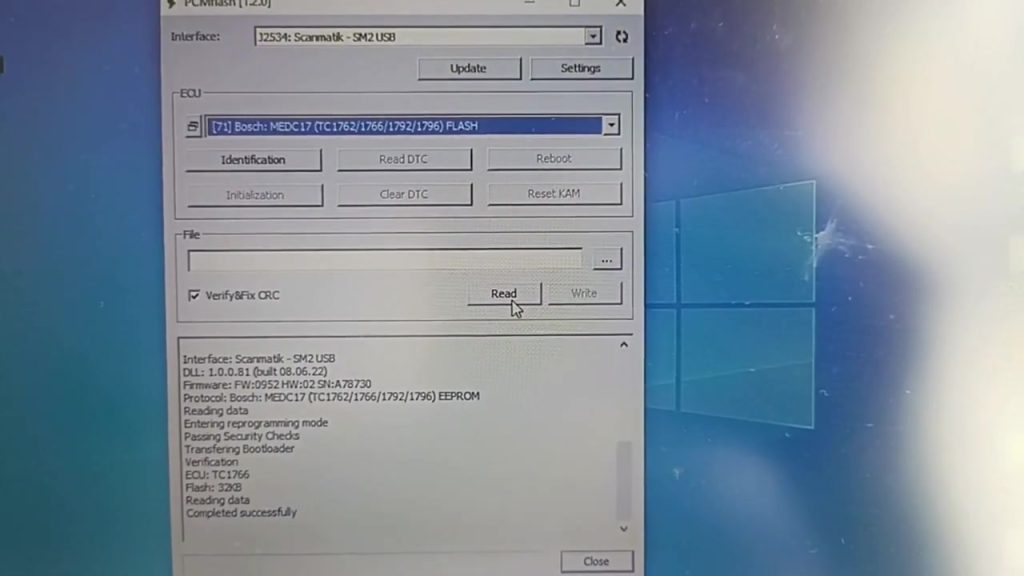
الخطوة 5 – Write New Flash Data
After editing a map in your favourite tuning software, load the modified file back في Flex و click Write Flash. The write operation completes in ~30 seconds. PCMFlash’s write routine is slower (≈ 45 seconds) و occasionally prompts لـ an internet verification step – a behavior not seen مع the الأصلي Flex hardware.
الخطوة 6 – Verify & Correct Checksums
Both programs automatically calculate checksums بعد a write. Flex shows a green checkmark in under 2 seconds. The clone displays a warning that the checksum cannot be verified offline; you must click “Online Verify” which adds another 5‑10 seconds.
الخطوة 7 – Disconnect Safely
Always power down the ECU قبل unplugging the cable. Both tools يوفر a “Close Connection” button – use it إلى prevent voltage spikes that could corrupt the flash.
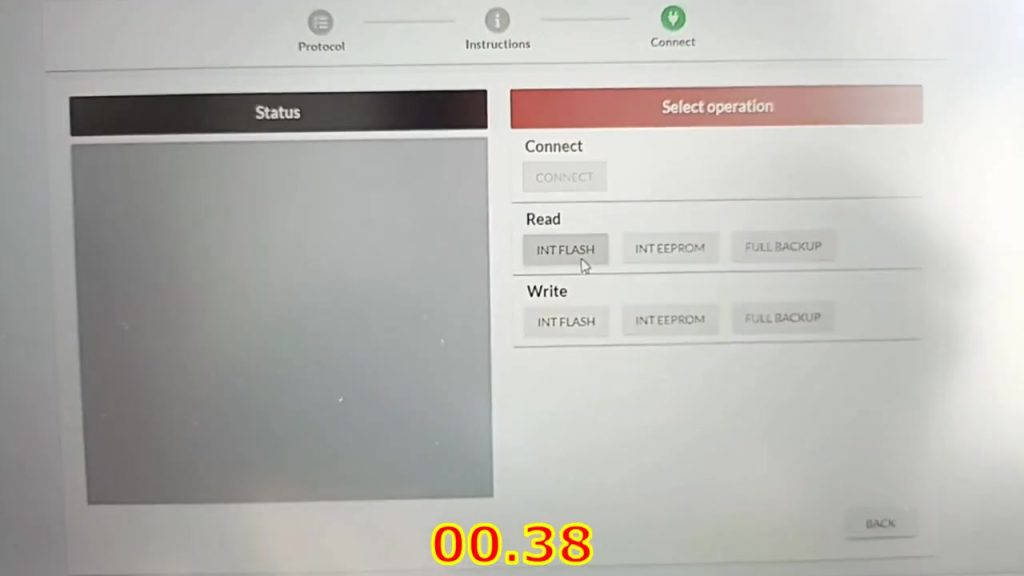
الميزات الرئيسية of PCMFlash (1.2.0) مع J2534: Scanmatik SM2 USB; Flex (version 6.29.1.0) مع FlexBox FLX1.9
- ECU Identification: Automatic detection of ECU family, software version, و flash size.
- Reading EEPROM: Fast, non‑volatile memory extraction لـ backup و analysis.
- Reading Internal Flash: Full dump of up إلى 2 MB flash images لـ كامل re‑البرمجة.
- Writing Internal Flash: Secure flash البرمجة مع built‑in verification.
- Checksum Correction: Real‑time checksum calculation ensures the ECU boots بعد flashing.
- J2534 التوافق: Plug‑و‑play driver يدعم لـ many third‑party adapters.
- Multi‑ECU Management: Switch بين VW, Peugeot, Audi, و other manufacturers بدون reinstalling software.
- Log Export: Export detailed session logs لـ future reference or warranty documentation.
Compatible Vehicles
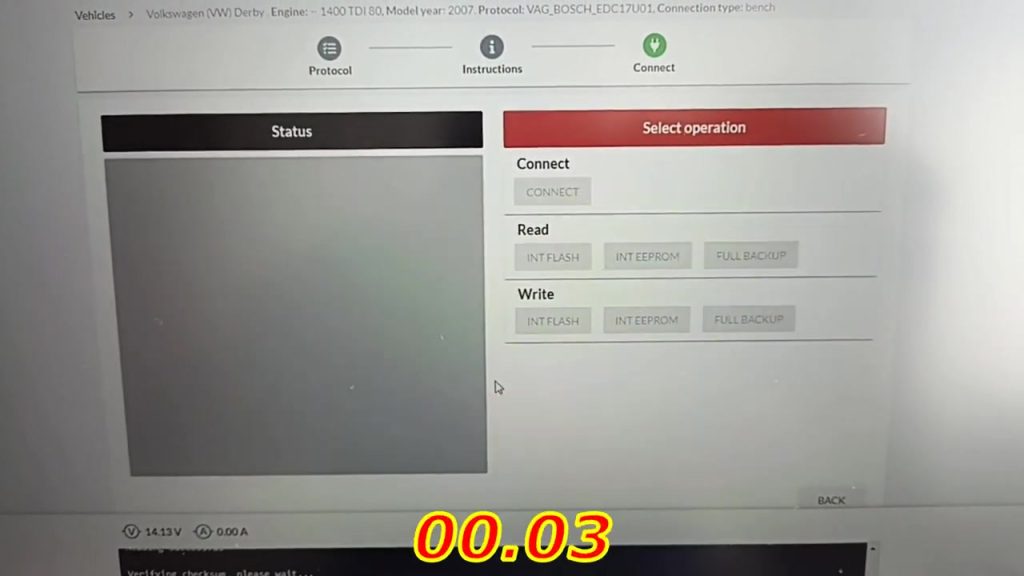
The test focuses on two popular diesel platforms, but the same workflow applies إلى a wide range of models equipped مع EDC17 family ECUs.
- Volkswagen (VW) – EDC17U01 – 1.4 L TDI 80 kW (2007‑2012), commonly found in Golf, Polo, و Jetta.
- Peugeot – EDC17C60 – 1.6 L HDi 92 kW (2008‑2014), used in 207, 308, و partner vans.
- Other compatible ECUs: EDC17C44, EDC17U02, EDC17C41, و many Audi diesel modules.
Pro Tips
- Original tools win on reliability. Factory‑grade programmers like Flex Master use certified hardware that delivers consistent timing و less risk of flash corruption.
- Clones often need an internet connection. PCMFlash may request online verification قبل writing, which يمكن أن يكون a drawback in a ورش العمل بدون stable Wi‑Fi.
- Back up every ECU. Always save both EEPROM و full flash dumps قبل making any changes – you’ll thank yourself if something goes wrong.
- Use a powered USB hub. The Scanmatik clone draws more current أثناء flash writes; a stable power source prevents unexpected disconnects.
- Check cable quality. Poor OBD‑II pins cause intermittent communication و can lead إلى failed writes.
- Keep software updated. Flex releases minor patches that improve checksum algorithms; PCMFlash’s last update was in 2020.
- Validate مع a second tool. إذا كنت have access إلى both devices, compare the read‑out files إلى ensure data integrity.
إذا كنت’re ready إلى experience the speed of a احترافي programmer or want إلى test a cost‑effective clone, this side‑by‑side comparison shows exactly what you can expect. Remember, investing in a high‑quality tool like Flex Master pays off in faster diagnostics, fewer errors, و longer hardware lifespan.
Ready إلى upgrade your ورش العمل? Visit mecaprograms.ma today لـ the latest deals on Flex Master, Scanmatik adapters, و a full library of ECU maps. Unlock the full potential of your diagnostic setup و keep your customers coming back لـ reliable, high‑performance service.
الأسئلة الشائعة
Is it important لـ an ECU programmer إلى be the fastest?
Not necessarily the fastest, but it يجب أن يكون fast enough, especially لـ expensive الأصلي tools.
Should I buy a clone?
The presenter لا suggest buying clones, but if one is needed, the PCMFlash clone shown is considered ‘good’ (though it failed على specific ECU later).
Ready إلى tune ECUs like a احترافي? Get ECM Titanium + WinOLS as a ready-إلى-run VMware image — instant download من mecaprograms.ma.