
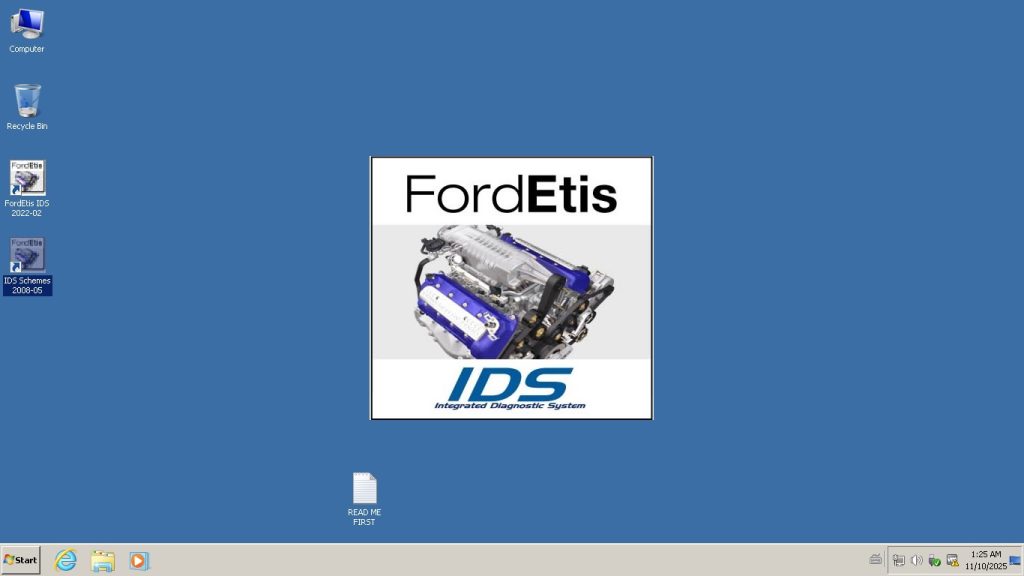
Ford IDS (Integrated Diagnostic System) combined مع ETIS (European Technical Information System) gives الفنيين و ورش العمل owners access إلى the same level of diagnostic و الإصلاح information used by Ford dealers. IDS handles the live المركبات communication — reading faults, running tests, البرمجة modules — while ETIS يوفر the ورش العمل manual, wiring diagrams, و technical service bulletins that put those رموز الأعطال in context. يغطي هذا الدليل how إلى install the offline VMware version, which common issues إلى expect, و how إلى get the most out of the combined package.
What Is Ford IDS?
Ford IDS is the الرسمي OEM برنامج التشخيص لـ Ford و Lincoln المركبات, covering models من approximately 2000 عبر إلى current production. It replaced the older WDS (Worldwide Diagnostic System) و is the only tool that يوفر full manufacturer-level access إلى Ford’s المركبات الأنظمة.
Key IDS functions
- Full رموز الأعطال coverage — all الأنظمة including powertrain, ABS, airbag, climate, PATS (immobilizer), و body electronics
- On-demand self tests — continuous memory رموز الأعطال و historical fault data not visible إلى generic scanners
- Programmable module التركيب (PMI) — configure replacement PCMs, TCMs, و ABS modules إلى match the المركبات
- PCM المعايرة updates — flash latest Ford المعايرة files إلى the powertrain وحدة التحكم
- PATS البرمجة — program و initialise new keys و immobilizer tokens
- Active command tests — actuate fuel injectors, cooling fans, throttle body, ABS solenoids, و more
- Datalogger — record و replay live sensor data لـ intermittent fault تشخيص
What Is Ford ETIS?
ETIS is Ford’s technical information portal — essentially the full ورش العمل manual in digital form. The offline VMware version gives you access إلى:
- Wiring diagrams لـ all Ford models (European المواصفات)
- Workshop manuals — removal, التركيب, و torque المواصفات لـ every المكونات
- Technical Service Bulletins (TSBs) — documented solutions إلى known issues من Ford’s engineering database
- Recall و campaign information
- Electrical الأنظمة schematics
Having ETIS alongside IDS means that عند IDS throws a رموز الأعطال, you can immediately cross-reference the wiring diagram و ورش العمل procedure بدون switching إلى a separate subscription service or printing guides.
Vehicle Coverage
The February 2022 VMware version covers:
- Ford passenger cars: Fiesta, Focus, Mondeo, Fusion, Mustang, Galaxy, S-Max, Kuga, Puma, EcoSport, Ka, C-Max
- Ford المركبات التجارية: Transit, Transit Connect, Transit Custom, Ranger, F-150 (US)
- Lincoln: MKZ, MKC, Nautilus, Continental, Navigator
- Model year coverage: approximately 2000–2022
Installation Guide — VMware Method
The offline VMware version is by far the most reliable way إلى run Ford IDS/ETIS. The native التركيب on modern Windows 11 الأنظمة is problematic due إلى legacy .NET و DirectX dependencies. The VMware image eliminates all compatibility issues.
الخطوة 1 — Install VMware Workstation Player
Install VMware Workstation Player 17 on your host المعدات. Enable Intel VT-x in BIOS. Confirm VMware opens successfully قبل proceeding.
الخطوة 2 — Extract و Import the VM
Extract the Ford IDS/ETIS VMware archive إلى a local drive — a path like C:FordIDS avoids any space or special character issues. Open VMware و select Open a Virtual Machine, then navigate إلى the .vmx file.
الخطوة 3 — Configure VM Hardware
- RAM: 4096 MB minimum, 6144 MB recommended
- CPU: 2 cores
- USB: 2.0 controller enabled (Ford VCM II uses USB 2.0)
- Network: Bridged mode
الخطوة 4 — Connect the Ford VCM Interface
Ford IDS يتطلب a VCM II (Vehicle Communication Module) interface. The VCM II connects إلى the المركبات’s OBD2 port و إلى your laptop via USB. After powering on the VM, connect the VCM II و pass it عبر إلى the VM via VM → Removable Devices → Ford VCM. Confirm it appears in Device Manager inside Windows بدون errors.
الخطوة 5 — Launch IDS و Create a New Vehicle Session
Open IDS من the desktop. Click New Session و either enter the VIN manually or يتيح IDS إلى read it من the المركبات via the VCM. IDS will identify the المركبات, retrieve its التهيئة من the local database, و present the full الأنظمة menu.
Common Issues و كيفية Fix Them
Issue 1 — “VCM Not Found” at Startup
This is the most common issue in the VMware setup. The USB device needs إلى be explicitly passed عبر إلى the VM. In VMware’s top menu, go إلى VM → Removable Devices, find the Ford VCM II entry, و click Connect (Disconnect من Host). The device should now appear inside the VM’s Device Manager.
If the VCM still shows a warning flag in Device Manager, unplug it, wait 10 seconds, و reconnect. This forces a fresh USB enumeration inside the virtual المعدات.
Issue 2 — IDS Freezes on “Connecting إلى Vehicle”
Usually indicates the VCM cannot establish communication on the CAN bus. Check that the ignition is in key-on position (not start). Also verify the OBD2 port has power — some Ford models have a fuse specifically لـ the diagnostic port (check the owner’s manual لـ fuse location). On Transit vans, this is fuse F60 in the passenger compartment fuse box.
Issue 3 — PMI Programming Fails
Programmable Module Installation يتطلب the المركبات battery إلى be above 12.5V و stable throughout the البرمجة session. Connect a battery يدعم unit (charger/maintainer) إلى the المركبات قبل starting any PCM or module البرمجة. Do not يتيح the المركبات إلى go في power-save mode أثناء البرمجة.
Issue 4 — ETIS Shows “Database Not Found”
This occurs if ETIS is launched قبل the virtual المعدات has fully booted its background services. Wait 60 seconds بعد the Windows desktop appears قبل launching ETIS. The local database service starts in the background و takes longer than the desktop إلى be ready.
Issue 5 — Missing Vehicle in IDS Database
The February 2022 offline database covers models up إلى that date. Vehicles produced بعد this date may not appear or may have incomplete module listings. For 2023+ models, the online version of IDS مع an active Ford TIS subscription مطلوب.
For multi-make ورش العمل also handling Toyota or Lexus المركبات, our Toyota Techstream V18 guide covers the equivalent OEM factory tool لـ Japanese platforms — the same offline VMware approach, the same depth of access.
For Volkswagen, Audi, و Seat/Skoda work in the same ورش العمل, our guide إلى ODIS Service 25 vs ODIS Engineering 19 explains عند إلى use each version of the VAG منصة التشخيص.
Get Ford IDS ETIS — VMware Offline
Our Ford IDS/ETIS offline VMware image is pre-configured مع the full المركبات database و VCM driver package. Download, extract, و start تشخيص Ford المركبات بدون any subscription or online dependency.