
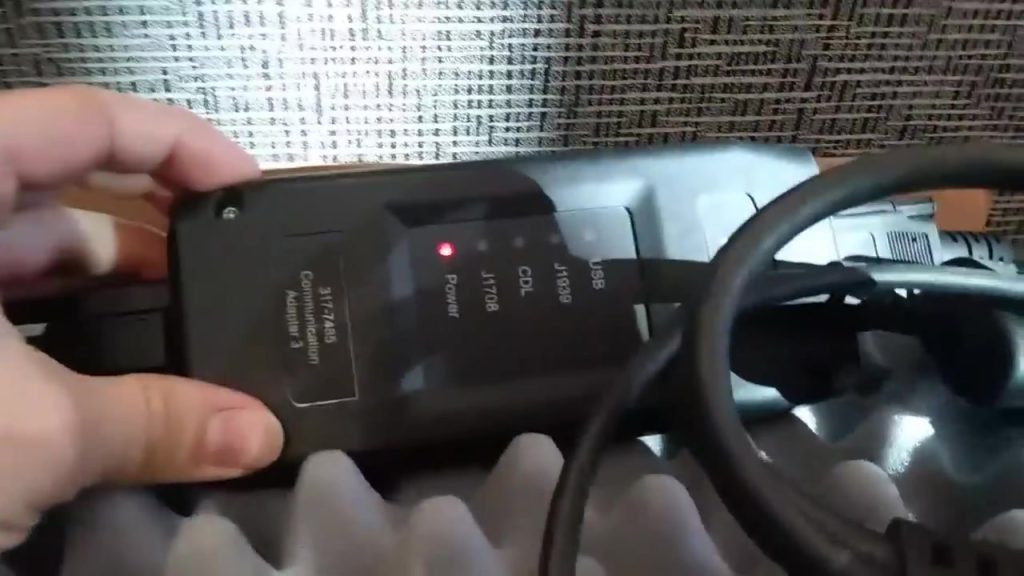
The tutorial walks you عبر using Cat Electronic Technician 2017B v1.0 together مع WinFlash, SISWeb, SIMS و TMI Web إلى flash و program a Caterpillar Engine Control Module (ECM). By the end of the video you will be able إلى verify bench communication, download the correct flash file, flash the ECM, و program essential المعلمات مثل المحركات rating, الرقم التسلسلي و fuel‑limit settings, all من a single workstation.
What You Will Learn
- كيفية bench‑test ECM communication مع a Cat Communication Adapter 3.
- كيفية locate و download the exact flash file من SISWeb using المحركات الرقم التسلسلي.
- كيفية flash the ECM مع WinFlash while handling common error messages.
- كيفية program المحركات rating, truck manufacturer, FLS, FTS و timing المعايرة.
- كيفية retrieve الأصلي التهيئة data مع SIMS عند the old ECM is still functional.
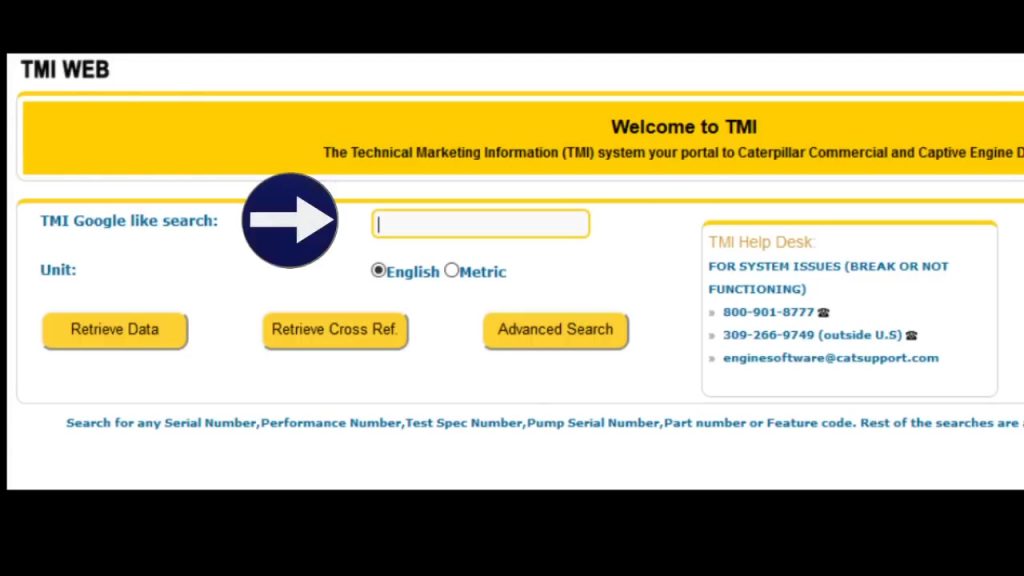
- كيفية extract FLS/FTS values من TMI Web عند no التهيئة file is available.
- كيفية avoid re‑rating fees و illegal FLS/FTS entries by verifying horsepower و torque المواصفات.
الخطوة-by-الخطوة Walkthrough
Start by connecting the old or replacement ECM إلى the bench using the Cat Communication Adapter 3 و the supplied jump‑out harness. Power the adapter و launch Cat Electronic Technician 2017B v1.0. In the main window select ECM Communication و click Test. If the J1708 LED blinks green, the module is alive; if not, you will see the “Unable إلى communicate مع an ECM!” error.
Once communication is confirmed, open the Read Configuration tab و export any existing data إلى a .cfg file لـ backup.
Next, open a web browser و navigate إلى SISWeb (https://sisweb.caterpillar.com). Enter the المحركات الرقم التسلسلي, select the correct المحركات model (e.g., C13 or 3126B), و choose the flash file that matches the الأصلي horsepower و torque. Download the .bin file إلى a known folder.
Return إلى Cat Electronic Technician و click Flash ECM. Browse إلى the downloaded .bin file, then press Start Flash. إذا كنت encounter error #131 (“maximum number of clients reached”), close any other instances of Cat Electronic Technician و retry. The flashing process typically takes 5–7 minutes; progress is shown in the status bar.
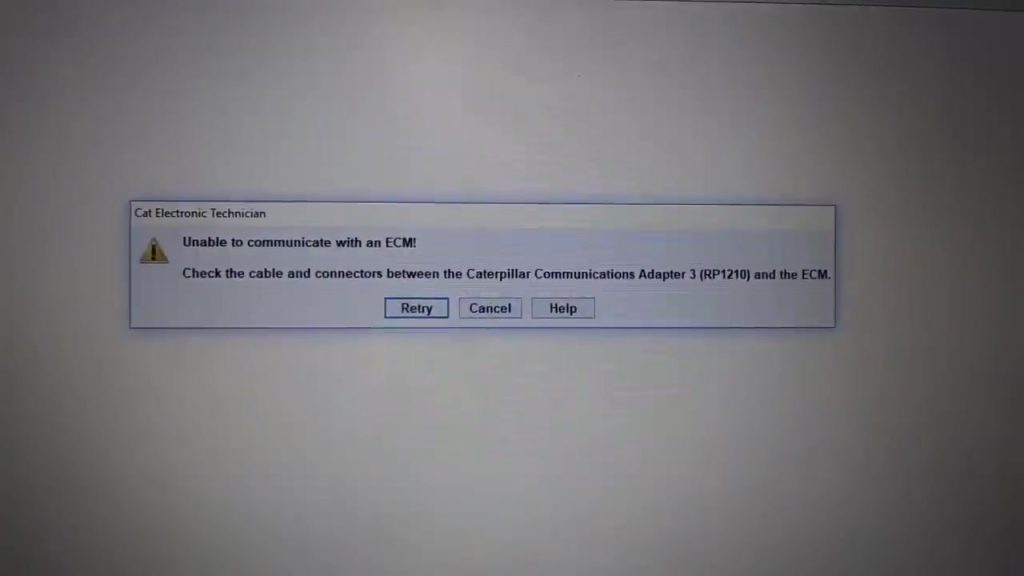
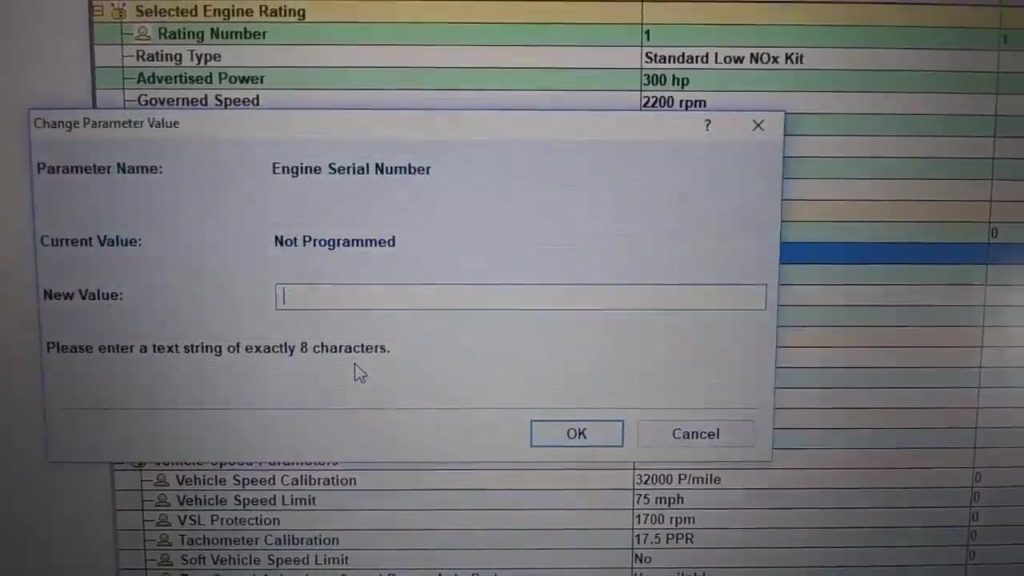
After flashing, open the Program Parameters screen. Enter the المحركات rating (HP & torque), the truck manufacturer code, و the correct FLS/FTS values. These values يمكن أن يكون copied من the الأصلي التهيئة file (if you saved one) or retrieved من TMI Web (https://tmiweb.caterpillar.com) under the المحركات’s performance tab. Do not type arbitrary numbers; always use factory‑approved figures.
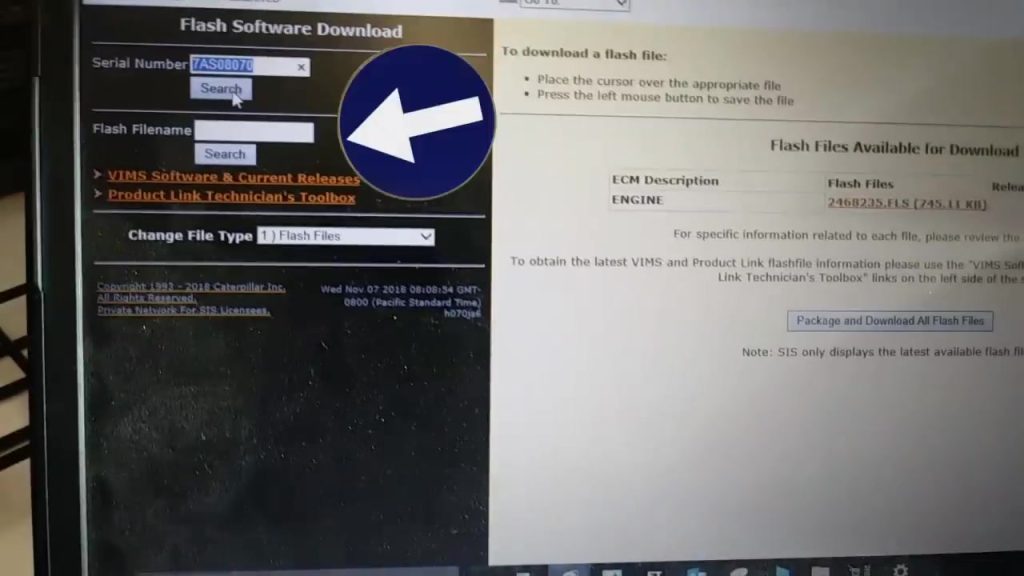
If the الأصلي ECM was dead و you lack a التهيئة file, use SIMS (https://sims.caterpillar.com) إلى pull a “Replacement Configuration” من a similar المحركات. Import that file في Cat Electronic Technician و select the option إلى copy only the timing المعايرة. This preserves the precise fuel‑delivery map while allowing a fresh flash.
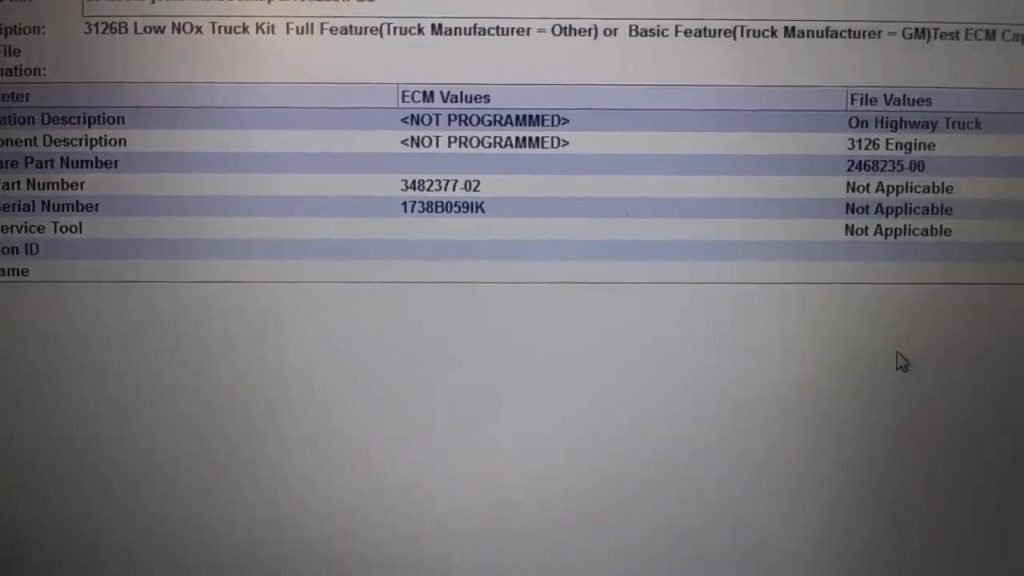
Now program the المحركات الرقم التسلسلي. Be aware that entering a الرقم التسلسلي locks the ECM لـ use only on that specific المحركات, preventing it من being used as a test unit. Confirm the warning و click Apply.
Finally, run a quick verification by selecting Read Live Data و confirming that the displayed horsepower, torque, و FLS/FTS match the values you programmed. Save the new التهيئة, disconnect the adapter, و reinstall the ECM on the truck. A final power‑up should show normal operation مع no رموز الأخطاء.
For documentation purposes, export a PDF report من Cat Electronic Technician that يتضمن the flash version, programmed المعلمات و a checksum of the new firmware. Store this report مع the المركبات service record.
الميزات الرئيسية of Cat Electronic Technician 2017B v1.0, WinFlash, SISWeb, SIMS, TMI Web
- Real‑time J1708 communication diagnostics مع visual LED status.
- Direct integration مع SISWeb لـ automated flash‑file selection based on المحركات الرقم التسلسلي.
- WinFlash’s robust flashing المحركات that يدعم error recovery و multi‑client handling.
- SIMS ability إلى pull replacement configurations و isolate timing المعايرة data.
- TMI Web performance data extraction لـ accurate FLS/FTS values بدون a physical ECM.
- Comprehensive المعلمات البرمجة interface covering المحركات rating, manufacturer code, fuel‑limit settings و الرقم التسلسلي locking.
Compatible Vehicles و ECUs
The procedures described apply إلى Caterpillar ECMs used on ما يلي platforms: Cat 3126B المحركات, Cat C13 المحركات, Freightliner chassis equipped مع Cat power‑train, و any other Cat‑based diesel المحركات that utilizes the J1708 communication protocol. The same workflow يمكن أن يكون adapted لـ newer Cat المحركات that يدعم J1939 مع minor interface adjustments.
Pro Tips
- Always use Cat Communication Adapter 3; it يوفر the most reliable J1708 handshake و reduces timeout errors.
- If the الأصلي ECM is dead, download the flash file directly من SISWeb using the المحركات الرقم التسلسلي; this ensures the correct المعايرة set.
- Before selecting a flash file, verify the listed horsepower و torque against the truck’s spec sheet إلى avoid unnecessary re‑rating fees.
- When no التهيئة file exists, use SIMS “Copy Configuration” مع a similar المحركات’s replacement file إلى transfer only timing المعايرة.
- Never guess FLS/FTS values—retrieve them من TMI Web or the الأصلي ECM إلى stay within factory المواصفات و avoid warranty issues.
Following هذا الدليل enables الفنيين إلى reliably restore, flash و program Caterpillar ECMs, reducing downtime و ensuring that each المحركات runs within its certified performance envelope.
الأسئلة الشائعة
What if the old ECM is dead و I can’t communicate مع it?
You cannot use ‘Copy Configuration’. You will need إلى manually program المعلمات و use SISWeb or TMI Web إلى find necessary values like FLS/FTS.
How do I find the correct FLS و FTS values لـ my المحركات?
إذا كنت have SIMS access, you can view past ECM downloads لـ your المحركات الرقم التسلسلي. If not, you can use TMI Web مع your المحركات الرقم التسلسلي إلى retrieve a dyno run report that يتضمن these values.
What happens if I program the wrong FLS/FTS values?
You will need a factory password إلى change them, which is difficult إلى obtain بدون high-level Cat access.
Ready إلى use Cat Electronic Technician 2017B v1.0, WinFlash, SISWeb, SIMS, TMI Web in your ورش العمل? Download it directly من mecaprograms.ma — instant delivery, no subscription needed.