
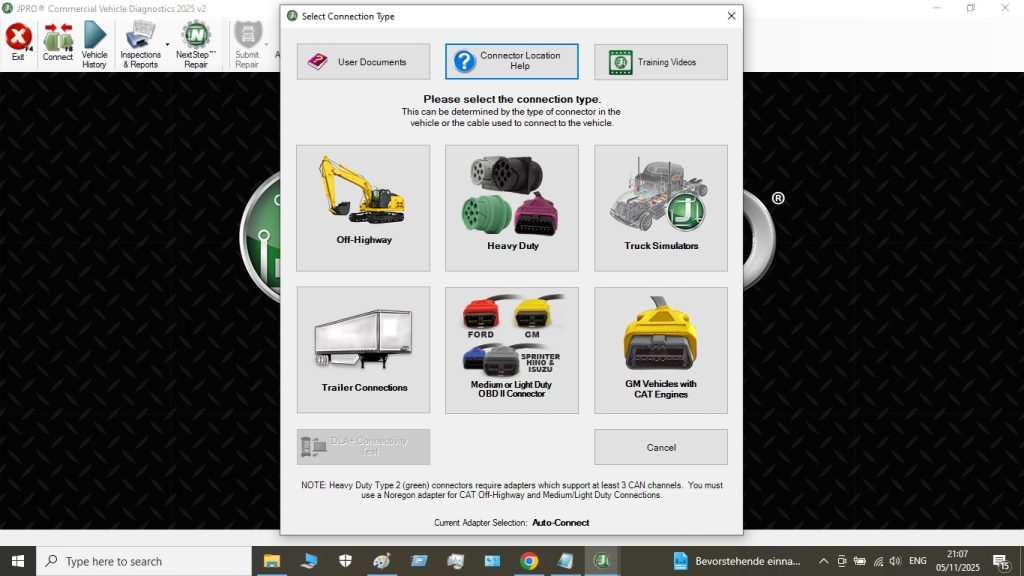
Understanding JPRO 2025 v2 Error Codes
JPRO 2025 v2 reads رموز الأعطال using the SAE J1939 standard: each fault consists of a Suspect Parameter Number (SPN) identifying the faulty المكونات, و a Failure Mode Identifier (FMI) describing the type of failure. The رموز الأعطال below are drawn من NHTSA’s الرسمي complaint و recall databases لـ 2019–2022 Freightliner Cascadia و 2020 Kenworth T680 trucks.
Critical Fault Codes — NHTSA-Documented
SPN 639 — J1939 Data Link Communication Loss
| Field | Value |
|---|---|
| SPN | 639 |
| System | SAE J1939 Network / Engine ECM |
| NHTSA Source | 2020 Kenworth T680 complaint database |
| Description | Communication failure بين ECM و J1939 data link backbone |
| Common FMI | FMI 2 (erratic/intermittent), FMI 9 (update rate abnormal), FMI 14 (special instructions) |
Cause: Damaged J1939 ضفيرة الأسلاك, missing or incorrect termination resistors (120Ω at each network end), failed ECU node, or corrosion at the cab/chassis connector.
JPRO Fix Steps:
- Open JPRO → J1939 Network Monitor
- Check which node addresses are absent من the broadcast list
- Measure resistance across CAN-H و CAN-L at the 9-pin diagnostic connector (should read ~60Ω مع ignition off — two 120Ω resistors in parallel)
- If reading 120Ω (one terminator missing) or infinite (both missing), inspect harness ends
- Clear fault بعد الإصلاح و verify all nodes reappear
SPN 520247 FMI 31 — ABS System Internal Fault
| Field | Value |
|---|---|
| SPN | 520247 (manufacturer-specific) |
| FMI | 31 — Condition exists |
| System | Anti-lock Brake System (ABS) ECU |
| NHTSA Source | 2020 Freightliner Cascadia complaint; Recall FL-830 |
| Description | ABS ECU internal fault — solenoid valve detection failure |
Cause: ABS ECU fails إلى detect solenoid valve response (Recall FL-830). Can also appear بعد ABS module firmware corruption or wiring fault on solenoid circuit.
JPRO Fix Steps:
- Navigate إلى JPRO → ABS ECU → Bi-directional Tests
- Run solenoid activation test لـ all channels — note which channel fails إلى respond
- Check wiring و connector at failing solenoid قبل replacing module
- If solenoid wiring is intact, reprogram ABS/ESC module per Recall FL-830 procedure
- Verify recall completion at nhtsa.gov using the truck VIN
SPN 1810 — Electronic Stability Control Fault
| Field | Value |
|---|---|
| SPN | 1810 |
| System | Electronic Stability Control (ESC) |
| NHTSA Source | 2020 Freightliner Cascadia complaint database |
| Description | ESC الأنظمة malfunction — unexpected brake activation events |
Fix: Monitor all four wheel speed sensors in JPRO live المعلمات. Any sensor showing dropout triggers ESC intervention. Inspect wheel speed sensor و reluctor ring لـ damage or debris.
Additional Common J1939 Fault Codes
| SPN | System | Description | Typical Fix |
|---|---|---|---|
| 168 | Electrical | Battery voltage out of range | Test alternator output و battery capacity |
| 110 | Engine | Engine coolant temperature high | Check coolant level, thermostat, water pump |
| 3031 | Aftertreatment | DPF soot load excessive | Initiate active regeneration via JPRO bi-directional test |
| 3216 | Aftertreatment | SCR NOx outlet concentration high | Check DEF quality, DEF injector, SCR catalyst |
| 3364 | Aftertreatment | DEF quality fault | Drain و replace DEF; clean DEF tank; inspect DEF حساس الجودة |
| 4334 | Aftertreatment | SCR الأنظمة inducement (derate) | Address SPN 3364/3216 first; clear derate via JPRO بعد DEF correction |
| 100 | Engine | Engine oil pressure low | Check oil level, حساس الضغط, oil pump |
| 91 | Engine | Throttle position erratic | Inspect accelerator pedal position sensor و wiring |
| 2000 | Engine | Calibration memory failure | ECM reprogramming required |
JPRO Software Error Messages
| Error | Cause | Fix |
|---|---|---|
| “No RP1210 adapter found” | Adapter driver not installed or not plugged in | Install NexIQ/DLA+ drivers. Plug adapter BEFORE launching JPRO. |
| “License activation failed” | No internet or license in use on another PC | Check internet. Deactivate on old PC first. |
| “Connection timeout — no ECU response” | Ignition off, wrong connector, or broken J1939 cable | Turn ignition إلى ON. Verify 9-pin connector fully seated. |
| “Driver version mismatch” | JPRO updated but adapter drivers not updated | Reinstall latest NexIQ RP1210 drivers. |
| “Access denied” on launch | Not running as Administrator | Right-click JPRO → Run as administrator. |