
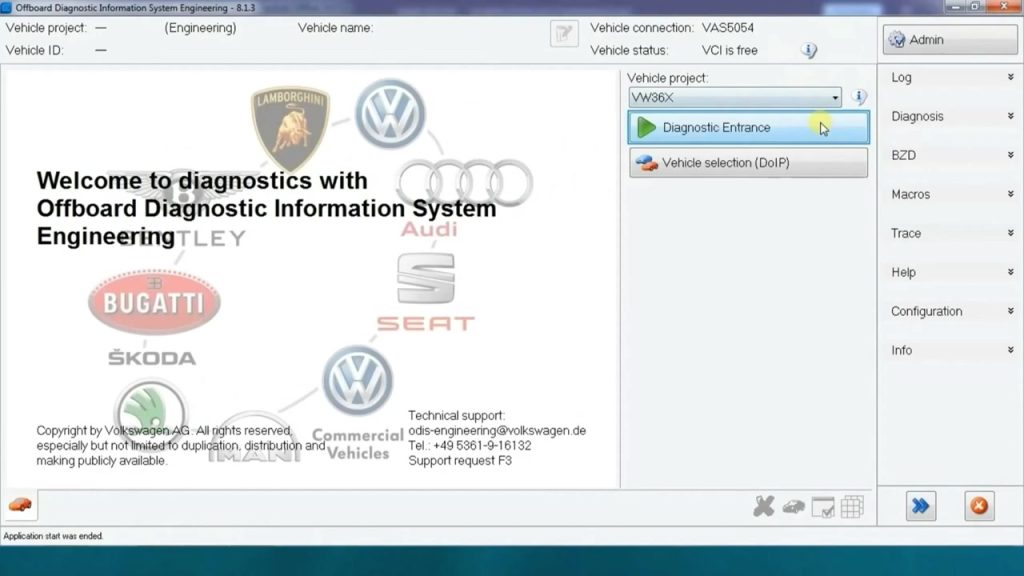
Offboard Diagnostic Information System Engineering – 8.1.3 (ODIS Engineering) is the premier software suite لـ deep‑level ECU البرمجة و diagnostics on VW Group المركبات. This tutorial walks الفنيين عبر flashing the steering‑assist وحدة التحكم, reading الأنظمة identification data, clearing DTC memory, و preserving the steering‑assist characteristic map (Kennlinie) على VW Tiguan (VW36X).
What You Will Learn
- كيفية launch the Diagnostic Entrance و select the correct المركبات profile.
- كيفية read ECU identification information و verify firmware versions.
- The correct procedure لـ flashing the steering‑assist ECU using ODIS Engineering 8.1.3.
- كيفية back up و restore the Kennlinie (characteristic map) قبل وما بعده flashing.
- كيفية clear fault memory safely بدون triggering new errors.
- Power‑supply best practices إلى avoid interruptions أثناء a flash.
- كيفية confirm the update succeeded و re‑calibrate the steering‑assist الأنظمة.
الخطوة-by-الخطوة Walkthrough
Begin by connecting the ODIS Engineering 8.1.3 laptop إلى the المركبات’s OBD‑II port مع a high‑quality VAG‑COM cable. Power the المركبات إلى the “IGNITION ON” position, but لا start the المحركات. Launch ODIS Engineering و select Diagnostic Entrance من the main menu. In the المركبات selection tree, choose VW → Group → VW36X → Tiguan. Click Connect و wait لـ the handshake إلى كامل.
Once the connection is established, navigate إلى System Identification. This module reads the ECU’s part number, software version, و المعايرة ID. Record the المعايرة ID (e.g., 328) because flashing will reset the Kennlinie إلى zero.
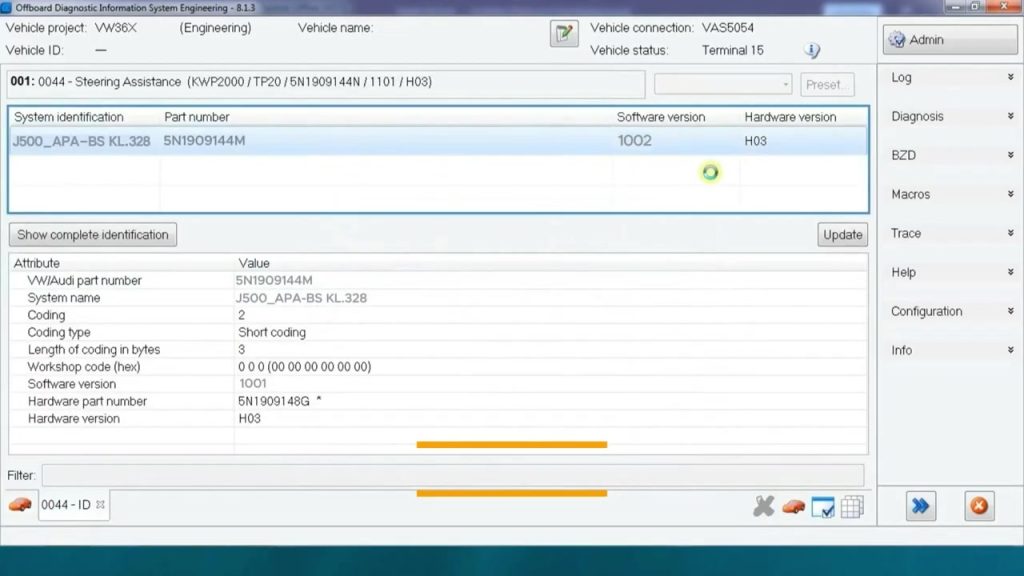
Next, open the Flashing tab. Select the appropriate flash file that matches the recorded المعايرة ID و the desired software version. Before starting the flash, verify that the laptop’s battery is above 80 % و that an external 12 V power source is connected إلى the المركبات’s battery مع the ignition off. This prevents voltage drops that could corrupt the ECU. Click Start Flash. ODIS Engineering will erase the old firmware, write the new image, و verify the checksum. The process typically takes 5–7 minutes.
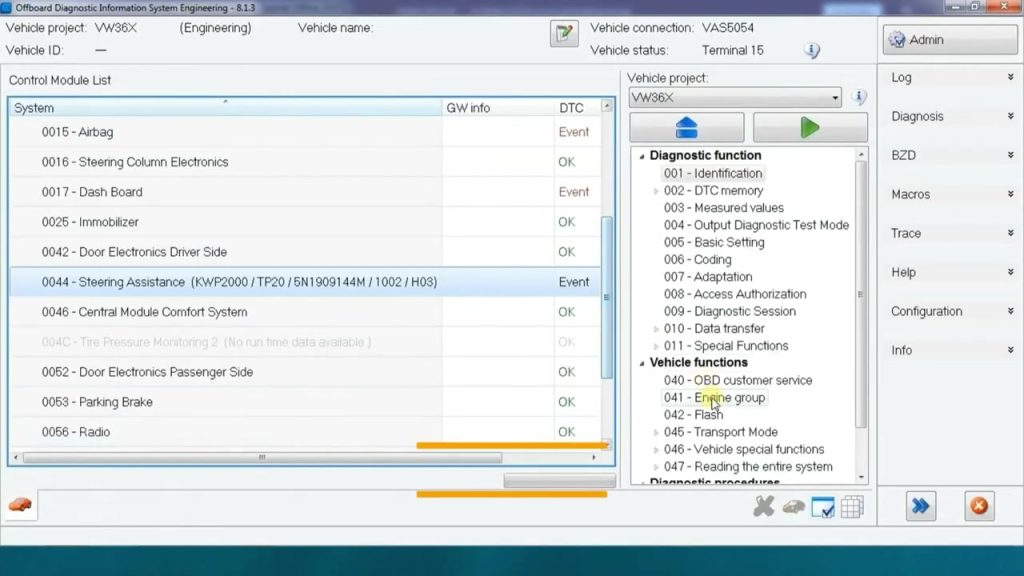
When the flash completes, ODIS Engineering will display a success message. Immediately proceed إلى the Clear DTC Memory function. Select the steering‑assist ECU من the ECU list و press Clear. Confirm the action; the الأنظمة will purge all stored رموز الأعطال, returning the DTC memory إلى a clean state.
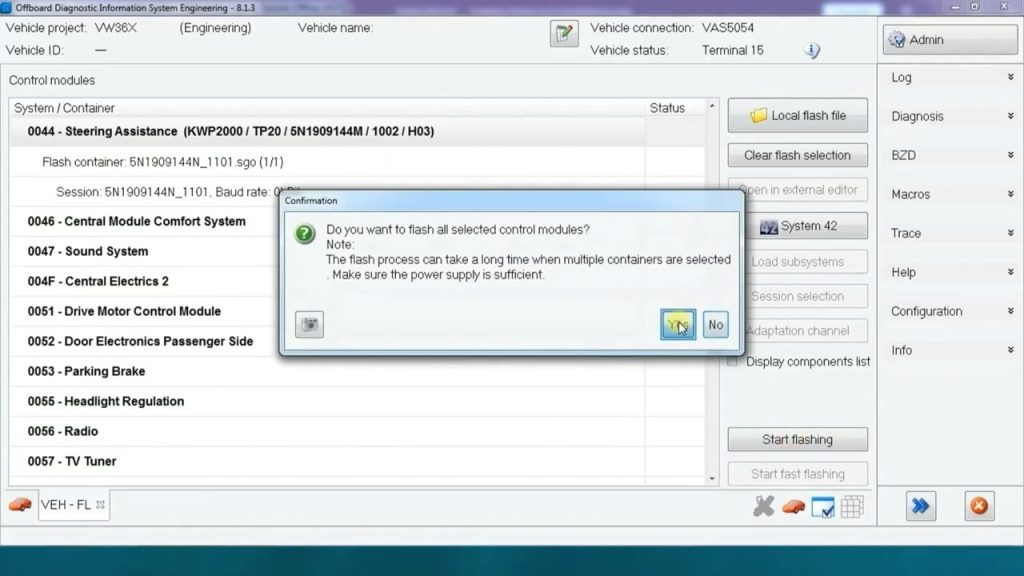
Now return إلى the System Identification screen إلى read the new المعايرة ID. Because the flash reset the Kennlinie, you must re‑enter the saved map values. Open the Parameterization module, locate the Kennlinie entry (usually under “Steering Assist – Characteristic Map”), و manually input the previously recorded numbers (e.g., 328). Save the changes و write them back إلى the ECU.
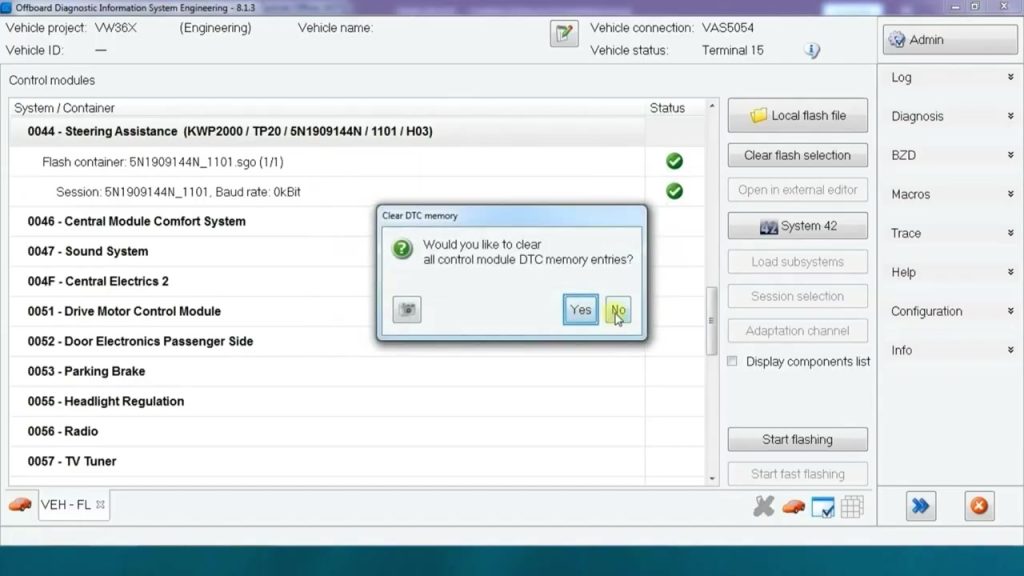
After the map is restored, perform a quick functional test. Turn the steering wheel من lock‑إلى‑lock while the المركبات is still stationary و observe the assist torque. If the assist feels consistent مع the الأصلي المعايرة, the procedure was successful. Capture a final screenshot of the live data stream إلى document the restored values.
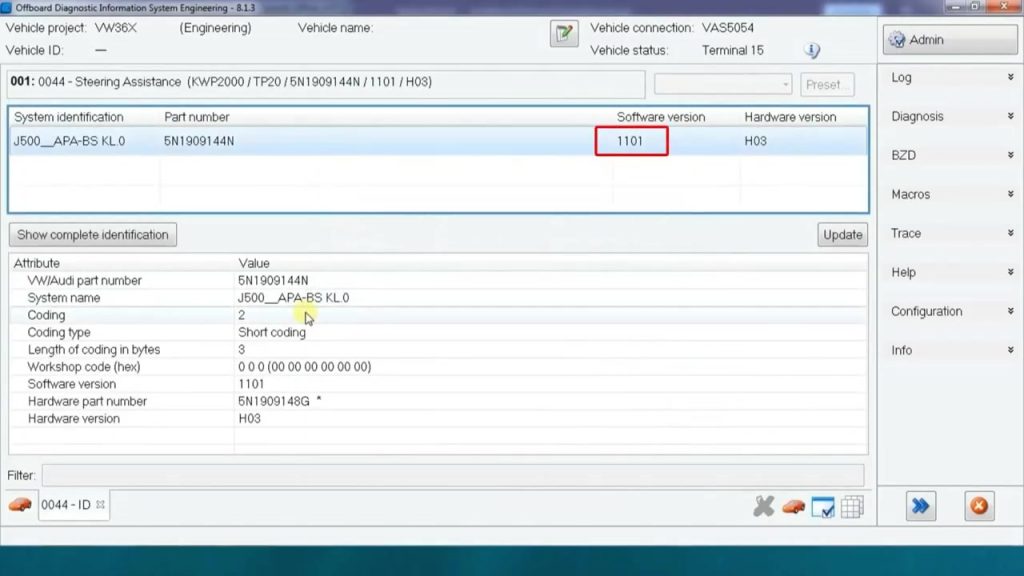
Finally, generate a diagnostic report. In ODIS Engineering, go إلى Report → Create, select the steering‑assist ECU, و يتضمن sections لـ الأنظمة identification, flash file details, DTC clearance, و Kennlinie values. Export the report as PDF و store it in the service history folder لـ future reference.
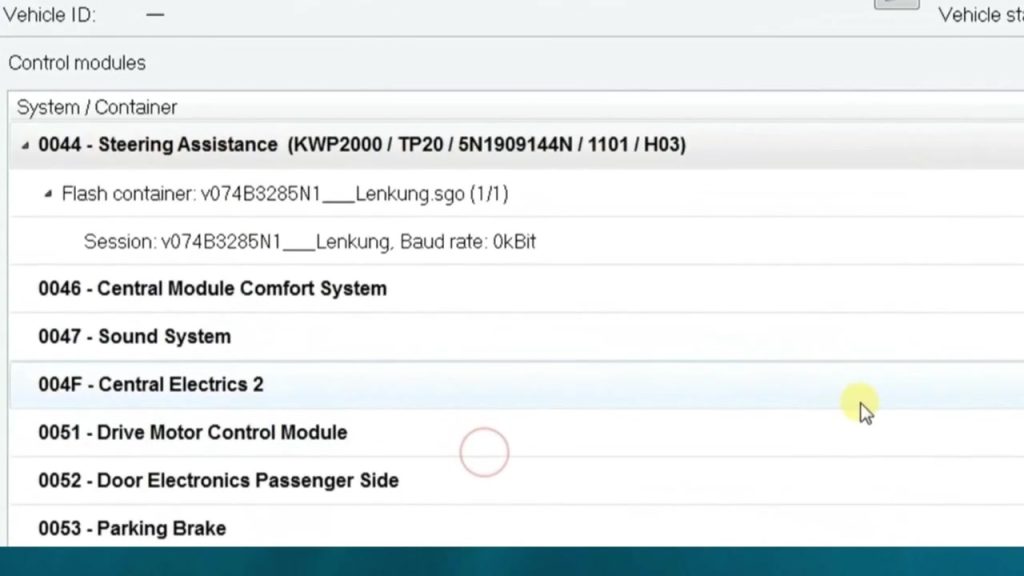
For completeness, disconnect the diagnostic cable, turn off the ignition, و close ODIS Engineering. The المركبات is now ready لـ road testing or customer delivery.
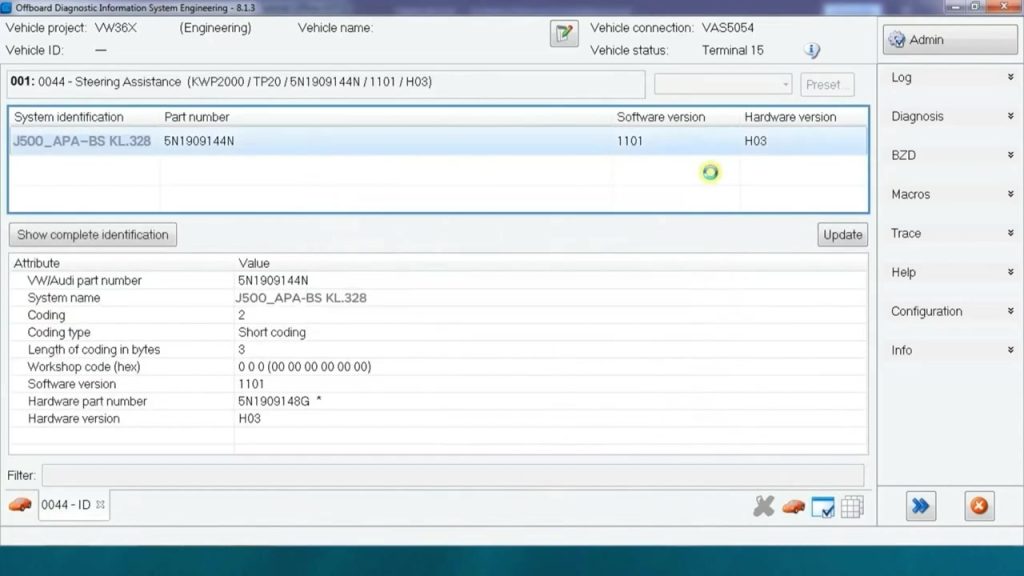
الميزات الرئيسية of Offboard Diagnostic Information System Engineering – 8.1.3
- Comprehensive ECU flashing مع checksum verification.
- Real‑time parameterization of المعايرة maps (Kennlinien) across all VW Group modules.
- Advanced الأنظمة identification that reads part numbers, software versions, و المعايرة IDs.
- Integrated DTC management, including read, clear, و freeze‑frame capture.
- Automated report generation مع customizable templates.
- Support لـ external power‑supply monitoring إلى prevent flash interruptions.
Compatible Vehicles و ECUs
The tutorial focuses on the VW Tiguan (VW36X) platform, but the same workflow applies إلى other VW Group models that share the steering‑assist ECU architecture, مثل the Golf, Passat, Audi Q3, و SEAT Ateca. The specific ECU addressed is the steering‑assist وحدة التحكم (ECU identifier: 7E0).
Pro Tips
- Always write down the Kennlinie numbers (e.g., 328) قبل flashing; they will revert إلى zero بعد the update.
- Use a dedicated 12 V battery charger or a power‑stabilizer إلى keep voltage above 13.5 V throughout the flash.
- Perform a full backup of the ECU’s flash memory using the “Read Flash” function قبل any update.
- After clearing DTCs, run a short‑duration drive cycle إلى ensure no new faults are logged.
- Document every step in the ODIS Engineering report; this creates a traceable audit trail لـ warranty claims.
By following this structured approach مع ODIS Engineering 8.1.3, الفنيين can confidently flash steering‑assist ECUs, preserve critical المعايرة data, و maintain المركبات safety standards.
الأسئلة الشائعة
What information يجب أن يكون noted قبل flashing a وحدة التحكم?
The الأنظمة name (Kennlinie) و software version, especially the numbers within the الأنظمة name (e.g., 328), as they reset إلى zero بعد the flash.
How do I flash a وحدة التحكم using ODIS Engineering?
Select ‘Diagnostic Entrance’, then ‘Flash’ under ‘Vehicle functions’, choose the local flash file, و start flashing.
How do I restore the characteristic map (Kennlinie) بعد flashing a وحدة التحكم?
After the main software flash, select ‘Flash’ again, choose the specific Kennlinie file (identified by the noted numbers like 328 و 5N لـ Tiguan), و flash it.
Ready إلى use Offboard Diagnostic Information System Engineering – 8.1.3 in your ورش العمل? Download it directly من mecaprograms.ma — instant delivery, no subscription needed.