
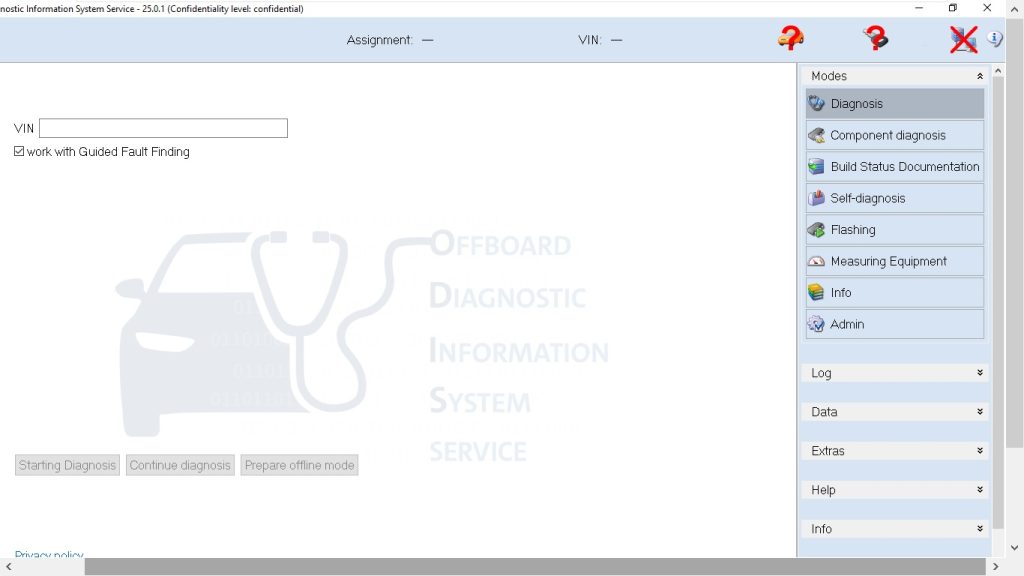
يرشدك هذا الدليل خلال your first diagnostic session مع ODIS Service 25 على VAG المركبات — من connecting the interface إلى reading رموز الأعطال و understanding تحديد الأعطال الموجّه.
What You Need
- ODIS Service 25 VMware image running in VMware Player
- VAS 5054A or VAS 6154 interface adapter
- A VW, Audi, Seat, Skoda, or other VAG المركبات
- Vehicle ignition key
الخطوة 1: Open ODIS و Create an Order
- Start the VMware VM, pass the VAS interface إلى the VM, connect إلى the المركبات OBD2 port
- Open ODIS Service من the desktop
- Click “New Order” — ODIS will prompt you إلى enter a customer و المركبات
- Enter the VIN manually or click “Read VIN من المركبات” — ODIS auto-fills the المركبات data
- Confirm the المركبات year/model و proceed
الخطوة 2: Run Self-Diagnosis (Full Scan)
Click “Self-Diagnosis” — ODIS scans every installed module in the المركبات. This takes 3–5 minutes على typical VAG المركبات. You will see a list of all modules found و any رموز الأعطال stored in each.
الخطوة 3: Open تحديد الأعطال الموجّه (GFF)
GFF is what makes ODIS different من all other tools. For any رموز الأعطال, click GFF إلى launch the dealer diagnostic procedure. GFF will:
- Ask حول current symptoms و driving conditions
- Run automated المكونات tests automatically
- Show live measurement values إلى confirm faults
- Present a prioritized list of probable causes
- Link إلى the specific الإصلاح instruction لـ each finding
الخطوة 4: View Live Data
Select any module → Measuring Values إلى see real-time sensor data. For المحركات diagnostics, key values are: fuel rail pressure, MAF airflow, boost pressure, fuel trims, lambda (O2) values, injector pulse widths, و EGR position.
الخطوة 5: Module Coding (Basics)
Select a module → Coding. ODIS shows the current long coding string in hex و also يوفر a coding assistant that explains each byte و bit in plain language. Common coding tasks يتضمن enabling/disabling features (e.g., DRL, coming-home lights), adapting replacement modules, و configuring المركبات-specific options.
Always note the الأصلي coding قبل making any changes.
Get ODIS Service 25 + Engineering 19 و start تشخيص VAG المركبات →