
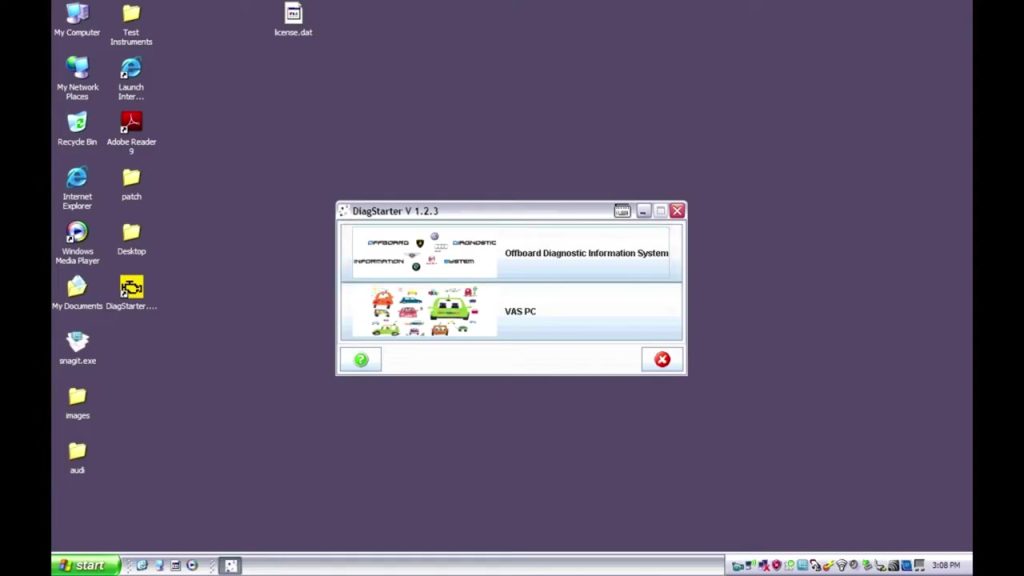
The Offboard Diagnostic Information System Service - 1.0.8 (ODIS) is a powerful VAG‑group منصة التشخيص that runs على laptop or tablet instead of a traditional VAS 5054A. This tutorial walks الفنيين عبر a كامل guided‑fault‑finding session على 2009 Audi Q5 (USA/CDN), demonstrating how إلى launch ODIS, identify the المركبات, read و erase DTCs, run user‑generated test plans, و access الإصلاح documents—all while using the الوظائف الموجّهة that streamline complex procedures.
What You Will Learn
- كيفية start ODIS Service و configure the initial warning screens.
- Methods لـ automatic و manual المركبات identification.
- كيفية navigate the control‑module list, interpret DTC colors, و view measured values.
- كيفية use the networking diagram (topology view) إلى understand module communication.
- Steps إلى erase all DTCs safely و عند إلى avoid doing so.
- كيفية launch, run, و save user‑generated test plans.
- كيفية retrieve الإصلاح documents, send يدعم inquiries, و export diagnostic sessions.
الخطوة-by-الخطوة Walkthrough
The walkthrough follows the exact sequence shown in the video, integrating screenshot placeholders لـ easy reference.
1. Launch ODIS Service
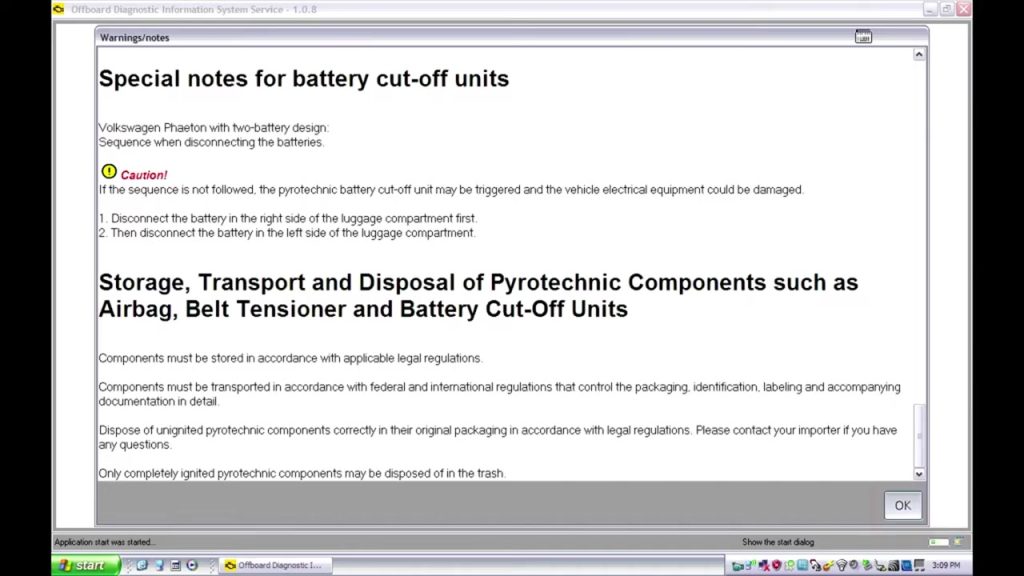
From the tool desktop double‑click the Diag Starter icon و select Offboard Diagnostic Information System Service. The release‑notes window appears, listing recent changes و a hyperlink إلى detailed notes. Scroll إلى the bottom, check the box إلى acknowledge the warnings, و click OK إلى proceed إلى the main screen.
2. Main Screen نظرة عامة
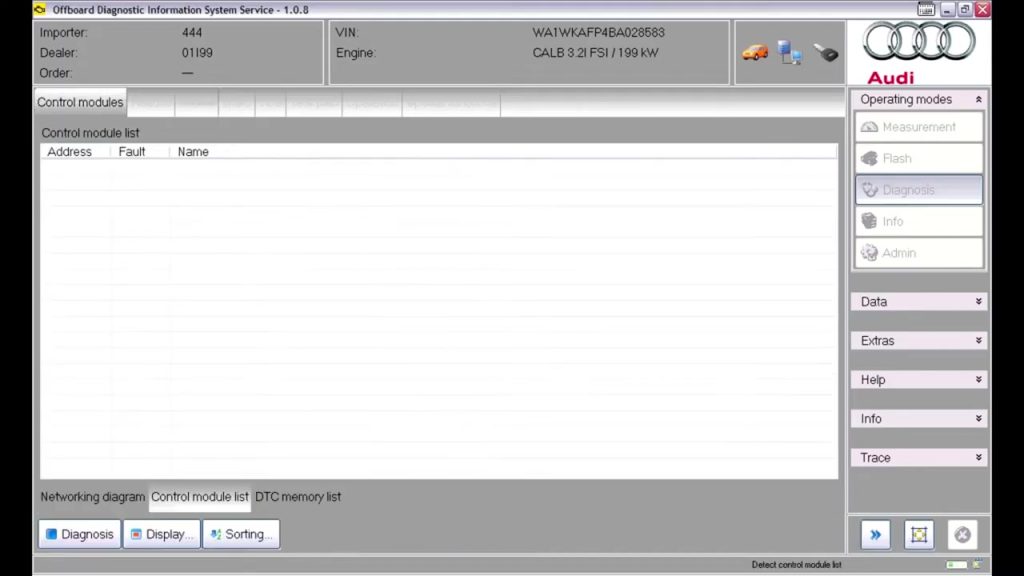
The ODIS main window is divided في several sections. The top information bar displays the importer, dealer order number, VIN, و المحركات code. Directly below, three status icons indicate المركبات detection, communication health, و whether تحديد الأعطال الموجّه (GFF) is active. Ensure the “Work مع تحديد الأعطال الموجّه” checkbox is ticked; otherwise many advanced functions remain hidden.
3. Vehicle Identification
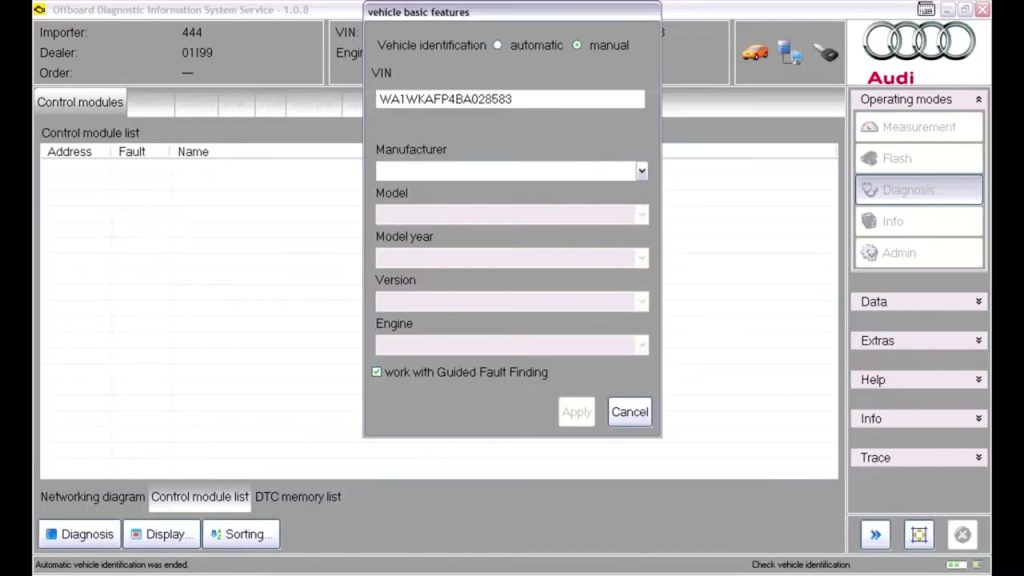
If the المركبات is detected automatically, ODIS populates the VIN, model, و المحركات fields. For manual entry, click Vehicle Identification, choose the correct market (USA/CDN), و confirm the pre‑filled data. Double‑check the model year و المحركات إصدارات because a mismatched ECU can lead إلى false DTCs.
4. Viewing Control Modules و DTCs
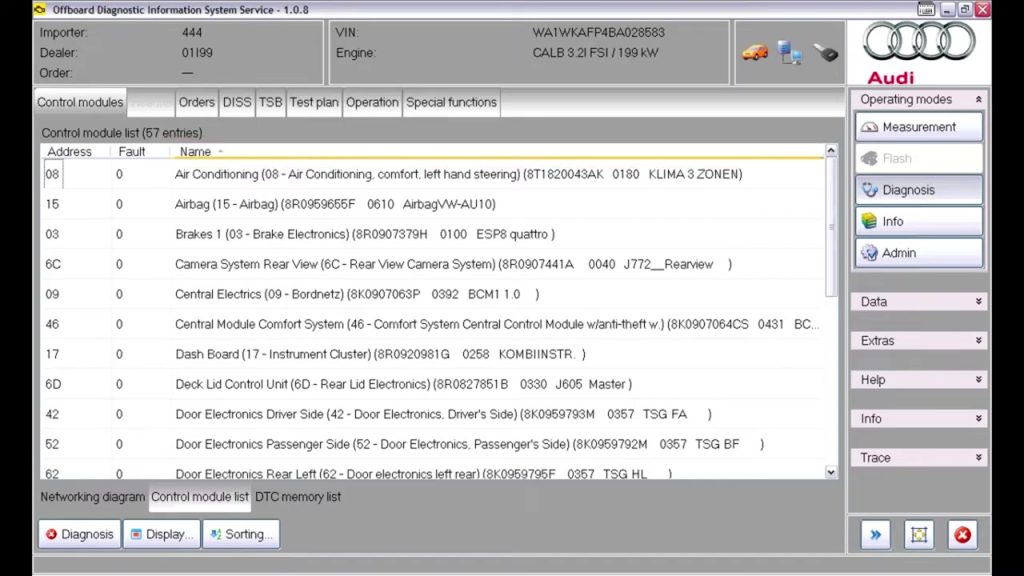
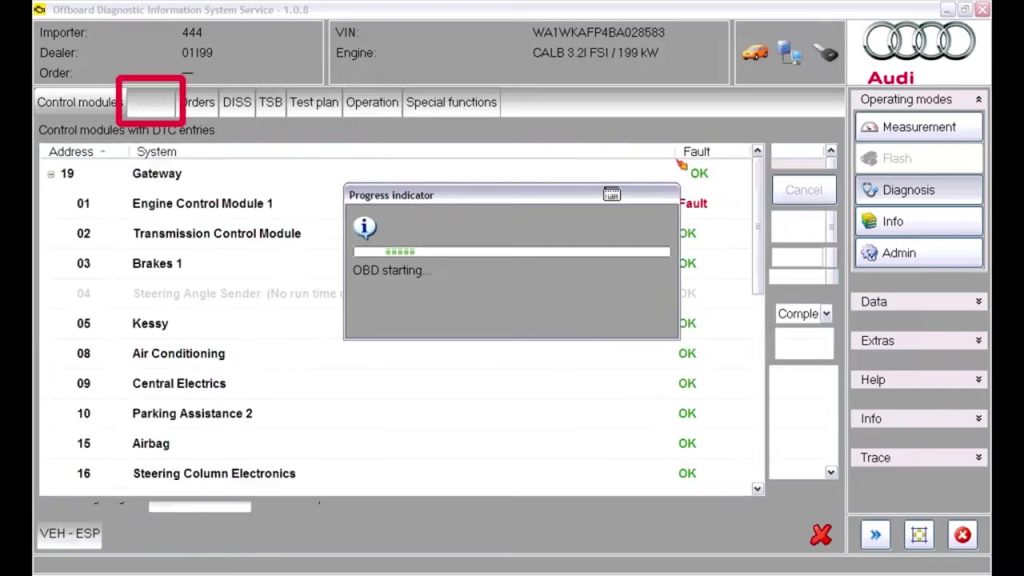
Select Control Modules من the left navigation pane. Modules that have stored DTCs appear in red; those that are offline or not installed are grayed out. Click any module إلى expand its fault list, then press Show DTCs إلى see code details, description, و occurrence count. Use the Measured Values tab under الوظائف الموجّهة لـ live sensor data instead of the OBD raw view.
5. Networking Diagram (Topology View)
Open the Topology button إلى display a graphical map of the المركبات’s CAN/LIN bus architecture. Hover over each node إلى see its communication status. This view is essential عند a module is gray because it often indicates a broken ضفيرة الأسلاك or missing power supply.
6. Erasing DTCs
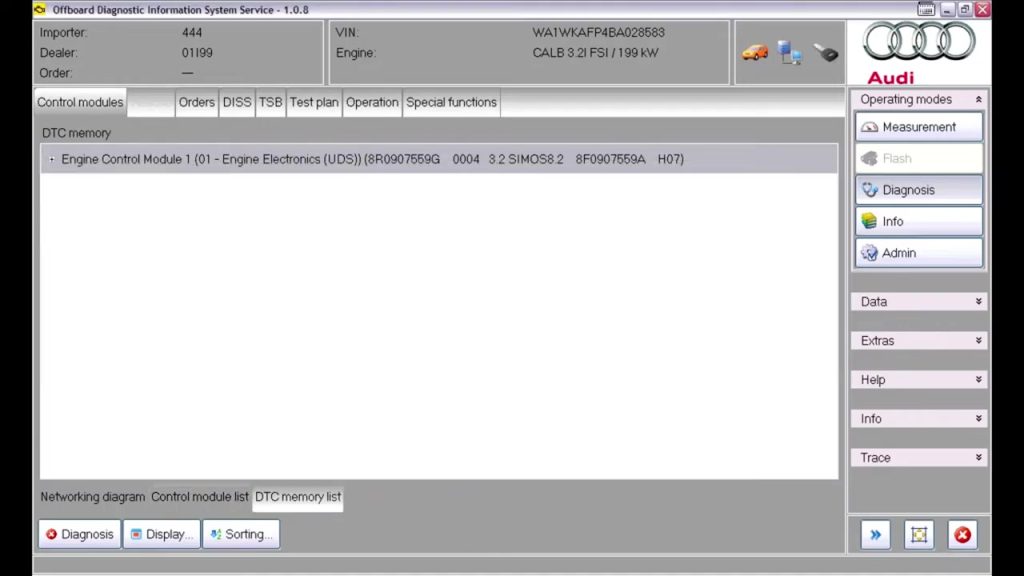
When all faults have been addressed, navigate إلى OBD Functions → Complete DTC Memory. A translation bug may label this option incorrectly; the underlying function remains the same. Confirm the erase operation, but remember the safety note: لا clear DTCs if an airbag fault is present و the airbag الأنظمة has not been repaired.
7. Running a User‑Generated Test Plan
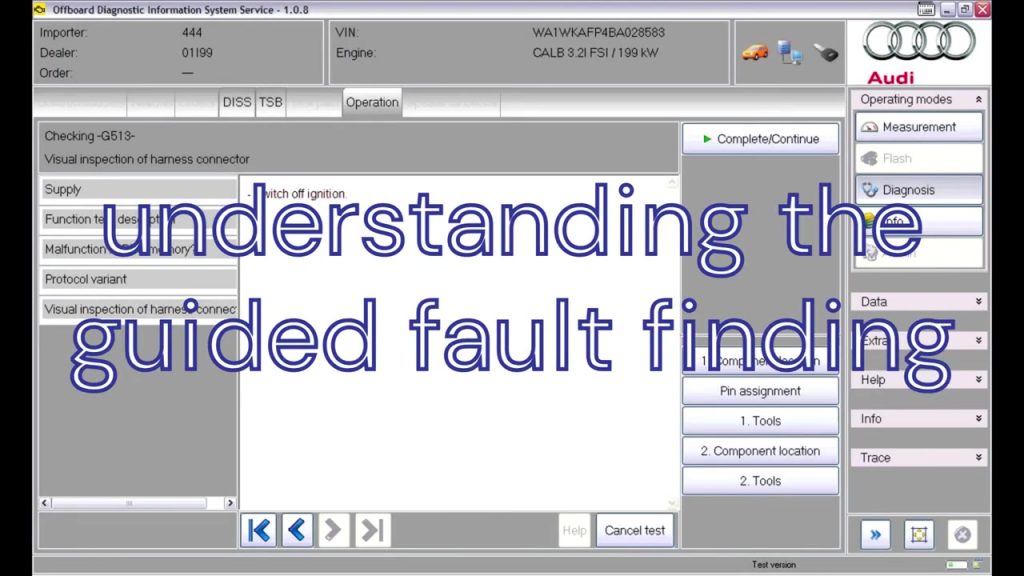
From the main menu choose Test Plans → Load و browse إلى the custom plan file. Once loaded, the steps appear in the right‑hand pane. Click Start إلى execute each step; ODIS will automatically advance إلى the next step only بعد the previous one is completed successfully. Test plans cannot be removed once loaded, so close the session if you need a clean slate.
8. Accessing Repair Documents و Support
Select Documents إلى open the الإصلاح‑information portal. Even documents marked “not translated” may contain useful diagrams; attempt إلى open them قبل dismissing. To contact technical يدعم, click Send Inquiry و attach the saved diagnostic session file. The session يمكن أن يكون saved at any point via File → Save Session و later reopened on any tester running the same ODIS version.
الميزات الرئيسية of Offboard Diagnostic Information System Service – 1.0.8
- تحديد الأعطال الموجّه (GFF) that automatically creates step‑by‑step test plans based on detected DTCs.
- Automatic المركبات identification مع fallback إلى manual VIN entry.
- Real‑time measured values displayed in an intuitive grid, bypassing raw OBD data.
- Network topology view that visualizes CAN/LIN bus health و module connections.
- Full OBD‑II functions, including كامل DTC memory erase, transport mode activation, و المكونات list retrieval.
- Ability إلى import و run custom test plans created by OEM engineers or third‑party specialists.
- Session management that يتيح saving, loading, و transferring diagnostics across multiple testers.
Compatible Vehicles و ECUs
The demonstration uses a 2009 Audi Q5 (USA/CDN) but ODIS 1.0.8 يدعم the entire VW‑Audi‑Seat‑Škoda family لـ model years 2005‑2022. Key ECUs covered يتضمن:
- Engine Control Module (ECM)
- Transmission Control Module (TCM)
- ABS/ESC Control Unit
- Airbag Control Module (ACM)
- Body Control Module (BCM)
- Instrument Cluster (IC)
- Central Convenience Module (CCM)
- Telematics Control Unit (TCU)
Pro Tips
- Read every warning و note screen بعد launching ODIS; the OK button stays grey until you scroll إلى the bottom.
- Always keep “Work مع تحديد الأعطال الموجّه” enabled إلى unlock the full suite of GFF tools.
- When manually entering المركبات data, verify the pre‑filled market, model year, و المحركات code against the VIN plate.
- Select “Yes” لـ the “specified/actual comparison” prompt إلى ensure the tester uses the exact ECU software version installed in the المركبات.
- Red‑highlighted modules contain active DTCs; gray modules indicate communication loss or missing hardware.
- Consult the latest الإصلاح information لـ updated topology diagrams قبل استكشاف الأخطاء وإصلاحها wiring issues.
- Never erase all DTCs if an airbag fault is present; clearing the memory can mask a safety‑critical condition.
- Use the “Measured values” option under الوظائف الموجّهة لـ a cleaner, more readable sensor readout than the raw OBD view.
- Saved diagnostic sessions are portable across any tester مع the same ODIS version—ideal لـ multi‑shop collaborations.
By mastering the workflow presented in هذا الدليل, الفنيين can reduce diagnostic time, avoid common pitfalls, و deliver precise repairs on Audi, VW, Seat, و Škoda المركبات using Offboard Diagnostic Information System Service - 1.0.8.
الأسئلة الشائعة
How do I launch ODIS Service?
Double-click the DiagStarter icon on the desktop و select ‘Offboard Diagnostic Information System’.
What if ODIS doesn’t detect the المركبات or ignition?
A red X or question mark will appear on the respective icons, indicating a connection issue.
Can ODIS operate بدون an internet connection?
Yes, but functions like software version management, المكونات protection unlocking, or diagnostic log uploading will not work.
How do I start تحديد الأعطال الموجّه?
Ensure the data link connector is connected و the key is recognized, then select ‘Start تشخيص’ من the main screen.
How do I view DTCs?
Go إلى the ‘Control modules’ tab, then select the ‘DTC memory list’ lower tab. Expand the plus symbols إلى see details.
Ready إلى use Offboard Diagnostic Information System Service – 1.0.8 in your ورش العمل? Download it directly من mecaprograms.ma — instant delivery, no subscription needed.