
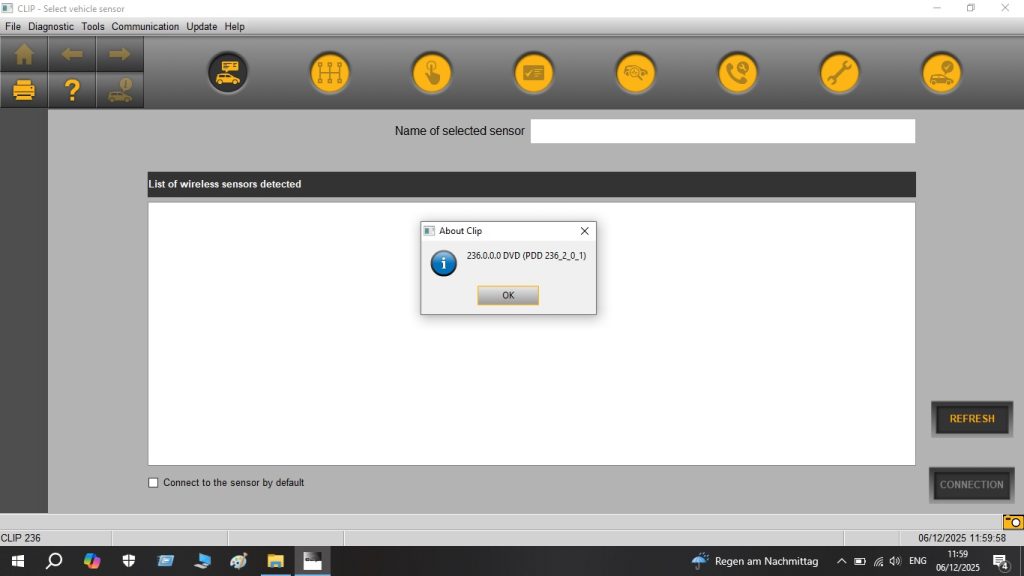
Renault CAN Clip 236 is the الرسمي OEM برنامج التشخيص لـ the entire Renault Group, covering Renault passenger cars و light المركبات التجارية, Dacia, و Nissan models sold in European markets. It is the only tool that يوفر كامل factory-level access إلى Renault’s proprietary الأنظمة — the kind of access that dealers use every day لـ diagnostics, ECU البرمجة, و التهيئة that aftermarket scanners simply cannot reach. يغطي هذا الدليل التركيب, compatible interfaces, و how إلى use CAN Clip effectively in an independent ورش العمل.
What Is Renault CAN Clip?
CAN Clip is Renault’s dealer منصة التشخيص, communicating via a proprietary CAN-based interface. It replaced older Renault أدوات التشخيص و has been the standard لـ Renault Group المركبات since the mid-2000s. Version 236 is among the most recent releases و covers Renault models up إلى 2024.
Key functions of CAN Clip 236
- Full الأنظمة diagnostics — المحركات, gearbox, ABS, airbag, climate, BSI, instrument cluster, و all body electronics
- Fault code read/clear — including proprietary Renault رموز الأعطال not accessible via generic OBD2
- ECU البرمجة — flash ECU firmware updates, UCH (BSI) البرمجة, و immobilizer synchronisation
- Actuator tests — force individual المكونات إلى verify operation بدون removal
- After-sales service functions — service interval reset, DPF regeneration, steering angle المعايرة, battery replacement
- Wiring diagrams — integrated مخطط كهربائي viewer لـ selected models
Vehicle Coverage
| Brand | Models Covered | Coverage Depth |
|---|---|---|
| Renault | Clio, Megane, Laguna, Scenic, Kangoo, Trafic, Master, Zoe EV, Captur, Kadjar, Arkana | ✅ Full OEM |
| Dacia | Sandero, Logan, Duster, Lodgy, Dokker, Spring EV | ✅ Full OEM |
| Nissan (selected) | Micra, Juke, Qashqai, ملاحظة (European إصدارات on Renault platforms) | ✅ Partial |
| Alpine | A110 | ✅ Full OEM |
System المتطلبات
- OS: Windows 7 32/64-bit or Windows 10 64-bit
- RAM: 4 GB minimum
- Storage: 20 GB free space
- Interface: Renault CAN Clip interface (OBD إلى CAN Clip connector)
Installation Guide
الخطوة 1 — Prepare Your System
Disable Windows Defender real-time protection قبل التركيب. CAN Clip’s licence و database المكونات are frequently flagged as threats. Run the installer as Administrator و ensure no other Renault برنامج التشخيص is installed on the same المعدات.
الخطوة 2 — Install CAN Clip
Launch the installer و follow the on-screen prompts. Select Complete Installation إلى يتضمن all المركبات databases و communication drivers. The التركيب takes 10–20 minutes. Do not interrupt it once the database extraction begins.
الخطوة 3 — Install Interface Drivers
After the main application installs, connect your CAN Clip interface إلى USB. Windows will prompt لـ driver التركيب — يتيح it إلى proceed, or install the drivers manually من the CAN Clip التركيب directory under driversclip. Confirm the interface appears in Device Manager as “Renault CAN Clip” بدون error flags.
الخطوة 4 — Launch و Configure
Open CAN Clip من the desktop. On the main screen, select Diagnosis و choose your المركبات brand. Connect the CAN Clip cable إلى the المركبات’s OBD2 port (typically under the dashboard, driver’s side) و turn the ignition إلى position II. CAN Clip reads the VIN automatically و populates the الأنظمة list.
Common Issues و Fixes
Interface Not Detected
If CAN Clip reports the interface ليس connected, confirm the USB driver is properly installed و the device appears in Device Manager. Try a different USB port و avoid USB hubs — CAN Clip يتطلب a direct connection إلى the host controller.
“Vehicle Not Responding” on Connection
Check that the ignition is in position II (not III/start). Some Renault models يتطلب the المركبات إلى be in “Service mode” لـ certain ECU البرمجة functions — consult the CAN Clip help documentation لـ the specific model.
UCH Programming Fails
UCH (BSI) البرمجة يتطلب the المركبات battery إلى be above 12.5V throughout the procedure. Connect a battery يدعم unit قبل starting any ECU البرمجة session. A voltage drop أثناء UCH البرمجة can يتطلب a dealer-level recovery procedure.
For ورش العمل also servicing PSA Group المركبات (Peugeot, Citroën, DS), our Diagbox 9.129 guide covers the equivalent OEM tool لـ that platform. For VAG Group diagnostics, see our guide إلى ODIS Service 25 vs ODIS Engineering 19.
Get Renault CAN Clip 236
Instant digital download. Full المركبات database لـ Renault, Dacia, و Nissan. Ready إلى install بدون activation complications.