
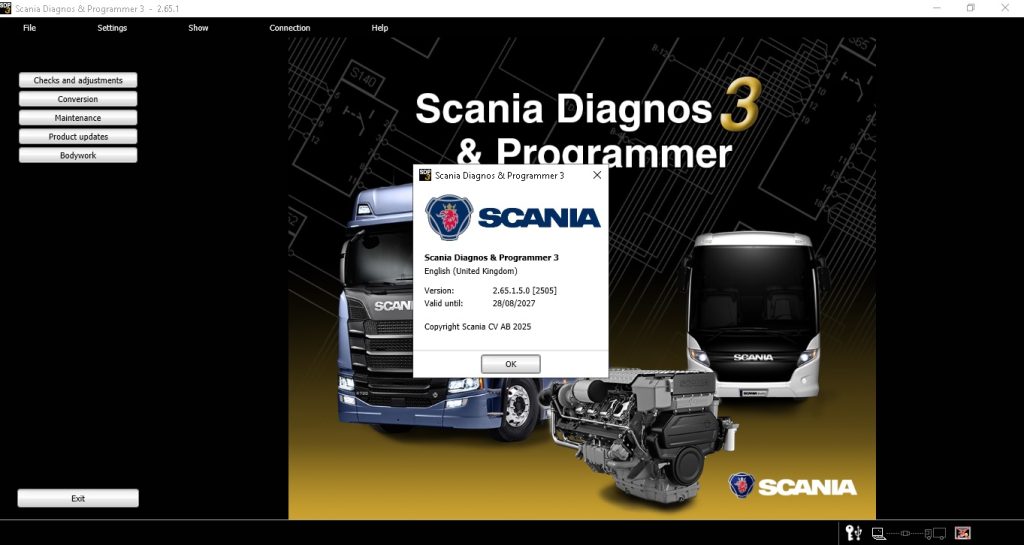
Welcome إلى Scania SDP3 v2.65 — Your First Session
Scania SDP3 v2.65 gives you OEM-level access إلى all Scania truck الأنظمة — المحركات, gearbox, chassis, و emissions. إذا كنت have never used SDP3 قبل, هذا الدليل will get you من first launch إلى your first رموز الأعطال read in under 20 minutes.
Pre-Flight Checklist
- ✅ SDP3 v2.65 installed و activated (Windows 10/11, 64-bit)
- ✅ Scania VCI2 or VCI3 connected و drivers installed
- ✅ Scania truck مع ignition ON
- ✅ Laptop battery charged (or plugged in)
الخطوة 1 — Locate the Diagnostic Connector
- Scania R / S-series (2016+): 16-pin OBD-II style connector under the dash, driver side, left of steering column
- Older Scania R-series (pre-2016): 16-pin Scania proprietary connector near the driver door pillar, behind a rubber cap
- Scania P / G-series: Under dash, driver side
الخطوة 2 — Connect the VCI Adapter
- Plug the VCI2 or VCI3 cable في the truck’s diagnostic connector
- Connect the USB end إلى your laptop (or set up VCI3 WiFi — see VMware guide لـ WiFi steps)
- Turn the truck ignition إلى ON — the VCI indicator light turns green عند it detects power من the truck
الخطوة 3 — Open SDP3 و Start a Session
- Launch SDP3 v2.65 — right-click → Run as Administrator on first use
- Click Diagnos (the diagnostic module icon) on the SDP3 home screen
- SDP3 reads the truck VIN و chassis number automatically — confirm the displayed المركبات is correct
- SDP3 then connects إلى all available ECUs: Engine, Gearbox, Retarder, Chassis, Body, Clean Emissions System
الخطوة 4 — Read Fault Codes من All ECUs
- In the left panel, each ECU appears as a separate item. Click the Engine ECM first.
- Select Fault Codes → SDP3 displays Active (current) و Stored (historical) faults
- Each fault shows: DTC code, description, occurrence count, و freeze frame data
- Repeat لـ each ECU — gearbox faults are the second most common بعد المحركات faults on Scania trucks
الخطوة 5 — Live Parameters
- Left panel → Engine ECM → Parameters
- Key المعلمات لـ Euro 6 Scania المحركات:
- AdBlue quality % (normal: 32.5% ±1.5%)
- DPF soot load % (attention above 70%)
- EGR valve position vs commanded (should match within 5%)
- Fuel rail pressure (actual vs target)
- Coolant temperature (normal operating: 85–95°C)
الخطوة 6 — AdBlue / SCR System Reset (Most مهم Procedure)
If the truck is in SCR derate mode (المحركات power reduced due إلى AdBlue fault), follow these steps بعد fixing the AdBlue quality issue:
- Replace AdBlue مع certified AUS32 fluid و verify حساس الجودة reads correctly
- SDP3 → Engine ECM → Tests → AdBlue Dosing Pump → run activation test إلى confirm dosing is working
- SDP3 → Engine ECM → SCR System → Inducement Reset → execute the reset procedure
- Clear all stored رموز الأعطال بعد reset
- Drive truck لـ 10–15 minutes — verify no رموز الأعطال return و power is fully restored
الخطوة 7 — Clear Fault Codes
- After تشخيص و repairing: Fault Codes → select stored/inactive faults → Clear
- Active faults cannot be permanently cleared until the root cause is fixed
- After clearing: monitor live المعلمات لـ 5 minutes إلى confirm no faults return
Beginner Mistakes إلى Avoid
- ❌ استخدام NexIQ or generic adapter expecting full Scania access — يتطلب VCI2 or VCI3
- ❌ Only reading Engine ECM — Scania trucks have 5–8 ECUs; always check all of them
- ❌ Clearing SCR inducement مع just “clear رموز الأعطال” — يتطلب the specific SCR reset procedure
- ❌ Running SDP3 بدون Administrator privileges
- ❌ Starting an ECM software update على low-battery laptop