
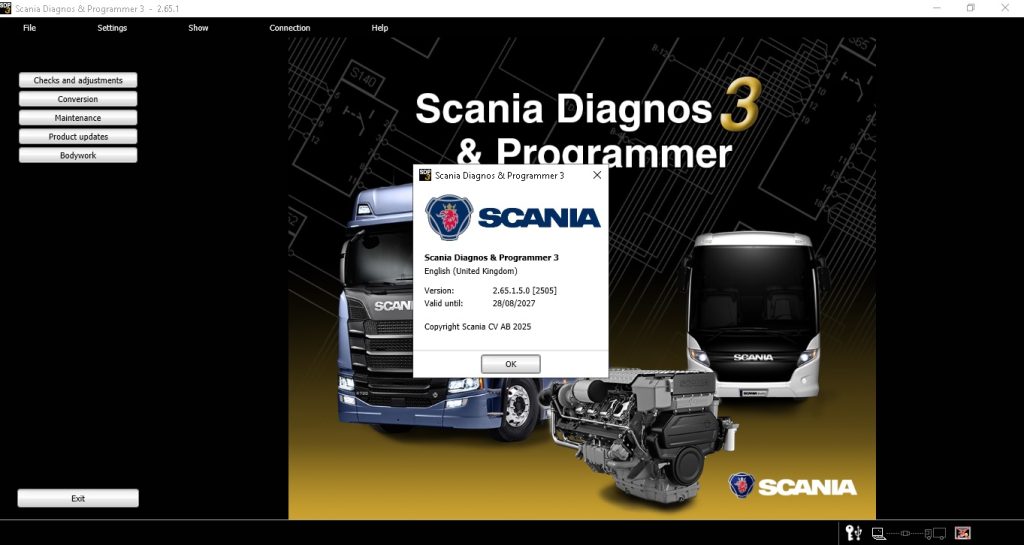
Running Scania SDP3 v2.65 on VMware
Scania SDP3 v2.65 is Windows-only software. Running it inside a VMware virtual المعدات on macOS or Linux is a practical solution لـ الفنيين who use non-Windows primary المعدات. يغطي هذا الدليل full setup including USB passthrough لـ the Scania VCI2 or VCI3 adapter.
ملاحظة on VCI3 WiFi: The Scania VCI3 can connect إلى SDP3 via WiFi, which eliminates USB passthrough complexity. However, WiFi من the VCI3 إلى the VM يتطلب the VM’s network adapter إلى be configured in bridged mode so the VM can see the VCI3’s WiFi network. This is covered in الخطوة 3b below.
What You Need
- VMware Workstation Pro 17 or VMware Fusion 13 (Intel Mac)
- Windows 10 or 11 ISO (64-bit)
- Scania SDP3 v2.65 installer من mecaprograms.ma
- Scania VCI3 (recommended) or VCI2 adapter
- 60+ GB free disk space (SDP3 database is large)
الخطوة 1 — Create the VM
- VMware Workstation Pro 17 → New Virtual Machine → Typical
- Select Windows 10/11 ISO → set name:
Scania-SDP3 - Disk: 100 GB minimum (SDP3 full database يتطلب 50+ GB)
- Customize Hardware: RAM 8 GB, 2 CPU cores, USB Controller → USB 3.1, Network → NAT
- Power on → كامل Windows التركيب → install VMware Tools → restart
الخطوة 2 — VCI USB Passthrough (لـ VCI2 or VCI3 USB mode)
- Plug the VCI2 or VCI3 في your host المعدات’s USB port
- VMware → VM menu → Removable Devices → find “Scania VCI” → Connect (Disconnect من Host)
- Enable auto-connect: VM Settings → USB Controller → “Automatically connect new USB devices”
الخطوة 3b — VCI3 WiFi Mode (Alternative)
- Change VM network adapter من NAT إلى Bridged (VM Settings → Network Adapter → Bridged)
- Connect the VCI3 إلى the truck’s diagnostic port — it creates its own WiFi access point
- Inside the VM: connect Windows WiFi إلى the VCI3 network (SSID printed on the VCI3 unit)
- Launch SDP3 → it will detect the VCI3 automatically over WiFi
- ملاحظة: Switch VM back إلى NAT لـ internet access; switch إلى Bridged only عند using VCI3 WiFi
الخطوة 4 — Install VCI Drivers
- Inside the VM, run the Scania VCI2 or VCI3 driver installer
- Run as Administrator → كامل التركيب → restart VM
- Verify in Device Manager: VCI appears مع no error flags
الخطوة 5 — Install و Activate SDP3 v2.65
- Copy the SDP3 v2.65 installer في the VM (يتيح 5–15 minutes لـ the full database إلى extract)
- Right-click → Run as Administrator → كامل التركيب
- Temporarily disable Windows Defender أثناء التركيب
- Launch SDP3 → enter license key → activate (NAT network يوفر internet)
الخطوة 6 — Connect إلى a Scania Truck
- Connect VCI إلى the truck’s 16-pin diagnostic connector
- Confirm VCI is connected إلى VM (USB mode: VM → Removable Devices; WiFi mode: Windows WiFi connected إلى VCI3 SSID)
- Turn truck ignition إلى ON
- Open SDP3 → Start New Session → SDP3 auto-reads all ECUs (المحركات, gearbox, chassis, etc.)
Troubleshooting
| Problem | Cause | Fix |
|---|---|---|
| VCI not found in SDP3 | USB passthrough not set / WiFi not connected | VM → Removable Devices → connect VCI; or connect Windows WiFi إلى VCI3 SSID |
| SDP3 database install fails | Insufficient disk space in VM | Expand VM disk إلى 100 GB minimum |
| License activation fails | VM using Host-only network | Change إلى NAT in VM Settings → Network Adapter |
| Slow multi-ECU polling | VM RAM or CPU too low | Allocate 8 GB RAM و 4 CPU cores |
| VCI3 WiFi drops أثناء long session | WiFi signal interference | Use USB mode لـ sessions longer than 30 min |