
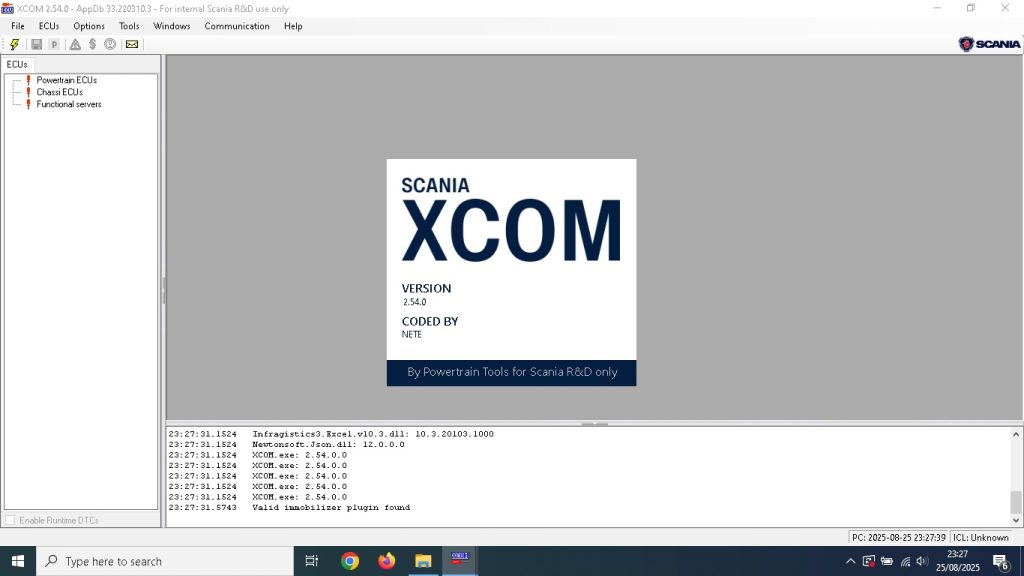
Scania XCOM 2.54 is a specialist المعلمات البرمجة و التهيئة tool لـ Scania trucks, buses, و industrial المحركات. Where Scania SDP3 handles fault diagnostics و guided procedures, XCOM goes deeper — it يوفر direct access إلى ECU المعلمات blocks, allowing advanced المعلمات reading, writing, و التهيئة that SDP3’s standard interface لا expose. إذا كنت work on Scania المركبات at a المعايرة or engineering level, XCOM is the tool that unlocks that access.
What Is Scania XCOM?
XCOM (Extended Communication) is a Scania-developed tool designed لـ المعلمات-level access إلى Scania ECUs. It operates alongside SDP3 rather than replacing it — SDP3 handles standard diagnostic work while XCOM enables advanced المعلمات التهيئة, ECU identification, و data extraction that goes beyond what SDP3’s guided interface exposes.
What XCOM 2.54 can do
- Direct المعلمات block access — read و write raw المعلمات blocks من Scania EMS, GMS, Retarder, و other ECUs
- ECU identification — read hardware و software version information من every ECU on the المركبات
- Parameter backup و restore — export كامل ECU المعلمات sets قبل any modification و restore them if needed
- Cross-ECU المعلمات comparison — compare المعلمات blocks بين two ECUs or against a reference file
- Security seed/key handling — manage security access لـ ECUs that يتطلب authentication لـ المعلمات changes
- VCI2 و VCI3 يدعم — works مع both Scania interface generations
XCOM vs SDP3 — When إلى Use Each
| Function | SDP3 | XCOM |
|---|---|---|
| Fault code read/clear | ✅ Yes | ❌ No |
| Guided تحديد الأعطال | ✅ Yes | ❌ No |
| ECU software updates | ✅ Yes | ❌ No |
| Standard المعلمات changes | ✅ Yes | ✅ Yes |
| Raw المعلمات block access | ⚠️ Limited | ✅ Full |
| Parameter backup/restore | ⚠️ Partial | ✅ Full |
| Cross-ECU comparison | ❌ No | ✅ Yes |
System المتطلبات و Installation
System المتطلبات
- Windows 10 64-bit
- 4 GB RAM minimum
- 5 GB free disk space
- Scania VCI2 or VCI3 interface
الخطوة 1 — Install VCI Drivers First
Connect your Scania VCI2 or VCI3 interface و confirm Windows has installed the drivers. XCOM يتطلب the VCI إلى be recognised قبل التركيب. If drivers are not found automatically, install them من the SDP3 driver package — XCOM uses the same VCI driver stack as SDP3.
الخطوة 2 — Run the XCOM Installer
Launch the XCOM 2.54 installer as Administrator. Follow the on-screen prompts و accept the default التركيب path unless you have a specific reason إلى change it. Installation takes 5–10 minutes.
الخطوة 3 — Configure the VCI Connection
On first launch, XCOM prompts لـ interface التهيئة. Select your VCI type من the dropdown و confirm the communication protocol. For VCI3 over WiFi, ensure the VCI is on the same network as the laptop. For VCI2 via USB, confirm the device appears in Device Manager بدون errors.
الخطوة 4 — Connect إلى Vehicle
Connect the VCI إلى the Scania’s 16-pin OBD2 connector (or the 9-pin Deutsch port مع an adapter on older models). Turn the ignition إلى position II و launch XCOM. It will scan the J1939 bus و identify all ECUs present on the المركبات.
Common Issues
VCI Not Detected
If XCOM cannot find the VCI, confirm the same VCI is working in SDP3 first — if SDP3 cannot see the VCI either, the issue is مع the drivers or hardware. If SDP3 works but XCOM لا, re-run the XCOM installer إلى reconfigure the interface detection.
Parameter Write Rejected
Some المعلمات blocks يتطلب a security seed/key exchange قبل writing is permitted. XCOM handles this automatically لـ most ECUs, but some blocks يتطلب a valid session token. Ensure the المحركات is stopped و the المركبات is in a service-ready state قبل attempting المعلمات writes.
XCOM works most effectively alongside the full Scania diagnostic stack. Our guide إلى Scania SDP3 2.61 vs 2.65 explains which SDP3 version إلى run alongside XCOM لـ your truck range. For Volvo Group trucks using a similar architecture, see our Volvo TechTool PTT guide.
Get Scania XCOM 2.54
Instant digital download. Ready إلى install و use مع your existing Scania VCI interface.