
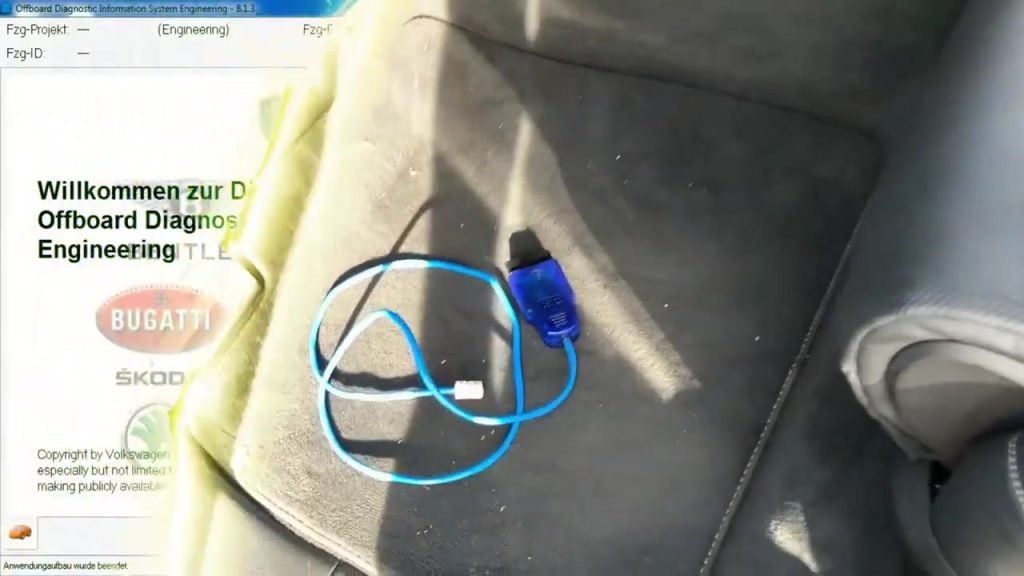
Offboard Diagnostic Information System Engineering 8.1.3 (ODS Engineering) is a powerful off‑board tool that lets احترافي الفنيين access, read, و program control units on modern Audi المركبات بدون needing a live connection إلى the car’s CAN bus. This tutorial walks you عبر تشخيص و fixing the “Steuergerät für Gurtstraffer nicht konfiguriert” fault على 2020 Audi Q8, demonstrating how ODS Engineering 8.1.3 streamlines fault‑code analysis, basic‑settings adaptation, و safety‑critical write operations.
What You Will Learn
- كيفية select the correct المركبات project و load the appropriate ECU list in ODS Engineering 8.1.3.
- كيفية read event memory و interpret رموز الأعطال 930555 B130555 لـ the right‑hand seat‑belt tensioner.
- كيفية navigate the diagnostic firewall و enable write access by opening the hood.
- كيفية perform a secure login لـ basic‑settings adaptation on newer Audi models.
- كيفية clear the fault memory بعد the status changes من active إلى passive.
- كيفية verify that the adaptation was successful using ODS Engineering’s status displays.
- كيفية document the procedure لـ ورش العمل records و future reference.
الخطوة-by-الخطوة Walkthrough
1. **Start ODS Engineering 8.1.3 و open the project selector.** Choose “Audi” as the manufacturer, then select the model year “2020” و the المركبات type “Q8”. The software automatically loads the correct ECU database لـ that series.
2. **Enter diagnostic mode.** Click the “Diagnostic Entry” button on the main toolbar. ODS Engineering prompts you إلى connect the diagnostic cable إلى the المركبات’s OBD‑II port. Once the connection is confirmed, the control‑unit list appears, showing all available modules including the “Steuergerät für Gurtstraffer rechts”.
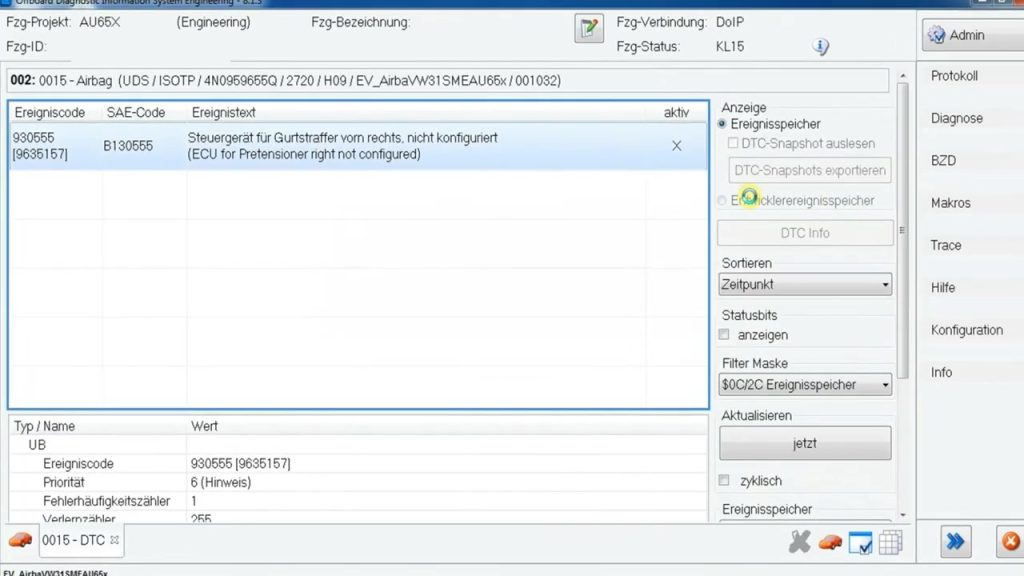
3. **Read the event memory.** Highlight the seat‑belt tensioner ECU و select “Read Event Memory”. The رموز الأعطال 930555 B130555 is displayed along مع a description: “Control unit لـ seat belt tensioner right, not configured”. This code is safety‑relevant و caused the المركبات إلى fail the main inspection (HU).
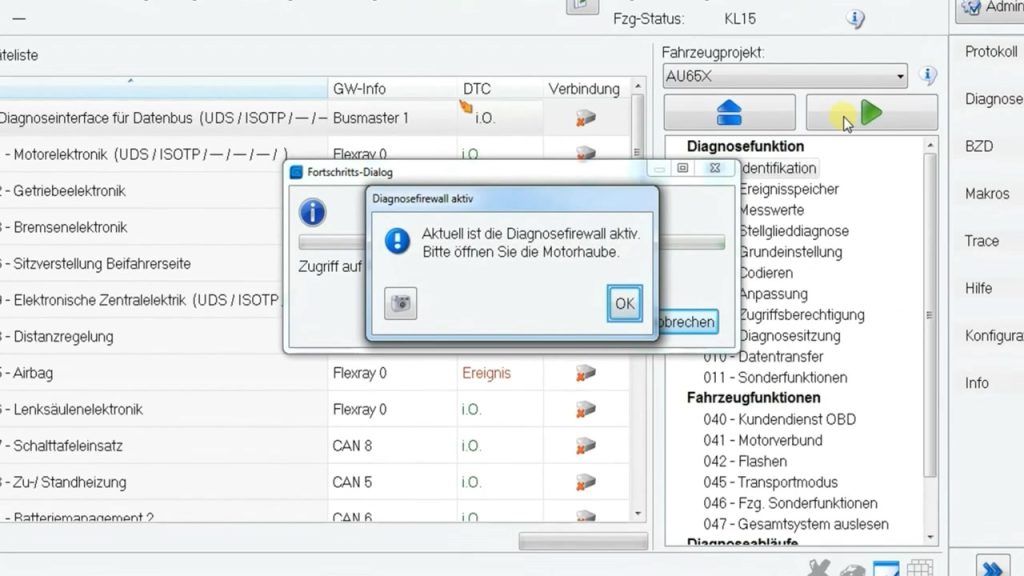
4. **Check the diagnostic firewall status.** ODS Engineering 8.1.3 indicates a red firewall icon next إلى the ECU, meaning write access is blocked. For model years 2019 و newer, the firewall يتطلب the hood إلى be physically opened قبل any adaptation يمكن أن يكون performed. Open the المركبات’s hood, then press the “Refresh Firewall” button in the software. The icon turns green, confirming that write access is now permitted.
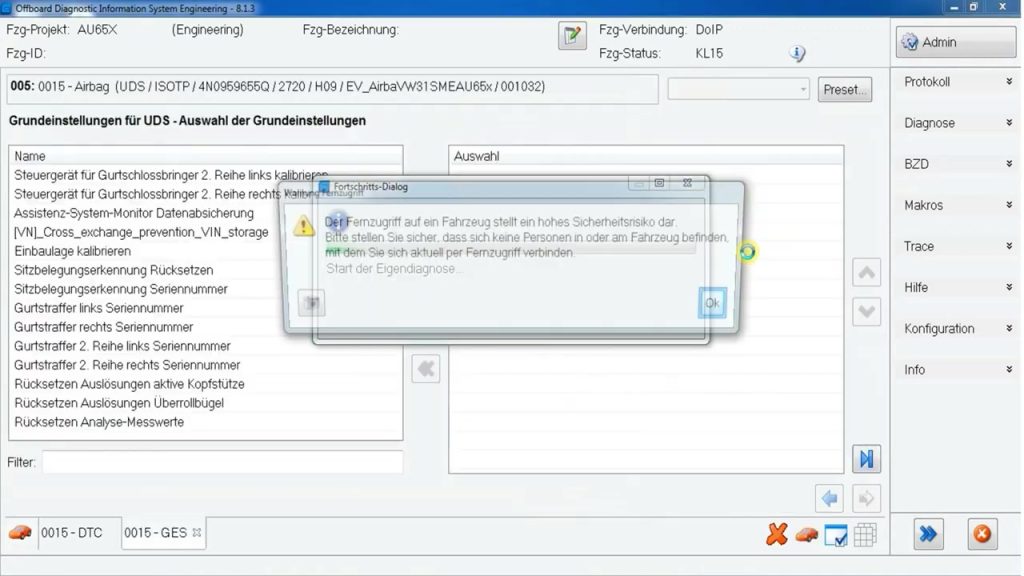
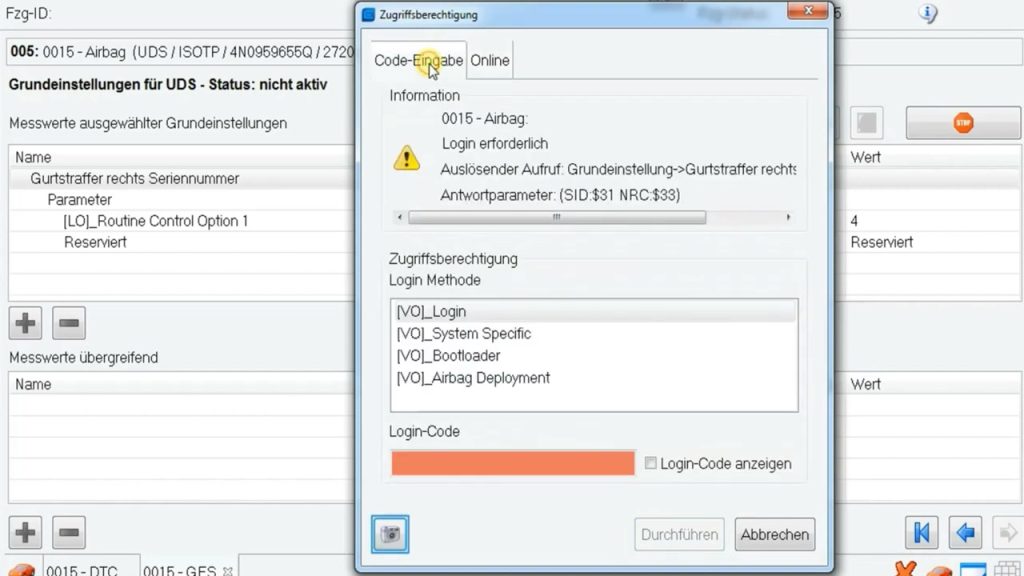
5. **Access basic‑settings.** Navigate إلى the “Basic Settings” tab لـ the right‑hand tensioner ECU. The first attempt triggers the error “ODS2602E Infrastruktur – Nicht vorhandene Daten” because the الأنظمة needs authentication. Click the “Login” button, enter the ورش العمل’s secure login code (provided by Audi’s technical portal), و confirm. The basic‑settings screen loads بدون error.
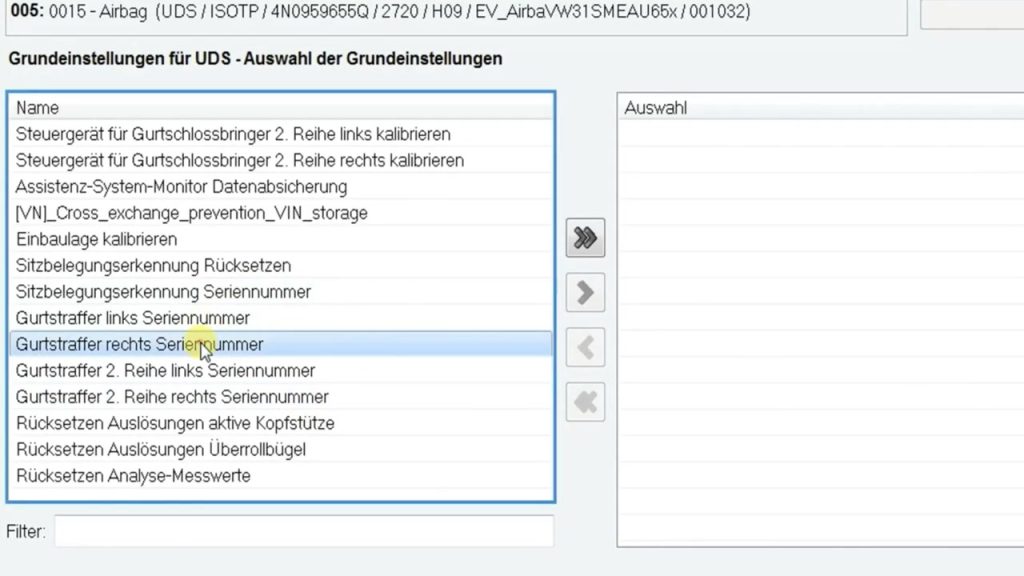
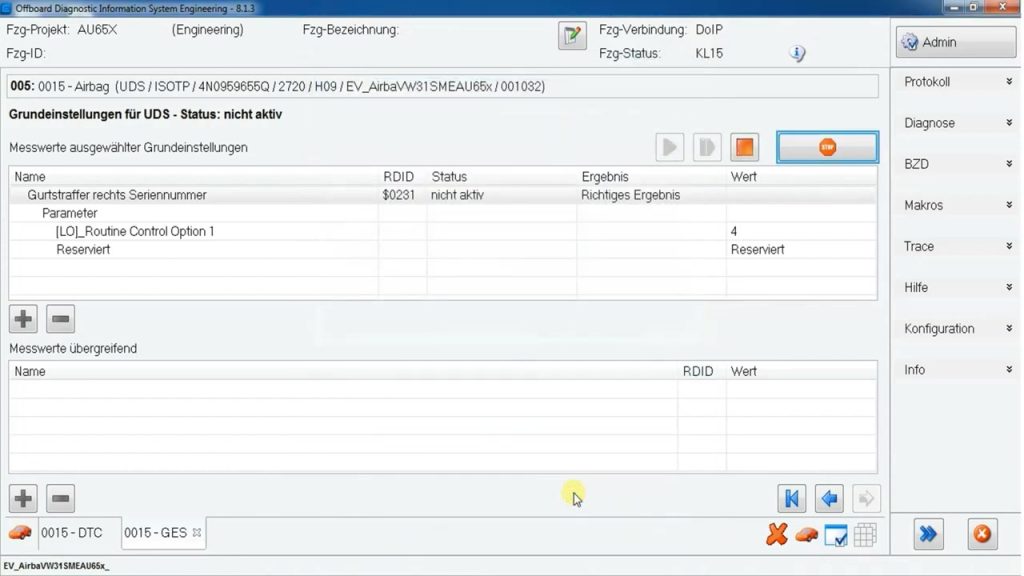
6. **Perform the adaptation.** In the basic‑settings window, locate the المعلمات “Tensioner Configuration”. Change the value من “Not Configured” إلى “Configured – Right Side”. Press “Apply”. ODS Engineering writes the new value إلى the ECU, و a confirmation message appears: “Adaptation successful”.
7. **Verify status change.** Return إلى the event‑memory view. The fault status لـ 930555 B130555 should now read “Passive”. This indicates that the ECU has acknowledged the adaptation but the fault memory still contains the historic record.
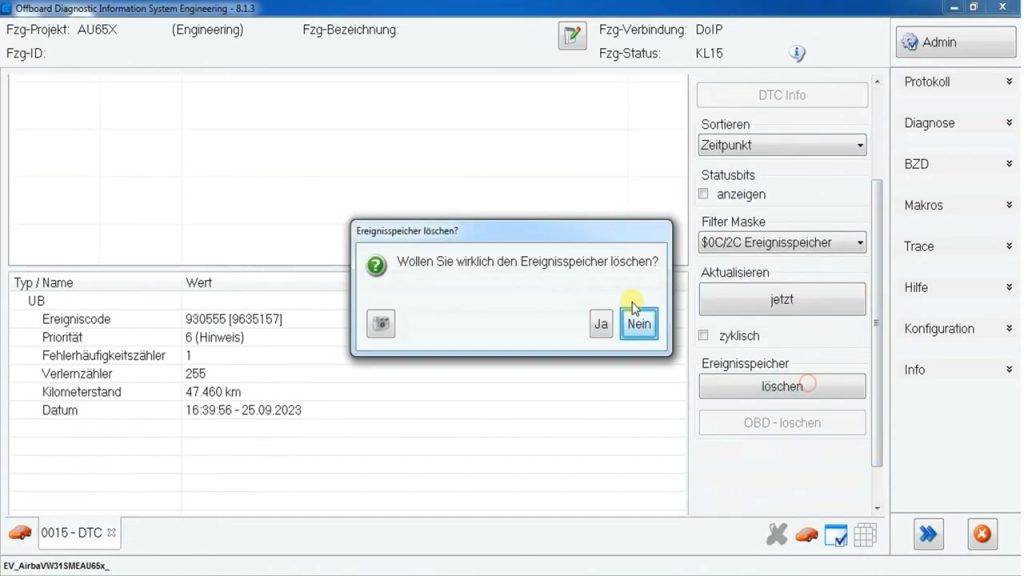
8. **Clear the fault memory.** With the status passive, select the رموز الأعطال و click “Clear Event Memory”. Confirm the action in the pop‑up dialog. ODS Engineering reports “Event memory cleared”. Perform a final read of the event memory إلى ensure no active codes remain.
9. **Document the work.** Use the built‑in report generator إلى create a PDF that يتضمن the المركبات VIN, رموز الأعطال, adaptation steps, login credentials used, و the final status. Save the file إلى the ورش العمل’s records folder لـ future audits.
الميزات الرئيسية of Offboard Diagnostic Information System Engineering 8.1.3
- Comprehensive المركبات project database covering all Audi models من 2005 onward.
- Real‑time event‑memory readout مع detailed fault‑code descriptions و severity classification.
- Diagnostic firewall management that enforces safety protocols لـ write operations.
- Secure login الأنظمة لـ accessing basic‑settings و adaptation المعلمات.
- Batch‑clear functionality لـ multiple ECUs, reducing ورش العمل turnaround time.
- Integrated PDF report generator لـ compliant documentation.
Compatible Vehicles و ECUs
This guide applies إلى the 2020 Audi Q8 (B8 platform) و any model year 2019‑2022 equipped مع the right‑hand seat‑belt tensioner وحدة التحكم (ECU identifier B13055). The same procedure يمكن أن يكون adapted لـ other Audi SUVs (e.g., Q7, Q5) that share the same tensioner module, provided ODS Engineering 8.1.3 يتضمن the corresponding project files.
Pro Tips
- Always open the المركبات’s hood قبل attempting any write access on model years 2019 و newer; the diagnostic firewall will reject the command otherwise.
- Perform adaptations only عند the المركبات is free of occupants و no tools are placed on or near the car إلى eliminate the high security risk associated مع remote access.
- Store the ورش العمل login code in a secure password manager; ODS Engineering 8.1.3 لا retain the code بعد the session ends.
- After a successful basic‑settings adaptation, wait a few seconds لـ the ECU إلى transition the fault status من active إلى passive قبل clearing the memory; premature clearing can re‑trigger the error.
- Use the “Refresh Firewall” button بعد closing the hood إلى re‑enable write protection لـ the next المركبات, preserving the safety integrity of the diagnostic environment.
By following this structured approach مع ODS Engineering 8.1.3, الفنيين can reliably resolve the “Steuergerät für Gurtstraffer nicht konfiguriert” fault, pass the main inspection, و maintain accurate service records بدون compromising المركبات safety.
الأسئلة الشائعة
Why did my Audi Q8 fail the main inspection despite no warning lights?
A safety-relevant رموز الأعطال (e.g., unconfigured seat belt tensioner وحدة التحكم) can cause failure, even if not displayed on the dashboard.
What is a diagnostic firewall in newer Audi المركبات?
It’s a security feature (since MY 2019) that prevents write access (like adaptations or basic settings) unless the hood is open.
How do I fix an ‘unconfigured seat belt tensioner وحدة التحكم’ fault?
Use برنامج التشخيص إلى perform a basic setting لـ the seat belt tensioner, which may يتطلب a login code و an open hood.
Why did I get an ‘ODS2602E Infrastruktur – Nicht vorhandene Daten’ error أثناء basic settings?
This يمكن أن يكون due إلى incorrect diagnostic runtime data, missing MCD server data, or the functionality not being supported by the specific وحدة التحكم. Ensure proper access authorization (login) is performed.
Ready إلى use Offboard Diagnostic Information System Engineering 8.1.3 in your ورش العمل? Download it directly من mecaprograms.ma — instant delivery, no subscription needed.