
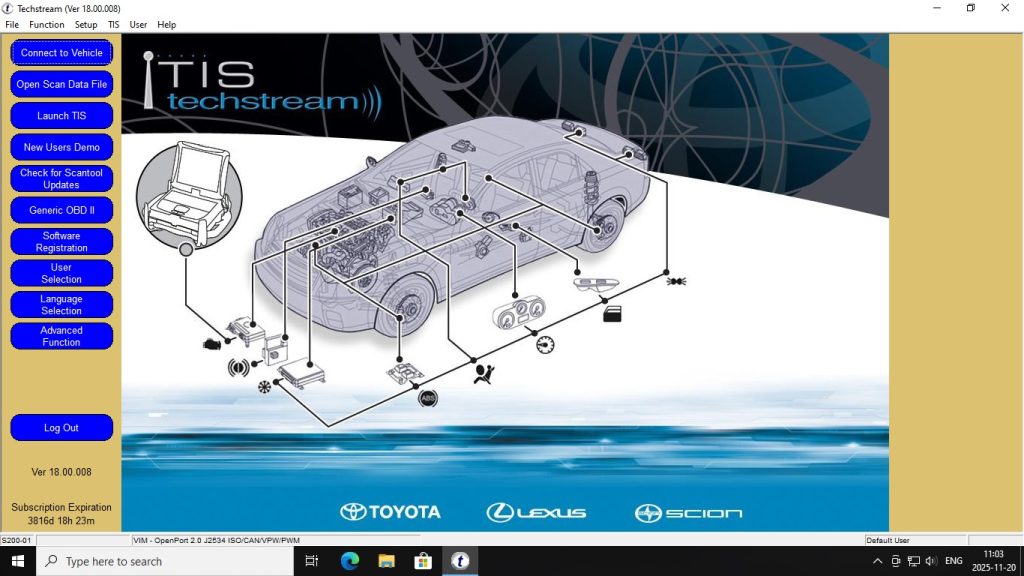
Toyota Techstream is the الرسمي OEM برنامج التشخيص used at all Toyota و Lexus dealerships worldwide. Version 18 (V18.008.00) is the latest stable release, adding يدعم لـ 2022–2023 Toyota models while maintaining full backwards compatibility.
What Is Toyota Techstream?
Toyota Techstream is Toyota’s factory diagnostic application. Unlike generic OBD2 scanners, Techstream communicates مع all Toyota-specific ECUs و يدعم functions that only the dealer software can perform: active tests, immobilizer البرمجة, ECU initialization, و full المعلمات التهيئة لـ Toyota, Lexus, و Scion المركبات.
What Vehicles Does Toyota Techstream V18 Support?
- Toyota: Camry, Corolla, RAV4, Hilux, Land Cruiser, Prius, Yaris, Auris, Avensis, C-HR, GR86, Supra (A90), Tundra, Tacoma, Fortuner, HiAce
- Lexus: IS, ES, GS, LS, RX, NX, UX, GX, LX, LC, RC series (all generations)
- Scion: xB, tC, FR-S (all models)
- Hybrid models: Full hybrid الأنظمة diagnostics including Prius, Prius+, RAV4 Hybrid, Highlander Hybrid
- Model year coverage: 1996 إلى 2023
Toyota Techstream V18 الميزات الرئيسية
- Fault code reading و clearing (all modules)
- Live data monitoring لـ all ECU المعلمات
- Active tests — command actuators directly
- ECU initialization و learning procedures
- Smart key و transponder key registration
- Immobilizer (IMMO) reset و البرمجة
- Throttle position sensor (TPS) initialization
- Steering angle sensor المعايرة
- ABS bleeding procedure
- DPF regeneration (diesel models)
- Hybrid battery health و balancing
System المتطلبات لـ Toyota Techstream V18
- OS: Windows 7, 8, 10, or 11 (32-bit or 64-bit) — native install; the VMware version works on any modern Windows 10/11 64-bit الأنظمة
- RAM: 2GB minimum (4GB recommended)
- Storage: 10GB free disk space
- Interface: Mini-VCI cable مع FTDI chipset (most reliable), or MVCI J2534 adapter
كيفية Install Toyota Techstream V18 (VMware Version)
- Install VMware Workstation Player (free) on your Windows PC
- Download the Toyota Techstream V18 VMware image
- Open VMware Player → Open Virtual Machine → select the .vmx file
- Start the VM — Techstream launches automatically
- Connect your Mini-VCI cable إلى the PC و pass it إلى the VM via Player → Removable Devices
- Connect the other end إلى the المركبات OBD2 port و start a new session
Get Toyota Techstream V18 VMware pre-installed →
More Toyota Techstream V18 VMware Guides
- Toyota Techstream vs Autel vs Forscan: Best Toyota Diagnostic Tool?
- Toyota Techstream V18 System المتطلبات: Windows, RAM, Interface Cable
- Toyota Techstream Fault Codes: Common Toyota DTCs و كيفية Fix Them
- Toyota Techstream سجل الإصدارات: V14 إلى V18 — ما الذي تغيّر؟?
- Toyota Techstream V18 VMware Setup: دليل خطوة بخطوة لـ Windows 10/11
- Toyota Techstream لـ Beginners: Your First Toyota Diagnostic Session
- Toyota Techstream V18 FAQ: 15 الإجابة على أكثر الأسئلة شيوعًا