
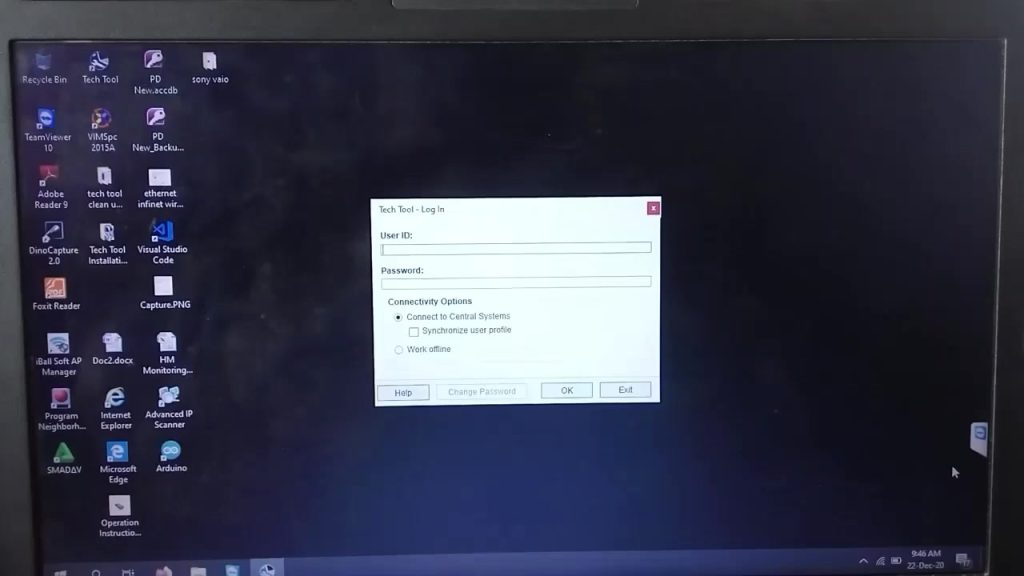
تركيب بديل لـ وحدة تحكم المحرك (ECU) على Volvo truck ليس بسيطًا مثل استبدال العتاد فقط. بدون correct software loaded via Volvo Tech Tool (PTT), the new وحدة التحكم is completely blank — no chassis ID, no software version, no dataset. The truck will throw communication errors across every الأنظمة و the odometer will read zero. This guide walks عبر a real-world ECU replacement على Volvo FM Euro 3 (VIN YV2UM30E8A712412), covering every step من the initial blank-ECU scan إلى successful المحركات start — including how إلى resolve the dreaded Chassis ID Divergence warning that blocks البرمجة.
Vehicle & Setup Details
The test المركبات was a Volvo FM مع Chassis ID A 712412, running a Euro 3 emission التهيئة (Electrical System VERSION2). The old وحدة تحكم المحرك (ECU) (MID 128) had been swapped لـ a new unit — which arrives من the factory مع zero البرمجة. Hardware interface used: VOCOM I via USB. The Tech Tool session was performed على laptop running Windows, connected إلى the truck’s OBD2/Deutsch 9-pin data link connector.
| Parameter | Value |
|---|---|
| Vehicle | Volvo FM, Euro 3 |
| VIN | YV2UM30E8A712412 |
| Chassis ID | A 712412 |
| Electrical System | VERSION2 |
| Diagnostic Tool | Volvo Tech Tool (PTT) |
| Hardware Interface | VOCOM I (USB) |
| Control Units Found | 6 (MID 128, 136, 144, 146, 216, 249) |
| Programming Operation | MID 128 — Replace Control Unit |
| Final Result | ✅ Success — Engine started |
الخطوة 1 — Initial Scan Reveals Blank ECU
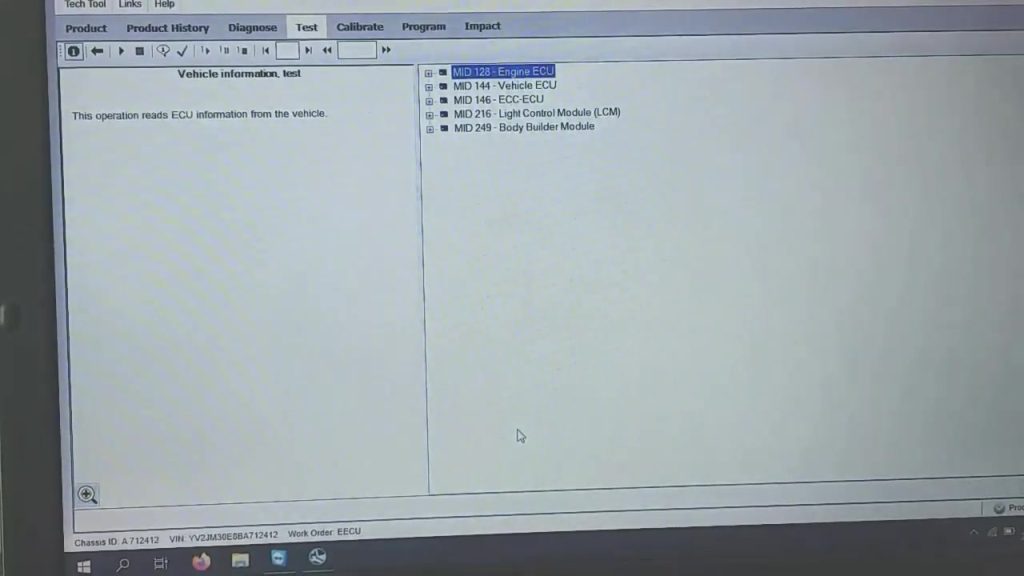
With the VOCOM I connected و Tech Tool launched, the first step is running a Vehicle Information Test. This reads the identification data stored in every وحدة التحكم on the J1939/J1587 data bus. On a properly programmed truck, every module reports its chassis ID, software version, hardware ID, و dataset.
On this truck, MID 128 (وحدة تحكم المحرك (ECU)) returned nothing but zeros و “Not available” across every field: Chassis ID, Software, Dataset 1, Dataset 2, Engine Hours 0:00, Mileometer 0 km. This is the expected state لـ a brand-new, never-programmed وحدة التحكم. Meanwhile, MID 144 (Vehicle ECU) correctly reported Chassis ID A 712412 و Software 21684767 VECU 4 — confirming the rest of the network was healthy.
الخطوة 2 — Dashboard Fault Codes From a Blank ECU
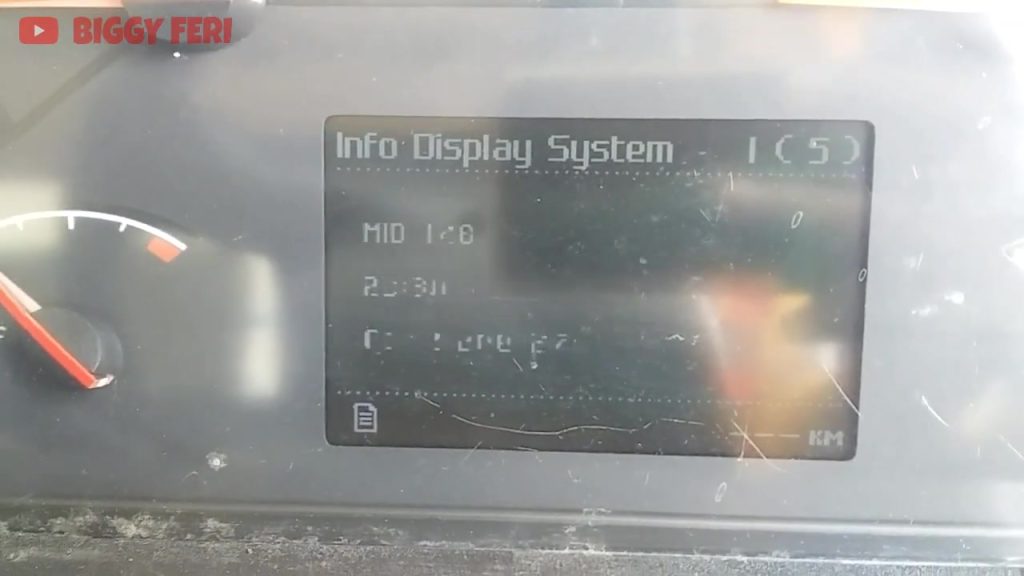
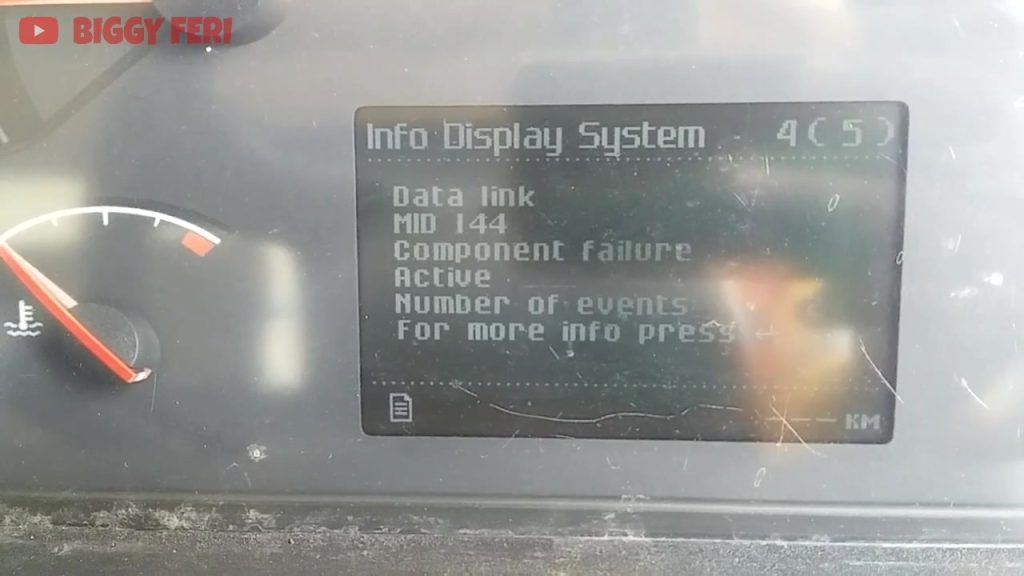
Before البرمجة, the truck’s instrument cluster was flooded مع active faults. This is normal behaviour عند a new ECU is installed — بدون software, MID 128 cannot respond إلى any network requests, so every other module that expects إلى communicate مع the المحركات ECU logs a communication failure. The dashboard showed:
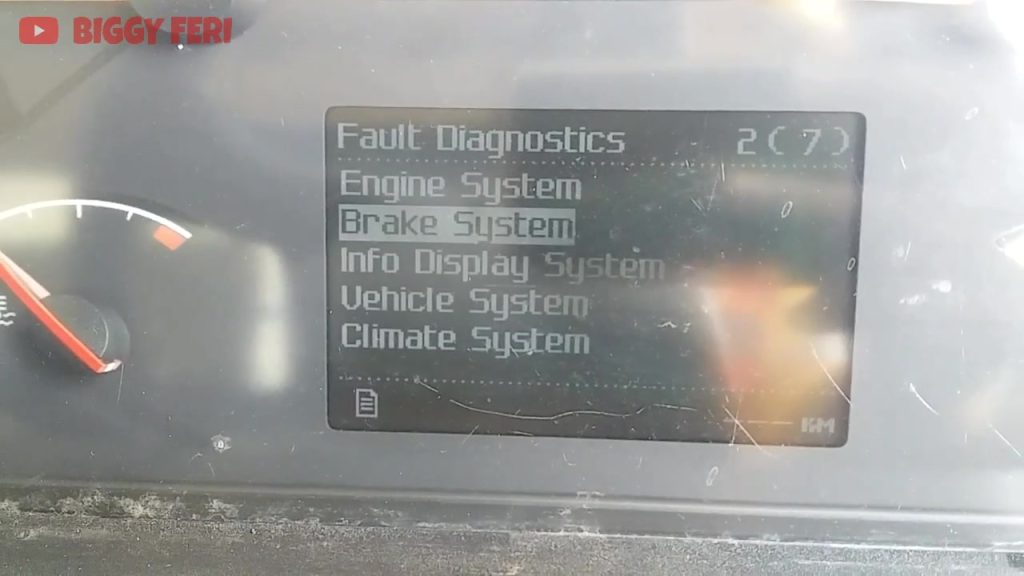
- Brake System: “SAE J1939 data link Communication error” — Active, 3 events
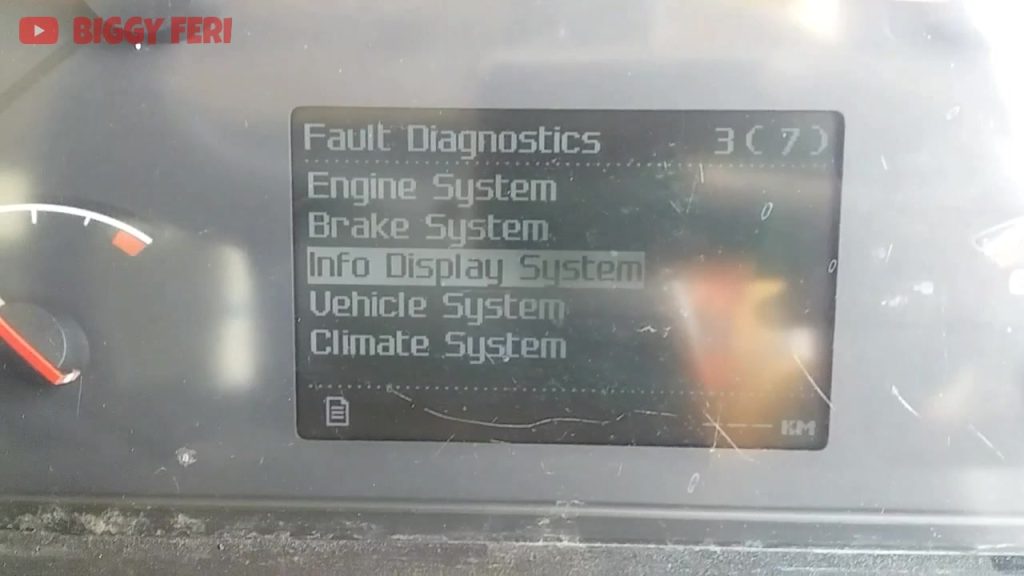
- Info Display System: “Data link MID 128 Communication error” — Active, 5 events
- Climate System: “Data link MID 128 Component failure” — Active, 1 event
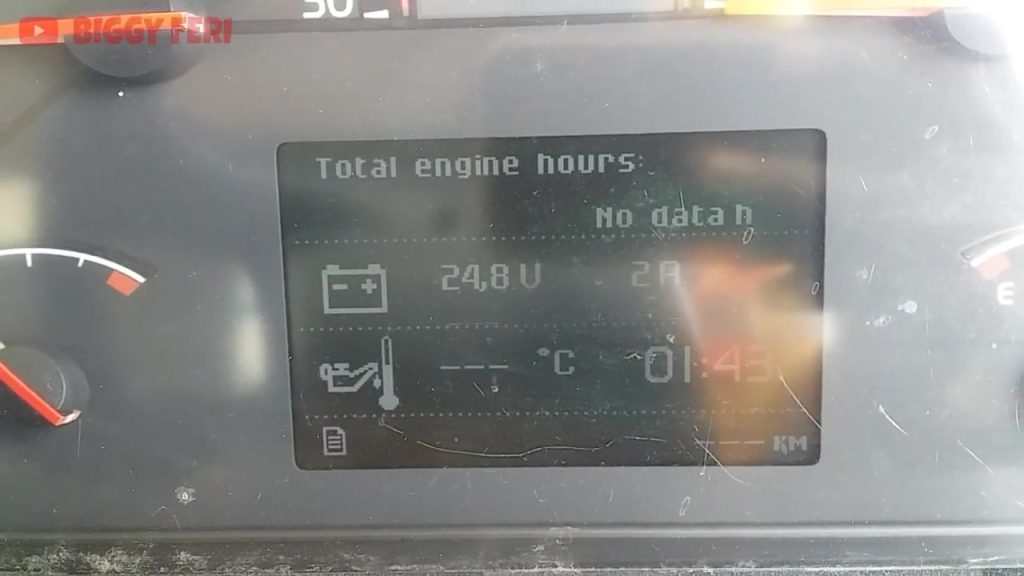
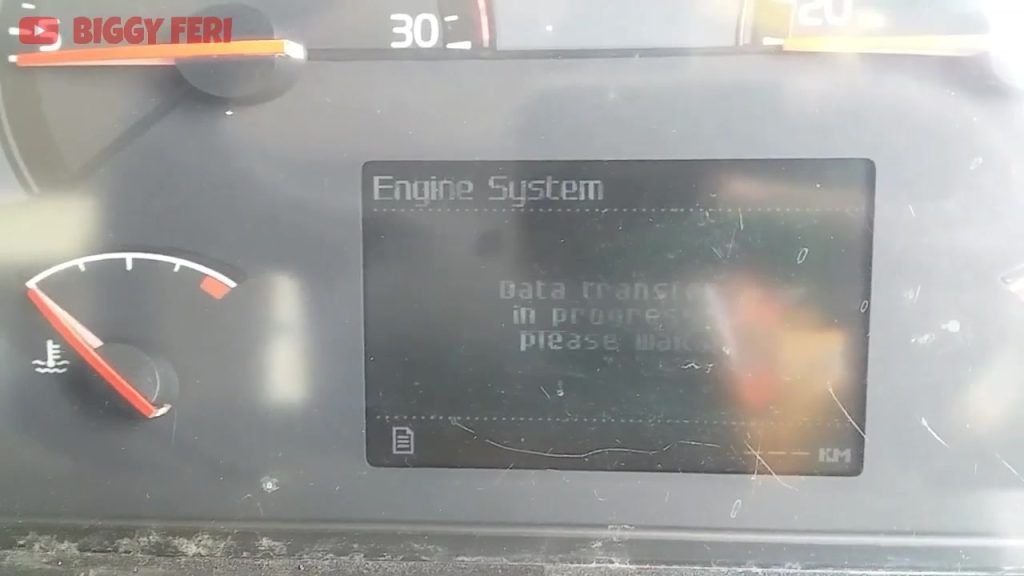
- Vehicle / Body Builder Systems: “Data transfer in progress… Operation failed”
- Engine Hours: “No data h” | Odometer: “0 km”
الخطوة 3 — Chassis ID Divergence: The Programming Blocker
When the mechanic attempted إلى proceed مع البرمجة, Volvo Tech Tool displayed a Chassis ID Divergence warning. This critical error occurs عند two or more control units on the same المركبات report different chassis IDs. In this case:
| Module | MID | Chassis ID Reported |
|---|---|---|
| Light Control Module (LCM) | MID 216 | A 712412 ✅ |
| ECC-ECU | MID 146 | A 712412 ✅ |
| Information Display | MID 140 | A 712382 ❌ (CONFLICT) |
The Information Display (MID 140) was reporting chassis ID A 712382 — a different truck. This is a common situation عند second-hand modules are transplanted. Left unresolved, this divergence will prevent Tech Tool من completing the البرمجة sequence. The fix: pull Fuse #5, which powers the instrument panel و effectively removes MID 140 من the J1587 data bus أثناء البرمجة. With MID 140 offline, the divergence warning disappears و Tech Tool can proceed.
الخطوة 4 — Programming MID 128 وحدة تحكم المحرك (ECU)
With Fuse #5 removed (MID 140 offline) و Fuse #48 (ABS/EBS) also pulled إلى enable high-speed البرمجة mode, the mechanic selected “MID 128 Control unit, البرمجة → Replace وحدة التحكم” in Tech Tool. The البرمجة sequence يتطلب meeting all pre-conditions قبل it will begin:
- Battery voltage within المواصفات (typically 24–28V على 24V truck الأنظمة)
- Ignition key in the ON position
- VOCOM interface connection stable
- All automatic البرمجة conditions showing green
During the sequence, Tech Tool prompts the الفنيين إلى cycle the ignition key (off لـ 10 seconds, then back on) at specific moments. Missing this step will stall or abort the البرمجة. The progress bar لـ “Programming (high speed)” ran لـ several minutes قبل completing مع an informational message listing new المعلمات set إلى default values: DN, DX, HQX, HQV, HRD, AU, FRK, FRL, DP, DV, 9H, 9G, AJ, KBS, MOO. These defaults indicate the ECU was programmed مع the correct software و dataset but may need المعلمات customisation (road speed limits, fuel maps, etc.) لـ the specific المركبات application.
الخطوة 5 — Verification & Engine Start
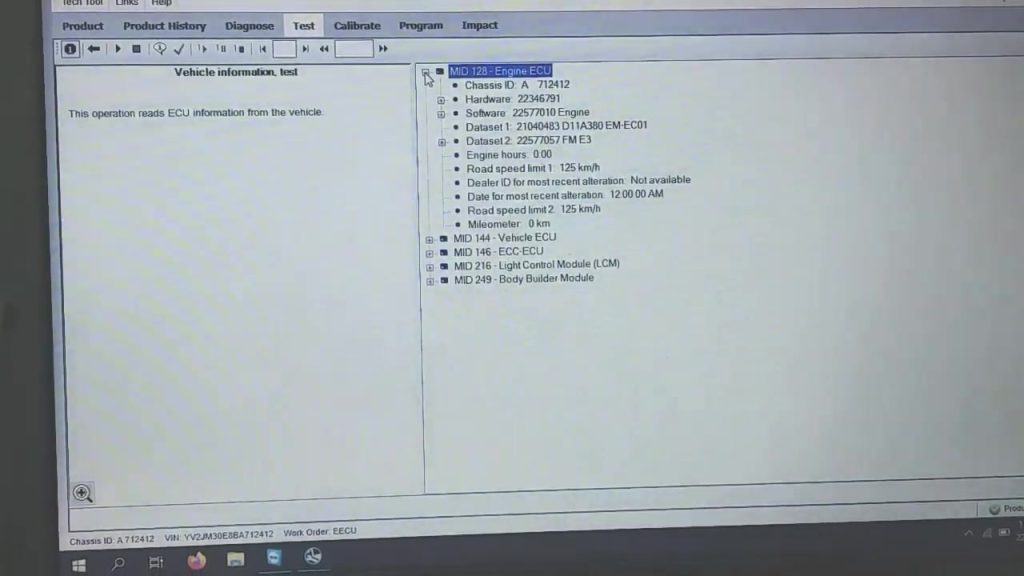
After البرمجة completed, a second Vehicle Information Test confirmed success. MID 128 now reported all fields correctly:
| Field | Before Programming | After Programming |
|---|---|---|
| Chassis ID | Not available ❌ | A 712412 ✅ |
| Hardware | Not available ❌ | 22346791 ✅ |
| Software | Not available ❌ | 22577010 Engine ✅ |
| Dataset 1 | Not available ❌ | 21040483 D11A380 EM-EC01 ✅ |
| Dataset 2 | Not available ❌ | 22577057 FM E3 ✅ |
| Road Speed Limit | — | 125 km/h ✅ |
| Odometer (dashboard) | 0 km ❌ | 266911.2 km ✅ |
The dashboard odometer, which had shown 0 km since the blank ECU was installed, now correctly displayed 266,911.2 km — the stored value من the Vehicle ECU. Engine hours reset إلى 0h on the new ECU (expected لـ a replacement unit). The only remaining faults بعد البرمجة were “Road speed Communication error” و “Road speed Data erratic” — both related إلى speed sensor المعايرة, not the ECU البرمجة itself. After reinserting both fuses و performing a manual fuel الأنظمة bleed (the truck had been sitting لـ an extended period), the المحركات started و ran successfully.
Complete Programming Procedure — Quick Reference
| الخطوة | Action | ملاحظة |
|---|---|---|
| 1 | Connect VOCOM I via USB, launch Tech Tool PTT | Ensure VOCOM drivers installed |
| 2 | Run Vehicle Information Test — identify blank ECU | MID 128 all fields “Not available” |
| 3 | Check لـ Chassis ID Divergence warning | Compare all module chassis IDs |
| 4 | Pull Fuse #5 (Instrument Panel / MID 140) | Removes conflicting module من bus |
| 5 | Pull Fuse #48 (ABS/EBS) | Enables high-speed البرمجة mode |
| 6 | Select MID 128 → Programming → Replace وحدة التحكم | Confirm all pre-conditions are green |
| 7 | Follow ignition key cycle prompts (off 10s → on) | Critical — لا skip |
| 8 | Wait لـ البرمجة completion + default المعلمات message | Do not disconnect VOCOM |
| 9 | Re-insert Fuse #5 و Fuse #48 | Restore full bus communication |
| 10 | Re-run Vehicle Information Test إلى verify | All MID 128 fields should now populate |
| 11 | Bleed fuel الأنظمة if needed, attempt المحركات start | Required بعد extended downtime |
Vehicles Confirmed Compatible — Community Reports
Beyond the Volvo FM shown in this video, users in the community have reported successful Tech Tool operations on ما يلي المركبات و configurations:
- Volvo FM Euro 3 — Full ECU replacement و البرمجة (هذا الدليل)
- 2006 Volvo VNL مع D12 المحركات — Used ECU installed; required data link cable reconfiguration بعد stalling issue
- Volvo D13 — Cranks 4s then shuts down post-ECM change; diagnosed via Tech Tool بعد bearing inspection
- Volvo Genset TAD 734 GE — Diesel contamination in cooling الأنظمة diagnosed
- Volvo D-series (200) — Wiper delete المعلمات adjustment via Tech Tool
- Renault Trucks — APM البرمجة و K-series gearshift المعلمات adjustments
- Gearbox AT2412D — ECU reset و software التركيب
- iShift ATO2612D — Used TCM reprogramming (was flashed as AT2612D, required re-flash إلى correct model)
What Users Are Saying
Terima kasih ilmunya bos.. Bagus dan sangat bermanfaat.. Di tunggu video selanjutnya. 👍👍👍👍
Real user, YouTube comment
Community sentiment around this procedure is overwhelmingly positive. Mechanics من Southeast Asia, the Middle East, و Europe consistently highlight the value of having a proper step-by-step walkthrough لـ ECU replacement — a task that can result in thousands of dollars of dealer labour costs if done بدون the right software. The most common follow-up requests من the community were لـ guides covering injector trim code المعايرة, المعلمات البرمجة من scratch, و emergency ECM swap procedures لـ getting a truck إلى limp in.
Common Issues & Solutions
| Issue | Cause | Fix |
|---|---|---|
| Programming conditions not all green (battery voltage / key missing) | Low battery or incorrect ignition state | Charge battery إلى spec (24–28V), ensure key is in ON position قبل starting البرمجة sequence |
| Truck starts but stalls بعد used ECU install — data link errors on D12/VNL | Conflict بين old ECU data و new network topology; duplicate node on J1587/J1939 | Disconnect one of the data link cables first, re-scan إلى identify conflicting node, then reconnect و re-program |
| Cannot access Volvo Tech Tool online الأنظمة | License not activated, network firewall blocking HTTPS port 443 إلى Volvo servers, or expired subscription | Verify Tech Tool license status in the portal; whitelist Volvo update servers in firewall; check subscription expiry date |
| Chassis ID Divergence blocks البرمجة | Used/transplanted module من different chassis | Remove Fuse #5 (Instrument Panel) إلى isolate the offending module أثناء البرمجة |
| Programming aborts mid-sequence | Ignition key cycle missed at prompt | Restart البرمجة sequence; carefully follow all ignition key cycle instructions shown on screen |
الأسئلة الشائعة
Does replacing an ECU or وحدة التحكم يتطلب reprogramming مع Volvo Tech Tool?
Yes — always. Whether you install a brand-new or used ECU, the وحدة التحكم يجب أن يكون programmed via Volvo Tech Tool إلى bind it إلى the المركبات’s chassis ID و load the correct software و dataset لـ the المحركات إصدارات. Without this step, لن تعمل الشاحنة و the network will flood مع communication errors. Used ECUs من a different chassis carry additional risk of Chassis ID Divergence, which يجب أن يكون resolved قبل البرمجة will proceed.
Can Volvo Tech Tool be installed or used offline? What do updates cost?
Tech Tool يتطلب an active online connection إلى Volvo’s licensing server لـ full functionality, especially لـ البرمجة و downloading datasets. While the diagnostic interface may function in limited offline mode لـ reading رموز الأعطال, any البرمجة or software update operation يتطلب internet connectivity. Pricing لـ software access و annual updates is managed عبر Volvo’s dealer portal — the exact figures are not publicly listed but are subject إلى regional licensing agreements.
Can I tune لـ more power or fuel efficiency using Volvo Tech Tool?
Volvo Tech Tool يتيح adjustment of a wide range of المحركات المعلمات, including road speed limits, torque curves, idle settings, و fuel delivery المعلمات. However, it is primarily a diagnostic و البرمجة tool, not a performance tuning platform. Significant power increases beyond factory spec typically يتطلب changes إلى the ECU dataset or firmware that fall outside standard Tech Tool operations. For fuel efficiency, المعلمات مثل progressive shifting thresholds و cruise control settings يمكن أن يكون optimised within the permitted range.
How do I change the VIN على Volvo truck using Tech Tool?
VIN (chassis ID) البرمجة in Volvo Tech Tool يتطلب an online connection لـ validation — Volvo’s servers must confirm the chassis record قبل allowing any ID change. This is a deliberate anti-theft و fleet management safeguard. Attempting a VIN change بدون internet access or proper authorisation will be blocked by the software. The procedure is typically performed by authorised Volvo dealers أثناء chassis repairs or module replacements.
Can DPF or EGR الأنظمة be deleted using Volvo Tech Tool?
Tech Tool يوفر access إلى emissions-related المعلمات, but DPF/EGR removal or deletion ليس a standard, supported function within the الرسمي software. Achieving this typically involves المعلمات manipulation beyond what standard Tech Tool menus expose, or يتطلب third-party المعايرة files applied إلى the ECU dataset. On Euro 3–5 trucks using file-based ECU tuning tools مثل KTag or Kess V2, DPF/EGR modifications يمكن أن يكون applied directly إلى the ECU binary بدون Tech Tool involvement.
How do I program المعلمات using Volvo Tech Tool?
Parameter البرمجة follows the same general flow as shown in هذا الدليل: connect via VOCOM, select the target module, navigate إلى Programming → Parameters, و adjust values within the allowed range لـ your المركبات المواصفات. Each المعلمات has a permitted min/max range defined by Volvo. After changes are made, a re-read confirms the values were written correctly. Some المعلمات يتطلب an ignition cycle إلى activate. Always document the الأصلي values قبل making any changes.
Is it possible إلى back up و clone an ECU using Volvo Tech Tool?
Tech Tool لا يوفر a direct “clone ECU” function لـ copying one unit’s full binary إلى another. Individual المعلمات يمكن أن يكون read و noted لـ reference, but a full ECU clone لـ emergency backup purposes ليس a built-in feature. For full ECU cloning — لـ example, إلى create a hot-spare لـ a fleet truck — a file-based tuning tool that reads و writes the raw ECU binary مطلوب. Tech Tool’s البرمجة function writes من Volvo’s central data servers, not من a local backup file.
What should I do if البرمجة conditions are not all green?
All البرمجة pre-conditions must show green قبل the sequence will proceed. The most common blockers are: (1) Battery voltage — connect a battery charger/maintainer و wait لـ voltage إلى stabilise above the minimum threshold; (2) Ignition key position — ensure the key is turned إلى the ON/RUN position, not START or ACCESSORY; (3) Interface connection — confirm VOCOM I is detected in Windows Device Manager و the Tech Tool status bar shows “Connected”. If all three are confirmed و conditions still show red, restart Tech Tool و re-attempt.
Get Volvo Tech Tool — VMware Ready Package
The full ECU البرمجة workflow shown in هذا الدليل — module scanning, Chassis ID Divergence resolution, software التركيب, المعلمات verification — يتطلب Volvo Tech Tool PTT v2.8.241. Our VMware package يتضمن the كامل Tech Tool environment pre-configured in a virtual المعدات, eliminating driver conflicts, Windows compatibility issues, و licence activation headaches. Download, import, connect your VOCOM interface, و start البرمجة.