
Volvo’s I-Shift automated manual transmission is one of the most advanced gearbox الأنظمة in the commercial truck industry. But like any precision الأنظمة, it يتطلب periodic المعايرة — particularly بعد clutch replacement, transmission rebuilding, or gearbox وحدة التحكم servicing. Without proper المعايرة, the truck may exhibit harsh shifts, clutch slip, or transmission رموز الأعطال that put the المركبات out of service.
In this step-by-step guide, we walk عبر the كامل Volvo I-Shift clutch و transmission المعايرة procedure using Volvo Tech Tool (PTT) v2.8 مع a VOCOM II Tough USB interface على Volvo FH (4th generation) truck — VIN YY2RLIE008NA87401, at 124,609 km.
Why I-Shift Calibration Is Required
Volvo Tech Tool يتطلب a fresh المعايرة (Operation ID 40070-3) in ما يلي situations:
- Gear وحدة التحكم top cover replaced — the electronic controller loses its learned position data
- Clutch cylinder replaced — new cylinder geometry يجب أن يكون measured و stored
- Clutch plate(s) replaced — wear baseline يجب أن يكون reset إلى the new plate thickness
- Transmission rebuilt or replaced — all internal positions يجب أن يكون re-learned من zero
Skipping المعايرة بعد any of these repairs will cause the I-Shift ECU إلى use outdated positional data, leading إلى misaligned shift points, clutch hunting, or in severe cases a fully locked transmission مع U-codes or P-codes in the fault memory.
Equipment Required
| Component | Specification |
|---|---|
| Diagnostic Software | Volvo Tech Tool (PTT) v2.8.10 or higher |
| Communication Interface | VOCOM II Tough (USB) or VOCOM I |
| Laptop | Panasonic Toughbook or any Windows 10/11 PC |
| Vehicle State | Propeller shaft connected, transmission installed in المركبات |
مهم: Calibration cannot be performed مع the transmission removed من the المركبات or مع the propeller shaft disconnected. The procedure يتطلب the drivetrain إلى be fully assembled و in a driveable state.
الخطوة 1 — Connect و Identify the Vehicle
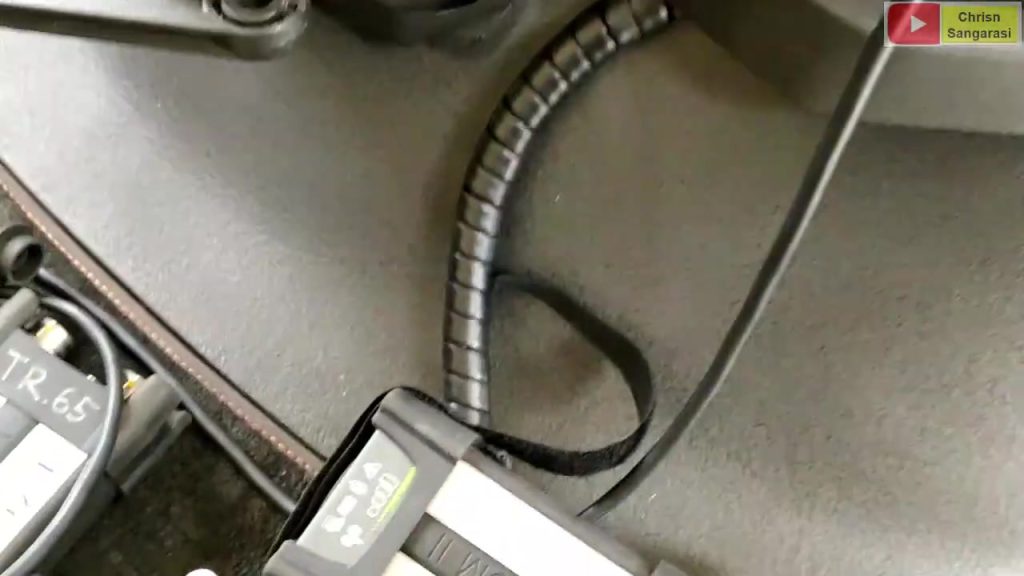
Launch Volvo Tech Tool و connect the VOCOM II interface إلى the truck diagnostic port. Tech Tool automatically reads the المركبات product information via the CAN bus:
- Chassis ID: A 867481
- VIN: YY2RLIE008NA87401
- Model: Volvo FH (4) — 4th generation
- Electrical System: VERSION4
- Mileage: 124,609.6 km
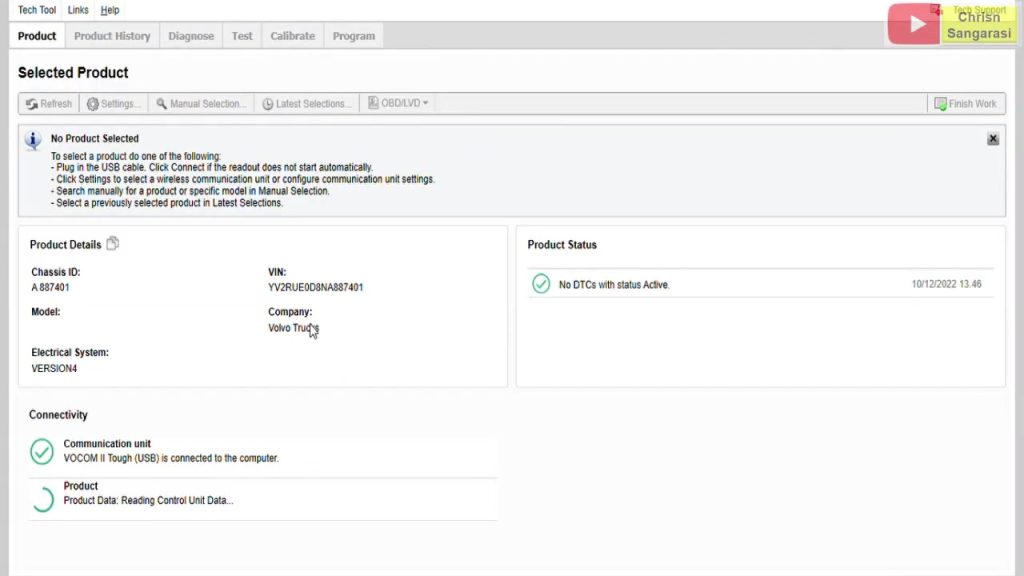
The initial Product Status screen shows “No DTCs مع status Active” — confirming no pre-existing faults قبل beginning. Always verify this baseline قبل starting any المعايرة procedure.
الخطوة 2 — Open the Calibrate Tab
In the Tech Tool main interface, click the Calibrate tab. The software runs a preparation routine that reads user info, product التهيئة, و current المعلمات values من all relevant ECUs.
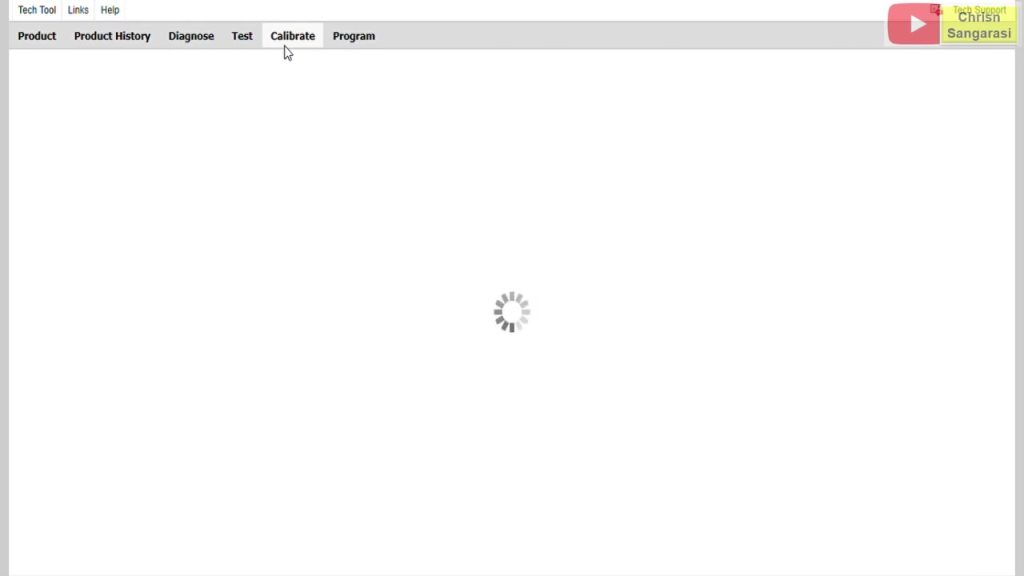
This preparation phase takes approximately 90 seconds as Tech Tool communicates مع the Gear Control Unit (GCU), Engine Control Unit (EECU), و other modules إلى build a full snapshot of the المركبات current state.
الخطوة 3 — Select Operation 40070-3
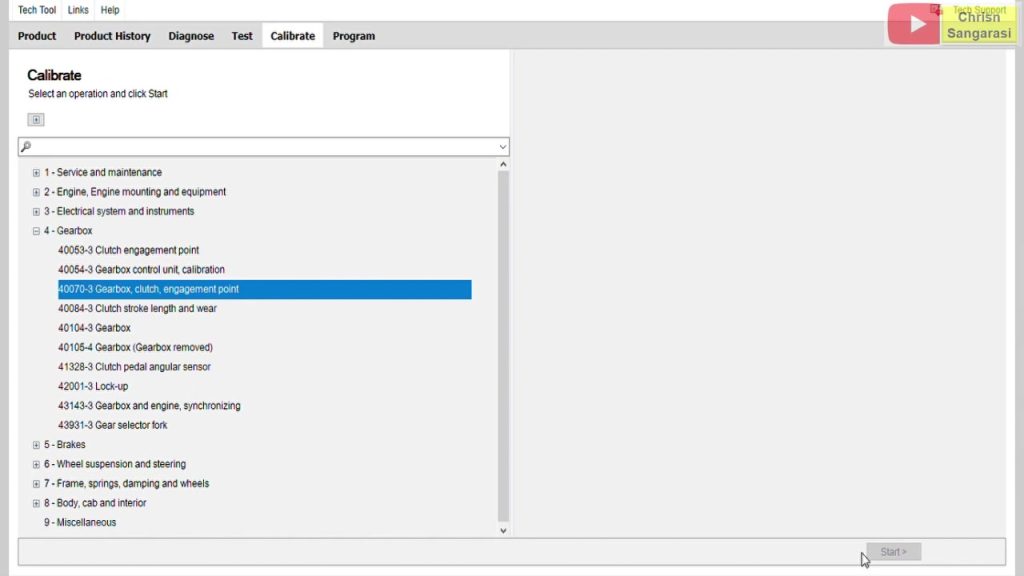
After preparations كامل, Tech Tool displays all available المعايرة operations under the 4-Gearbox category:
| Operation ID | Description |
|---|---|
| 40054-3 | Gearbox وحدة التحكم, المعايرة |
| 40055-3 | Clutch engagement point |
| 40070-3 | Gearbox, clutch, engagement point (recommended بعد clutch/gearbox work) |
| 40084-3 | Clutch stroke length و wear |
| 40104-3 | Gearbox |
| 40106-4 | Gearbox (gearbox removed) |
| 41320-1 | Clutch pedal angular sensor |
| 42001-3 | Lock-up |
| 43143-3 | Gearbox و المحركات, synchronizing |
| 43194-3 | Gear selector cylinder |
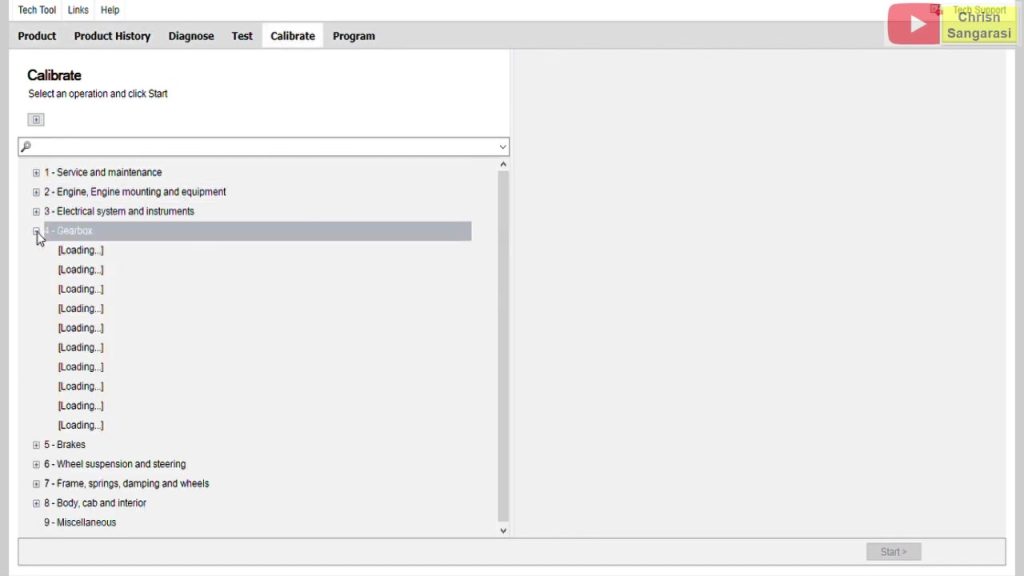
Select 40070-3 Gearbox, clutch, engagement point. This comprehensive operation calibrates both the clutch engagement position و all gearbox selector cylinder positions in a single sequence — the correct choice بعد any clutch or gearbox work.
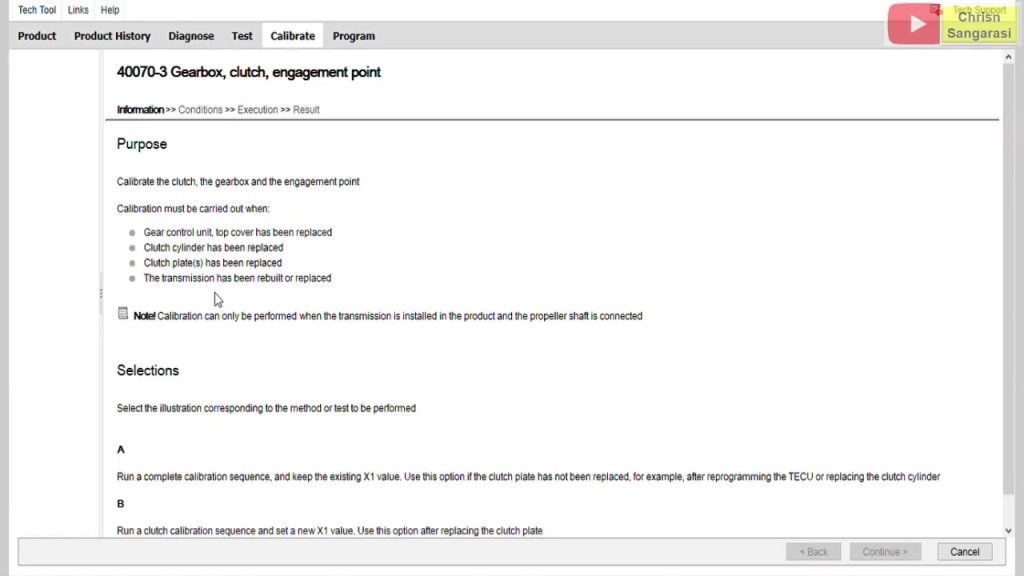
الخطوة 4 — Verify Pre-Conditions
Tech Tool checks three mandatory pre-conditions in real-time قبل المعايرة can start:
- Engine not running — RPM يجب أن يكون 0 (turn off the المحركات و wait)
- Parking brake applied — truck يجب أن يكون stationary و secured
- Gear selector in neutral — I-Shift يجب أن يكون in N position
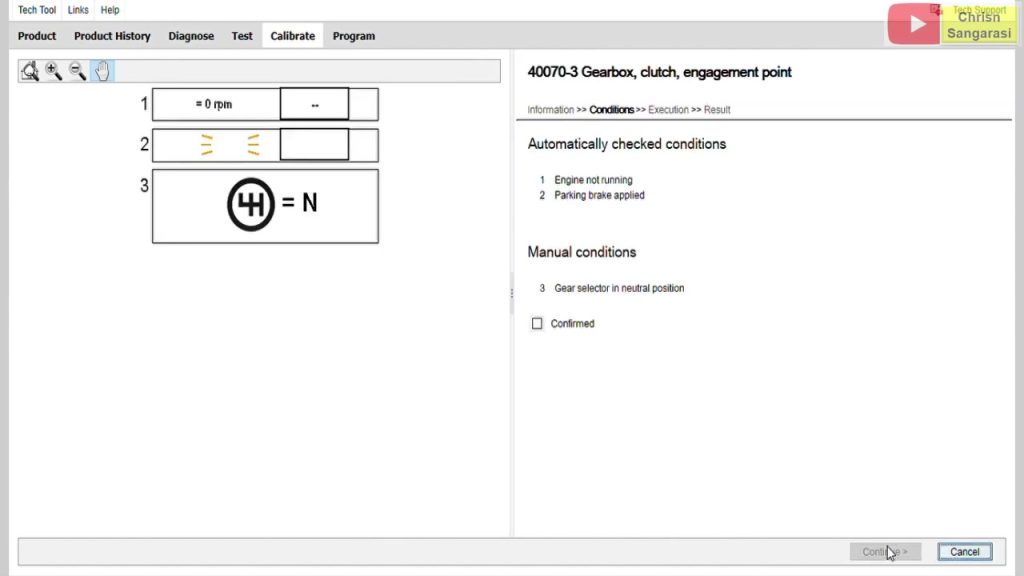
All three conditions must show green قبل Tech Tool يتيح the المعايرة إلى proceed. This prevents the المعايرة من running while the drivetrain is under load, which would produce inaccurate positional measurements.
الخطوة 5 — Execute the Calibration Sequence
The المعايرة runs as an automated 5-step guided sequence:
- الخطوة 1 — Clutch initial check: measures current clutch position baseline
- الخطوة 2 — Gearbox initial check: checks all selector cylinder reference positions
- الخطوة 3 — Start the المحركات: Tech Tool prompts you إلى start the المحركات (RPM must exceed 400)
- الخطوة 4 — Clutch engagement point learning: GCU slowly moves the clutch actuator إلى find the exact bite point مع المحركات running
- الخطوة 5 — Ignition ON المحركات OFF: final static verification of all positions
The entire automated sequence takes approximately 90 seconds. Do not interrupt the process or move the المركبات أثناء execution.
الخطوة 6 — Review the Results
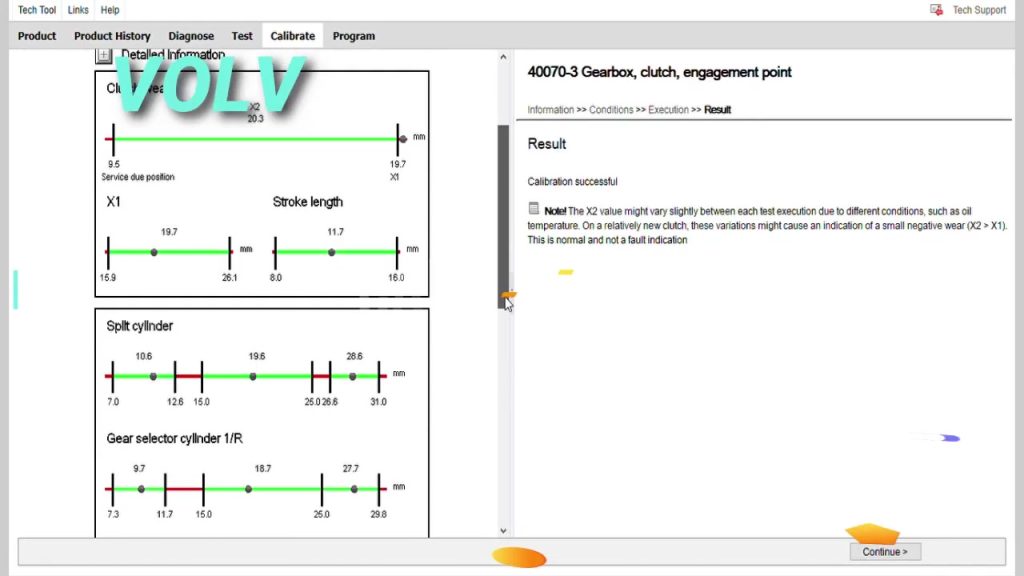
Upon completion, Tech Tool displays Calibration Successful along مع all measured values لـ every المكونات:
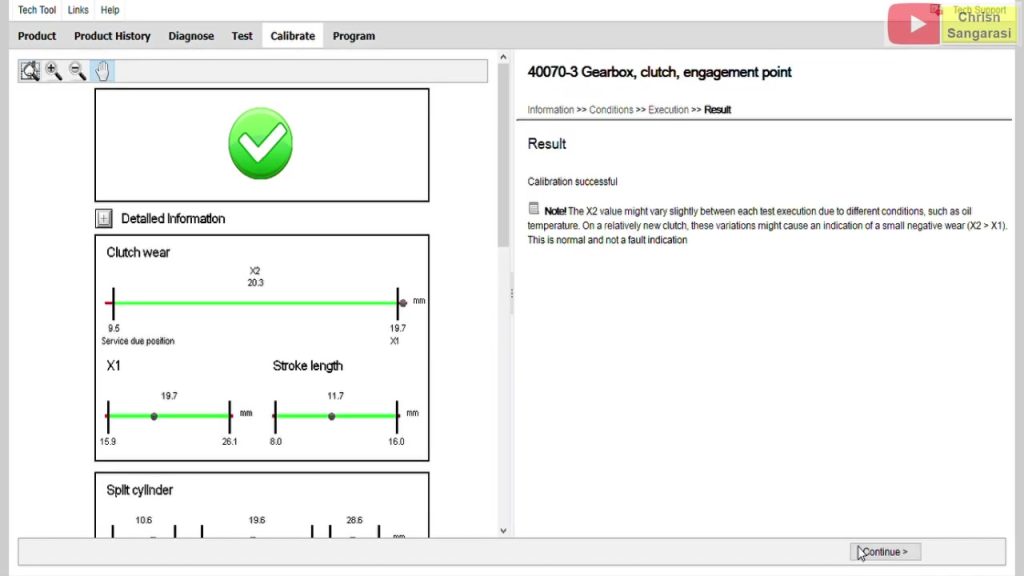
| Parameter | Measured Value | Status |
|---|---|---|
| Clutch wear X2 | 20.3 mm | Current position |
| Clutch wear X1 | 19.7 mm | Reference position |
| Clutch stroke length | 11.7 mm | OK — service due at 9.5 mm |
| Clutch engagement point | 26.7 nm | Within range (23.3 إلى 32.3 nm) |
| Split cylinder | Within range | Range: 7.0 إلى 26.0 nm |
| Gear selector cylinder 1/R | Within range | Range: 9.7 إلى 27.7 nm |
| Gear selector cylinder 2/3 | Within range | Range: 10.7 إلى 28.7 nm |
| Range cylinder | Within range | Range: 8.4 إلى 34.0 nm |
All values are within Volvo specified ranges. The clutch stroke length of 11.7 mm is safely above the service-due threshold of 9.5 mm — the clutch has useful life remaining و لا يتطلب immediate replacement.
Common I-Shift Calibration Errors و Fixes
| Error | Root Cause | Fix |
|---|---|---|
| Pre-conditions not met — RPM not 0 | Engine still running | Switch off ignition, wait 30 seconds |
| Calibration aborted — parking brake not set | Brake not engaged | Apply parking brake fully قبل starting |
| Clutch engagement point out of range | Clutch plate severely worn or wrong part installed | Check plate thickness, replace if below service limit |
| Selector cylinder out of range | Air pressure too low or mechanical fault in selector | Check air الأنظمة pressure (minimum 7 bar), inspect selector unit |
| Communication lost أثناء المعايرة | VOCOM II connection interrupted | Use USB cable not Bluetooth, check cable seating |
| Tech Tool not recognizing VOCOM II | Driver not installed or wrong PTT version | Reinstall VOCOM driver, ensure PTT 2.8 or higher is installed |
Which Volvo Tech Tool Version Do You Need?
The I-Shift المعايرة procedure (Operation 40070-3) is available in all modern versions of Volvo Tech Tool. Newer versions offer expanded المركبات coverage و updated المعايرة routines:
| Version | I-Shift Support | FH Gen 4 | Best For |
|---|---|---|---|
| PTT 2.8.10 | Yes | Yes | Basic المعايرة و diagnostics (older PCs) |
| PTT 2.8.150 | Yes | Yes | Expanded truck و bus coverage |
| PTT 2.8.210 | Yes | Yes | Latest supported standard version |
| PTT 2.8.241 VMware | Yes | Yes | Most current — plug-و-play VMware image |
For the easiest setup, the PTT 2.8.241 VMware image يتطلب no التركيب — boot in VMware Player, pass عبر your VOCOM II via USB, و you are ready إلى calibrate within minutes. No compatibility issues مع modern Windows الأنظمة.
الخلاصة
The Volvo I-Shift clutch و transmission المعايرة (Operation 40070-3) is a straightforward guided procedure in Volvo Tech Tool. With the correct interface (VOCOM II), the right PTT version, و the three pre-conditions met, the entire process takes under 3 minutes و delivers precise measured values لـ every selector cylinder و clutch engagement position — restoring the transmission إلى factory-calibrated performance.
إذا كنت work on Volvo FH, FM, FMX, or Mack/Renault trucks مع I-Shift gearboxes و need Volvo Tech Tool software إلى perform this المعايرة, see our available versions below: