
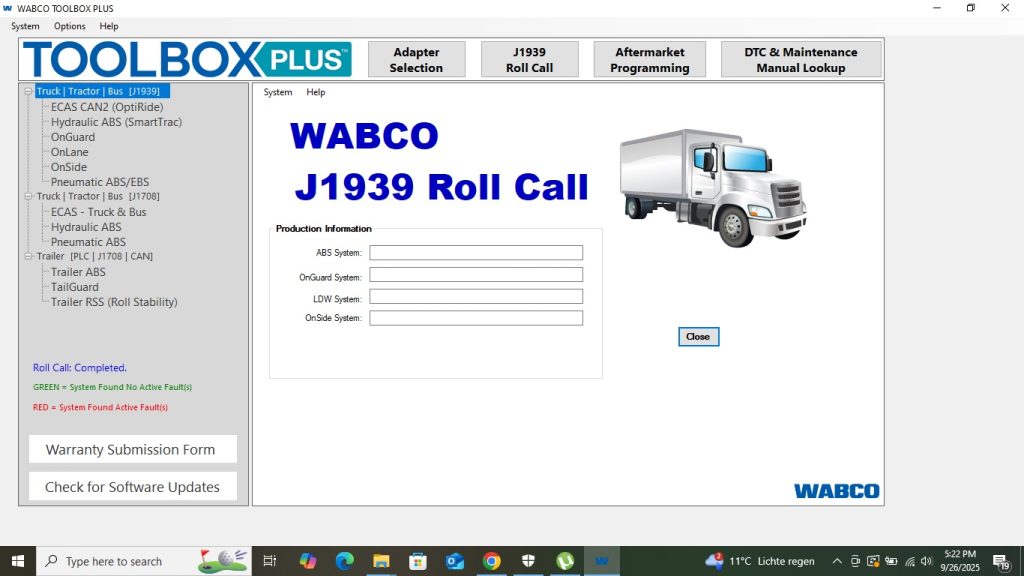
WABCO Toolbox 13.7 — PC المتطلبات
| Component | Minimum | Recommended |
|---|---|---|
| OS | Windows 10 Pro 64-bit | Windows 10 Pro 64-bit (22H2) |
| CPU | Intel Core i3 / AMD Ryzen 3 | Intel Core i5 8th gen or newer |
| RAM | 4 GB | 8 GB |
| Storage | 20 GB free | 40 GB SSD |
| USB | USB 2.0 | USB 3.0 |
| Display | 1024×768 | 1920×1080 |
| Network | Required لـ activation | — |
Windows Version التوافق
- Windows 10 Pro 64-bit — Fully supported. Best choice لـ production use.
- Windows 11 — WABCO Toolbox 13.7 installs but WDC adapter driver يدعم on Win11 is inconsistent. Forum reports: some shops run it fine, others encounter driver signing issues. Stick إلى Win10 لـ critical brake work.
- Windows 7/8 — Not supported in version 13.x. Use an older WABCO Toolbox version لـ legacy Windows setups.
- Windows Home Edition — Not recommended; licensing المكونات يتطلب Pro-level group policy access.
Supported Diagnostic Interfaces
| Adapter | Compatible | J1939 | ISO 7638 Trailer | Notes |
|---|---|---|---|---|
| WABCO USB Diagnostic Controller (WDC) | ✅ | ✅ | ✅ | OEM interface — best لـ dealer use. Includes dedicated WABCO 9-pin connector. |
| Nexiq USB Link 2 | ✅ | ✅ | ⚠️ | Works well لـ tractor ABS; trailer ISO 7638 needs breakout cable. |
| Nexiq USB Link 3 | ✅ | ✅ | ⚠️ | Current gen; better Win10/11 driver يدعم. |
| DG Technologies DPA5 | ✅ | ✅ | ⚠️ | Solid in fleet environments; widely tested. |
| Bluetooth/Wi-Fi adapters | ❌ | — | — | Not supported. Wired connection required. |
Trailer ABS Diagnostics — Additional Hardware
For تشخيص trailer ABS الأنظمة, you need:
- Your standard RP1210 adapter (Nexiq or DPA5) connected إلى the tractor J1939 port
- A 7-pin ISO 7638 breakout cable connected من the tractor’s trailer power socket إلى your laptop USB (via a USB-إلى-ISO 7638 diagnostic adapter)
- Or: the WABCO WDC, which يتضمن a dedicated trailer diagnostic cable in the kit
The ISO 7638 connector يوفر both power و CAN communication إلى trailer ABS ECUs. WABCO Toolbox identifies trailer ECUs separately من tractor الأنظمة in the المركبات tree.
WABCO Diagnostic Port Locations by Vehicle
- Freightliner Cascadia — Standard J1939 OBD port under dashboard + dedicated WABCO 9-pin port on the ABS ECU (near firewall)
- Kenworth T680/T880 — J1939 under dashboard left of steering column
- Peterbilt 579/589 — J1939 under dashboard center
- Volvo VNL — J1939 under dashboard driver side
- Trailers — ISO 7638 7-pin connector on front trailer nose (same socket used لـ trailer brake power)
License Type و Activation
Unlike DDDL (adapter-locked) or Cummins INSITE (subscription), WABCO Toolbox 13.7 uses a PC hardware-locked license. Key points:
- Activation ties إلى your laptop’s hardware ID (motherboard serial, CPU ID)
- يمكنك install on multiple PCs, but each يتطلب its own license
- Hardware changes (motherboard swap, major upgrade) يتطلب license transfer via WABCO portal
- Keep a backup of your license key و hardware ID receipt — reactivation بعد hardware change يتطلب both
Antivirus Exclusions Required
- Add
C:WABCOإلى antivirus exclusions قبل التركيب - Exclude WABCO Toolbox من Windows Defender real-time scan
- Allow outbound TCP 80/443 لـ license activation server
Virtual Machine Setup
WABCO Toolbox runs in VMware مع USB passthrough. Since the license ties إلى PC hardware ID (not adapter), VM setup is actually simpler than DDDL — activation binds إلى the VM’s virtual hardware ID. Take a VM snapshot بعد activation. See our WABCO Toolbox VMware guide لـ كامل instructions.
الخلاصة
Windows 10 Pro 64-bit مع a Nexiq USB Link 2/3 or WABCO WDC adapter is the reference التهيئة لـ WABCO Toolbox 13.7 based on forum consensus. For trailer brake work, the WABCO WDC kit مع its included ISO 7638 cable is the most كامل solution. Check our beginner’s guide لـ first-session walkthrough.