
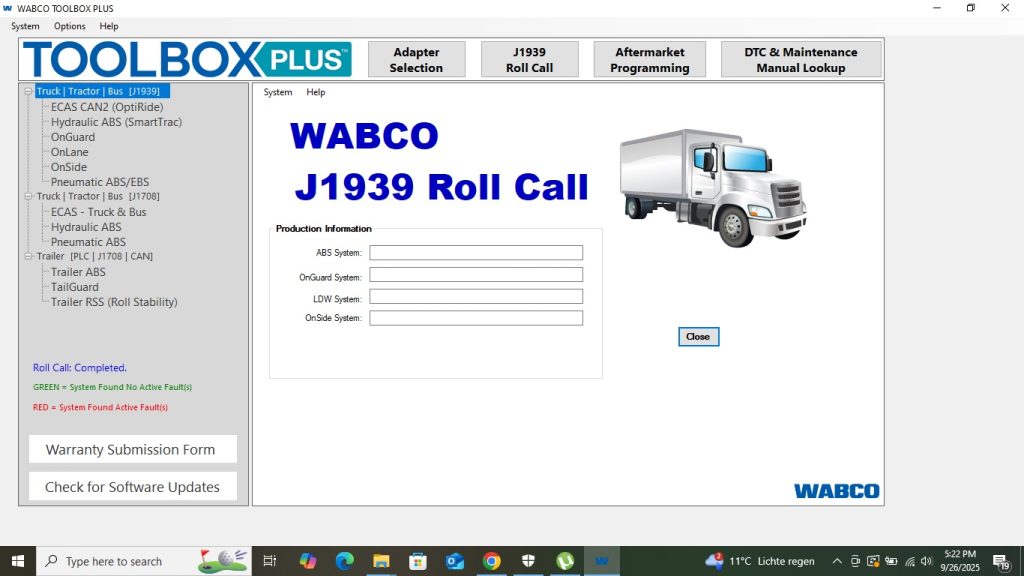
Why Run WABCO Toolbox in a Virtual Machine?
A VMware virtual المعدات keeps your WABCO Toolbox environment isolated, snapshottable, و portable. Brake و suspension work often involves multi-step المعايرة procedures — if something goes wrong mid-المعايرة (power loss, laptop crash, communication error), a VM snapshot lets you roll back instantly و retry. This is particularly valuable أثناء ECAS المعايرة و OnGuardACTIVE radar alignment, where an interrupted procedure can leave the الأنظمة in an uncalibrated state.
WABCO License Behavior in VMs — Key Difference من DDDL
Unlike Detroit DDDL (which licenses إلى the USB adapter), WABCO Toolbox 13.7 licenses إلى the PC hardware ID. In a VM, this means the license binds إلى the VM’s virtual hardware fingerprint — not the host المعدات’s hardware. This has important implications:
- Advantage: You don’t need the USB adapter connected أثناء activation. Activate in the VM at any time.
- Risk: إذا كنت delete the VM و recreate it, the virtual hardware ID changes — you’ll need إلى transfer the license via WABCO portal قبل the old activation becomes invalid.
- Best practice: Never delete an activated WABCO Toolbox VM بدون first transferring the license out.
Recommended VM Configuration
- VMware Workstation Pro 17 or VMware Workstation Player
- Guest OS: Windows 10 Pro 64-bit (22H2)
- RAM: 4 GB allocated إلى VM
- Storage: 40 GB virtual disk on SSD host drive
- USB Controller: USB 3.1 in VM settings
USB Passthrough لـ Nexiq USB Link
- Plug in your Nexiq USB Link 2/3 adapter
- In VMware: VM → Settings → USB Controller → USB 3.1
- Start the VM. Once booted: VM → Removable Devices → Nexiq USB-Link → Connect
- Install Nexiq drivers inside the VM if prompted
- Verify in guest Device Manager: no yellow marks on Nexiq
Installation in the VM
- Copy WABCO Toolbox 13.7 installer في VM via shared folder
- Disable Windows Defender inside VM
- Run installer as Administrator → Install إلى
C:WABCO - Activate license أثناء التركيب (internet required). License binds إلى VM hardware ID.
- Take snapshot immediately بعد successful activation — label it “WABCO Clean Install”
Snapshot Strategy لـ Brake و Calibration Work
- Snapshot: “Clean Install” — Immediately بعد activation. Your recovery baseline if anything corrupts the install.
- Snapshot: “Pre-ECAS Calibration” — Before any ECAS ride height المعايرة. If المعايرة is interrupted, roll back و retry بدون leaving the الأنظمة in an unknown state.
- Snapshot: “Pre-OnGuard Alignment” — Before radar alignment procedures. Critical if you’re working على truck that can’t stay in the shop overnight.
This snapshot workflow is what makes VM-based WABCO Toolbox genuinely superior إلى a bare-metal install لـ المعايرة-heavy work.
Common VM Errors و Fixes
- “License not valid” بعد VM snapshot restore — This does NOT happen on restore (same VM = same hardware ID). It would only happen if you clone or recreate the VM. If it occurs, run WABCO’s license transfer tool.
- Adapter drops أثناء ECAS المعايرة — Host USB power management suspending the port. Fix: in host Windows → Control Panel → Power Options → Advanced → USB selective suspend → Disabled.
- WABCO Toolbox can’t find ECU in VM — Adapter still connected إلى host. Use VMware’s Removable Devices menu إلى redirect إلى VM.
- Slow communication أثناء OnGuard alignment — Allocate more RAM إلى VM (increase إلى 6 GB). CAN bus communication is timing-sensitive; VM RAM starvation can cause timeout errors.
VirtualBox Alternative
VirtualBox works مع WABCO Toolbox لـ basic رموز الأعطال reading و المعلمات viewing. However, لـ المعايرة procedures (ECAS, OnGuard alignment), VMware’s more stable USB passthrough is strongly preferred. Forum experience across TruckersReport threads: VirtualBox has caused mid-المعايرة disconnects that left ECAS in an uncalibrated state, requiring a shop visit لـ manual reset.
الخلاصة
VMware + WABCO Toolbox 13.7 مع a pre-المعايرة snapshot strategy is the احترافي setup لـ brake و suspension specialists. The license-إلى-VM-hardware approach actually simplifies activation compared إلى DDDL. Check the الأنظمة requirements لـ hardware needs, or browse the FAQ لـ quick answers.