
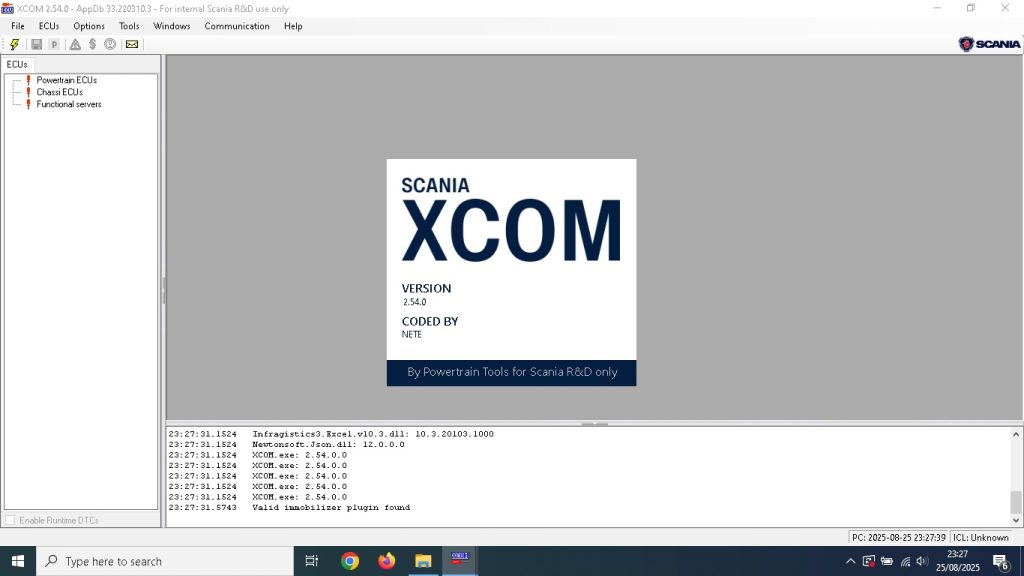
Scania XCOM 2.54 المحولات المتوافقة — الدليل الكامل
Choosing the right المركبات communication interface (VCI) is critical لـ reliable Scania XCOM 2.54 operation. The wrong adapter can cause failed flashes, communication drops, و even ECU corruption. يغطي هذا الدليل every compatible adapter, their capabilities, و which one you should use.
Scania VCI3 (Vehicle Communication Interface 3) — Recommended
The VCI3 is Scania’s current-generation diagnostic adapter و the best choice لـ XCOM 2.54. It يدعم all Scania truck, bus, و المحركات platforms including the latest Euro 6/Euro VI المركبات.
- Connectivity: USB و WiFi
- Supported Protocols: SAE J1939, KWP2000, UDS, Scania proprietary
- Max Baud Rate: 1 Mbps
- Compatible Vehicles: All Scania P, G, R, S, C, K, N-series (2004–present)
- Special Features: Firmware auto-update via XCOM, ECU flash يدعم on all platforms, Multi-ECU simultaneous communication
Scania VCI2 — Legacy but Functional
The VCI2 remains functional لـ most XCOM tasks but has limitations on the newest platforms. إذا كنت work primarily on pre-2020 Scania المركبات, VCI2 is still a viable option.
- Connectivity: USB only
- Supported Protocols: SAE J1939, KWP2000, Scania proprietary
- Max Baud Rate: 500 Kbps
- Compatible Vehicles: Scania P, G, R-series (2004–2022)
- Limitations: No يدعم لـ S8 EMS, COO7, or HMS1.8. Slower flash speeds. No WiFi.
NexIQ / USB-Link — Basic Support
Cummins NexIQ و USB-Link adapters يوفر basic diagnostic connectivity مع XCOM 2.54. They work لـ reading المعلمات و simple coding but lack full ECU flash capability.
- Connectivity: USB
- Use Case: Parameter reading, basic diagnostics, simple coding changes
- Limitations: No ECU البرمجة/recovery. No AdBlue/EGR المعلمات changes. No VIN البرمجة.
Adapter Comparison Table
| Feature | VCI3 | VCI2 | NexIQ |
|---|---|---|---|
| USB | ✅ | ✅ | ✅ |
| WiFi | ✅ | ❌ | ❌ |
| ECU Programming | Full | Most ECUs | ❌ |
| ECU Recovery | ✅ | ⚠️ Limited | ❌ |
| AdBlue/EGR Changes | ✅ | ✅ (pre-2022) | ❌ |
| VIN Programming | ✅ | ⚠️ COO6 only | ❌ |
| Euro 6/Euro VI Vehicles | ✅ | ⚠️ Partial | ❌ |
| Price Range | $$$ | $$ | $ |
Scania XCOM 2.54 System المتطلبات
| Component | Minimum | Recommended |
|---|---|---|
| OS | Windows 7 64-bit | Windows 10 64-bit |
| CPU | Intel Core i3 (2.4 GHz) | Intel Core i5+ (3.0 GHz+) |
| RAM | 4 GB | 8 GB |
| Disk Space | 10 GB free | 20 GB SSD |
| Display | 1024×768 | 1920×1080 |
| .NET Framework | 4.7.2 | 4.8 |
| USB Ports | USB 2.0 | USB 3.0 |
| Internet | For activation & updates | Broadband recommended |
Connector Locations — Where إلى Plug In
- Cab Diagnostic Port: Standard OBD2 16-pin connector, located under the dashboard إلى the left of the steering column (all P, G, R, S-series)
- Engine Compartment: Additional 9-pin diagnostic connector near the ECU on some K و N-series models
- Bus/Coach: Diagnostic port in the driver’s area, left side panel on OmniLine و OmniLink models
Get Scania XCOM 2.54 — Instant Download
➜ Buy Scania XCOM 2.54 — $49 Instant Download