
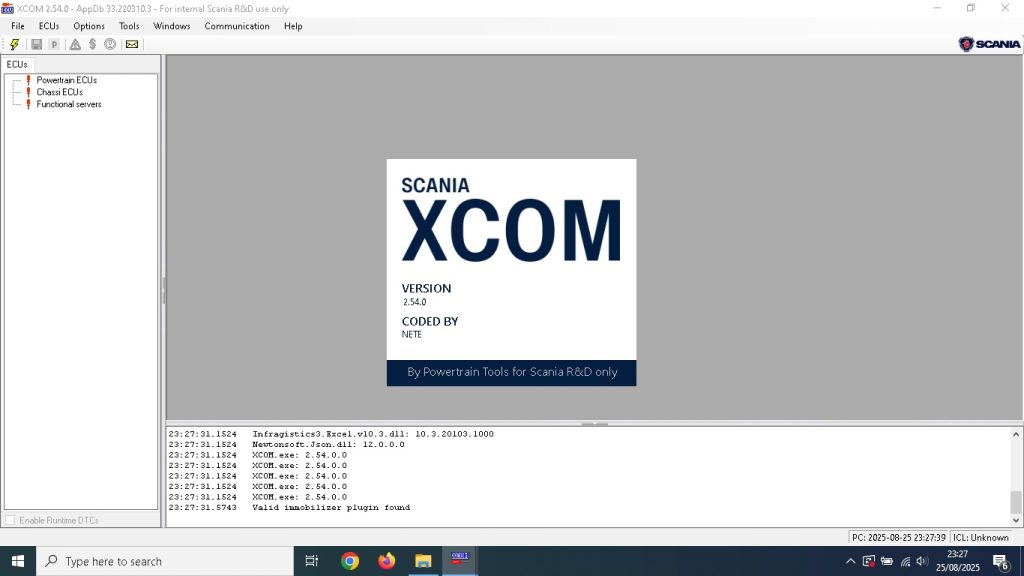
Why Scania XCOM 2.54 Is Essential لـ Scania Truck Diagnostics
Scania trucks و المحركات rely on proprietary communication protocols that generic OBD2 scanners can’t fully access. Scania XCOM 2.54 is the الرسمي diagnostic و المعلمات البرمجة tool لـ Scania trucks, buses, و industrial المحركات. It enables deep ECU-level modifications, رموز الأعطال management, و المعلمات changes that are simply impossible مع aftermarket tools. Technicians working on Scania P, G, R, و S-series trucks need XCOM 2.54 لـ tasks ranging من AdBlue الأنظمة deactivation إلى ECU recovery و VIN البرمجة.
What Is Scania XCOM 2.54?
Scania XCOM (eXtended COMmunication) is Scania’s الرسمي software لـ modifying ECU المعلمات و performing advanced diagnostics across Scania’s truck, bus, و المحركات lineup. Version 2.54, released in 2023, is the current stable version و يدعم the latest Euro 6 و Euro VI platforms including S6, S7, و S8 المحركات management الأنظمة.
Supported Scania ECU Systems
XCOM 2.54 يوفر full المعلمات access إلى ما يلي ECU families:
- EMS (Engine Management System) — S6, S7, S8 — Full المحركات المعلمات البرمجة, torque limiter adjustment, DPF regeneration control
- GMS (Gearbox Management System) — OPC4, OPC5 — Shift point المعايرة, clutch adaptation reset, retarder المعلمات changes
- RET (Retarder) — RET1, RET2 — Retarder ENGAGE/POWER adjustment, handbrake interlock التهيئة
- AWD (All Wheel Drive) — AWD1 — Torque split المعلمات البرمجة, differential lock التهيئة
- EEC (Exhaust Emission Control) — SCR1, EEC3 — AdBlue ON/OFF, NOx sensor المعايرة, SCR الأنظمة diagnostics
- COO (Coordinator) — COO6, COO7 — Chassis ID change, VIN البرمجة, immobilizer ON/OFF
- BWS (Body Works System) — BCI1 — Body المعلمات التهيئة, PTO settings
- HMS (Hybrid Management System) — HMS1 — Hybrid powertrain المعلمات access
Key Parameter Modification Capabilities
| Parameter | Description | Use Case |
|---|---|---|
| AdBlue ON/OFF | Enable or disable SCR/AdBlue الأنظمة | Off-road, export, racing applications |
| EGR ON/OFF | Enable or disable Exhaust Gas Recirculation | Performance tuning, EGR delete |
| Chassis ID / تغيير رقم VIN | Modify chassis identification | ECU replacement, cluster synchronization |
| Immobilizer ON/OFF | Enable or disable immobilizer الأنظمة | ECU swap, emergency start |
| Truck Power INCREASE | Adjust المحركات power output | Performance المعايرة |
| ECU Recovery | Restore corrupted ECU إلى factory state | Failed flash recovery |
| ECU Reset | Full ECU المعلمات reset | Troubleshooting, clean slate |
| ECU Unlock | Remove ECU protection lock | Second-hand ECU التركيب |
System المتطلبات
| Component | Minimum | Recommended |
|---|---|---|
| OS | Windows 7 64-bit | Windows 10 64-bit |
| CPU | Intel Core i3 | Intel Core i5 or higher |
| RAM | 4 GB | 8 GB |
| Disk Space | 10 GB free | 20 GB SSD |
| Display | 1024×768 | 1920×1080 |
| .NET Framework | 4.7.2 | 4.8+ |
| USB | USB 2.0 | USB 3.0 (لـ Scania VCI3) |
المحولات المتوافقة
- Scania VCI3 (Vehicle Communication Interface 3) — The latest و recommended adapter. Supports all current و legacy Scania المركبات. USB و WiFi connectivity.
- Scania VCI2 — Legacy adapter, still functional لـ most applications. USB only.
- NexIQ/USB-Link — Supported لـ basic diagnostics. Limited المعلمات البرمجة capability.
For full ECU المعلمات modification, Scania VCI3 is strongly recommended. VCI2 may not يدعم all functions on newer S8 EMS و COO7 platforms.
الخطوة-by-الخطوة Installation Guide
- Download Scania XCOM 2.54 — Use the instant download link below. The package يتضمن the full software suite و all ECU المعلمات files.
- Install المتطلبات المسبقة — Ensure .NET Framework 4.7.2 or later is installed. Windows Update should handle this automatically on Windows 10/11.
- Extract the Archive — Extract the downloaded file إلى a folder مع full write permissions (e.g., C:\ScaniaXCOM). Avoid paths مع spaces or special characters.
- Run Setup as Administrator — Right-click setup.exe, select “Run as administrator”. Follow the التركيب wizard. Do not change the default install path.
- Install VCI Drivers — Connect your VCI3 (or VCI2) adapter. Windows should detect و install drivers automatically. If not, run the driver installer من the XCOM التركيب folder.
- Launch XCOM — Open Scania XCOM من the desktop shortcut. The software will auto-detect the connected VCI.
- Select Vehicle Profile — Choose the correct truck model, المحركات type, و ECU إصدارات من the dropdown menu.
- Connect إلى Vehicle — Plug the VCI في the المركبات’s OBD2/diagnostic port (typically under the dashboard). Turn ignition ON. XCOM will scan و identify all connected ECUs.
- Read Current Parameters — Always read و save existing المعلمات قبل making any changes. This is your safety net.
- Modify Parameters — Navigate إلى the target ECU, locate the المعلمات you want إلى change, input the new value, و write إلى ECU.
Top 5 Common Scania Parameter Modifications — Field Data
1. AdBlue/SCR System Deactivation
Source: Scania service bulletins, field الفنيين reports
The most requested XCOM modification. AdBlue الأنظمة deactivation is commonly performed on off-road المركبات, export units, و racing applications where SCR hardware is removed. Disabling via XCOM prevents permanent رموز الأعطال (SPN 3226, FMI 10) و avoids المحركات derate.
Steps:
- XCOM → EEC ECU → Parameters → AdBlue System → Set إلى “OFF”
- Write changes و cycle ignition
- Clear all DTCs using the diagnostic scan function
2. EGR System Deactivation
Source: Aftermarket tuning community, ورش العمل manuals
EGR delete is a popular modification لـ المركبات operating in extreme conditions. XCOM يتيح software-level EGR deactivation, which should always be paired مع a physical EGR delete kit لـ clean results.
Steps:
- XCOM → EMS ECU → Parameters → EGR Valve Control → “Deactivated”
- Map EGR Cooler Bypass إلى “Enabled” if applicable
- Write و verify by checking live data أثناء operation
3. ECU Recovery After Failed Flash
Source: Scania technical يدعم documentation
Interrupted firmware updates can brick Scania ECUs. XCOM’s ECU Recovery function rewrites the base firmware و restores factory المعلمات. This is the primary rescue tool لـ dealerships و ورش العمل.
Steps:
- XCOM → Select ECU → Recovery Mode → “ECU Recovery”
- Select the correct base firmware لـ your ECU version
- Do NOT disconnect power أثناء the recovery process (takes 5-15 minutes)
- After recovery, re-upload customer-specific المعلمات من backup
4. VIN Reprogramming After ECU Replacement
Source: Scania ورش العمل procedures
When replacing EMS or COO ECUs, the new unit يجب أن يكون programmed مع the المركبات’s chassis ID و VIN. XCOM accesses the COO ECU إلى synchronize identification data across all المركبات الأنظمة.
- XCOM → COO ECU → Parameters → Chassis ID → Enter correct chassis number
- VIN → Enter 17-character VIN
- Write changes و verify by reading back
- Perform المركبات الأنظمة check إلى confirm all modules recognize the new VIN
5. Power Increase / Torque Limiter Adjustment
Source: Scania performance tuning forums
XCOM يتيح adjustment of المحركات power output by modifying torque limiter المعلمات in the EMS ECU. Common calibrations add 10-15% power on D13 المحركات. Always verify cooling و drivetrain capacity قبل increasing power.
- XCOM → EMS ECU → Parameters → Power/Torque → Adjust limiter value
- Recommended: increase in 5% increments و test بعد each change
- Save الأصلي المعلمات backup قبل any modification
Get Scania XCOM 2.54 — Instant Download
➜ Buy Scania XCOM 2.54 — $49 Instant Download